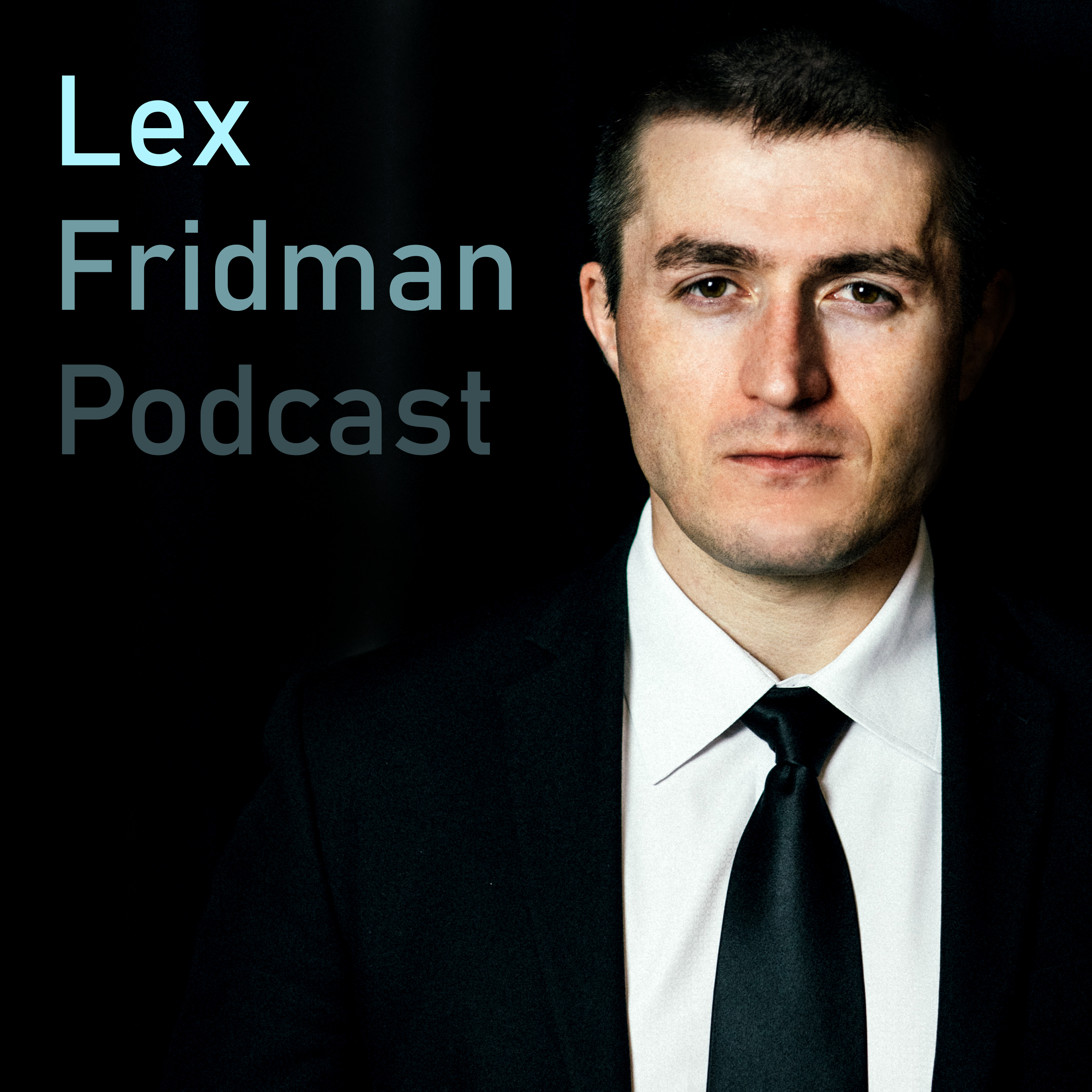
本集简介
双语字幕
仅展示文本字幕,不包含中文音频;想边听边看,请使用 Bayt 播客 App。
接下来这段对话将围绕FFmpeg和VLC展开,嘉宾是让-巴蒂斯特·肯姆夫和基兰·昆亚。
The following is a conversation all about FFmpeg and VLC with Jean Baptiste Kempf and Kieran Kunhya.
FFmpeg是一个开源软件系统,YouTube、Netflix、Chrome、VLC、Discord,以及几乎所有涉及互联网音视频的平台,背后都依赖它作为隐形支柱。
FFmpeg is an open source software system that is the invisible backbone behind YouTube, Netflix, Chrome, VLC, Discord, and basically every platform that touches video or audio on the Internet.
它能解码、编码、转码、流媒体播放,几乎支持所有已知的音视频格式。
It can decode, encode, transcode, stream, and play almost any video or audio format ever created.
在我看来,这是人类开发过的最了不起的软件系统之一,而且全是志愿者做的。
To me, it is one of the most incredible software systems ever developed, and it's all done by volunteers.
VLC也是一款传奇的软件。
VLC is also a legendary piece of software.
它是一个开源的媒体播放器,不管什么格式、什么平台,扔给它都能播,没有广告,也不追踪用户。
It is an open source media player that plays basically anything you throw at it, any format, any platform, no ads, no tracking.
它已经被下载了超过六十亿次,对我来说,它一直是我最爱的软件之一,还有那个标志性的logo——所以我在这段对话里,全程戴着VLC的交通锥帽子,向它致敬。
It has been downloaded over 6,000,000,000 times, and again, for me, it had been one of my favorite pieces of software ever with the most legendary logo, which I, of course, had to honor in this conversation by wearing the VLC traffic cone hat the whole time.
所以,再次感谢那些倾注心血、默默奉献的志愿者工程师,正是他们的代码,被数十亿人使用并深深喜爱。
So again, above all else, thank you to the incredible volunteer engineers who put their heart and soul into this code that has been used and loved by billions of people.
谢谢。
Thank you.
今天和我对话的两位了不起的工程师兼好人,Jean Baptiste 是 VideoLAN 的主席,也是 VLC 和 FFmpeg 的核心人物。
And about the two great engineers and human beings I'm talking to in this episode, Jean Baptiste is the president of VideoLAN and is a key figure behind VLC and FFmpeg.
Kieran 是一位资深的编解码器工程师,FFmpeg 的贡献者,同时也是 Twitter 上那个如今广为人知的 FFmpeg 账号的主人——我强烈推荐大家都去关注,那里有梗,更有对开源和底层软件工程毫不掩饰的热爱。
Kieran is a longtime codec engineer, FFmpeg contributor, and the man behind the now infamous FFmpeg account on Twitter x that I recommend everybody follow For the memes and for the unapologetic celebration of open source and great low level software engineering.
更让我深受鼓舞、心生敬意的是,现代文明的许多基础,竟然都建立在一群不追求名利、只痴迷于工程技艺的人所写的代码之上。
Let me also say that it's inspiring and humbling that so much of modern civilization rests on software built by people who are not chasing fame or money, but are obsessed with the craft of engineering.
我们生活在一个每天有数十亿人观看视频,却从不思考背后技术机制的世界。
We live in a world where billions of people consume video every day without ever thinking about the invisible machinery underneath it.
但这些机制至关重要。
But that machinery matters.
开源基础设施非常重要。
Open source infrastructure matters.
它堪称人类跨越国界、默默协作,为所有人打造实用、持久且优雅之物的典范。
It is one of the great examples of human beings quietly collaborating across borders to build something useful, durable, and elegant for the rest of us.
所以这场对话不只是关于编解码器和媒体管道,更是关于那种让 FFmpeg 这类项目成为可能的工程精神与慷慨之心。
And so this conversation is not just about codecs and media pipelines, it is also about the deeper spirit of engineering and generosity that makes projects like FFmpeg possible.
我怎么强调都不为过。
Again, I can never say it enough.
谢谢。
Thank you.
接下来简单提一下我们的赞助商。
And now a quick few second mention of a sponsor.
详情请看简介,或者访问 lexfreedman.com/sponsors。
Check them out in the description or at lexfreedman.com/sponsors.
这确实是支持这个播客最好的方式。
It is, in fact, the best way to support this podcast.
我们有 Larridin 帮你理解 AI 在业务中的应用,Blitzy 助你处理大规模代码库,BetterHelp 提供心理健康支持,Fin 打造客服 AI 代理,Element 补充电解质,还有 Perplexity 帮你探索好奇心驱动的知识。
We've got Larridin for understanding how AI is used in your business, Blitzy for cogeneration and large code bases, BetterHelp for mental health, Fin for customer service AI agents, Element for electrolytes, and Perplexity for curiosity driven knowledge exploration.
请慎重选择,朋友们。
Choose wisely, my friends.
接下来进入正题。
And now onto the full batteries.
我尽量让内容有趣,但如果你跳过了,也别忘了去看看赞助商。
I try to make them interesting, but if you skip, please still check out the sponsors.
我很喜欢他们的产品。
I enjoy their stuff.
也许你也会喜欢。
Maybe you will too.
如果你想联系我,无论什么理由,都可以访问 lexfreedman.com/contact。
To get in touch with me for whatever reason, go to lexfreeman.com/contact.
好了。
Alright.
我们开始吧。
Let's go.
本集由 Larridin 赞助播出,这是一家帮助组织了解 AI 在企业各处如何应用,以及它对生产力和绩效带来哪些影响的平台。
This episode is brought to you by Larridin, a platform that helps organizations understand how AI is being used across their business and what it's doing for productivity and performance.
现在,开发者个人层面真的正在发生一场转变。
There really is a transformation happening at the individual developer level.
很多人以前还自己写50%、40%、30%的代码,剩下的靠AI,现在则完全转向了所谓的智能代理式开发,手写代码几乎为零。
Many people switch from writing, let's say 50%, 40%, 30% of their code where the rest is written by AI, they switch to basically where it's 0% of code written by hand via so called agentic engineering.
这种变化在个体开发者身上已经看得清清楚楚。
And so we could see that in the individual developers.
但问题是,当这种模式扩展到两个人、三个人、五个人,甚至一百个开发者时,会是什么样子?
Now, the question is when you scale that to two, three, four, five, 100 developers, what does that look like?
对于一家想要交付产品、协调团队、促进协作的公司来说,这又意味着什么?
What does that look like from the perspective of a company that's trying to actually ship products and trying to coordinate teams so they can build and collaborate together?
AI是怎么提升单个开发者和整个团队效率的?
How is AI being used to increase the productivity of the individual contributors and team scene as a whole?
这正是Larridin在做的事。
That's what Larridin does.
如果你的公司已经用上了AI,现在就是该把它管起来的时候了。
If AI is part of your organization, now is the moment to get control of it.
前往 larridin.com 预约演示,开始充分释放 AI 的价值。
Head to larridin.com to book a demo and to start maximizing impact from AI.
本集节目由 Blitzy 赞助,这是一款基于 AI 的自主软件开发平台。
This episode is also brought to you by Blitzy, an AI powered autonomous software development platform.
专为大型复杂代码库设计,支持海量协作型智能体,特别优化了在大量智能体协同工作时的扩展速度。
Built for large complex code bases, huge number of cooperative agents, really optimized for huge code bases, Optimized for scaling speed when you're talking about a very large number of agents working together.
这才是真正值得关注的问题。
And that's the big interesting question.
当你拥有海量智能体、大型公司和庞大代码库时,如何从整体代码库的层面,实现它的持续演进和成长?毕竟其中很大一部分代码都是由系统自主维护的。
When you have a huge number of agents, huge company, huge code base, how do you then seen at the big picture code base level, have the growth and development, the evolution of that code base where a very large percentage of that code base is continuously worked on autonomously.
问题是,当你手头已经有一个成熟、稳定、拥有大量用户的代码库时,如何用智能体工程持续新增功能、不断优化,同时兼顾测试和安全等常规开发流程?
The question is when you have a large code base that already delivers value, already sell stuff that already has huge number of customers, how do you then use agentic engineering to continue adding features, continue improving, continuing the usual kind of development with the testing, with the security, all that kind of stuff.
怎么做才能不把代码库搞砸,不堆满 AI 生成的垃圾代码,又能基本实现自主运行?
How do you do that without messing stuff up, without filling up your code base with AI slop, and nevertheless, doing it so for the most part autonomously.
不是完全自主,而是半自主——但大部分代码确实由系统自动编写。
Not fully autonomously, semi autonomously, but majority of the code is written autonomously.
这正是Blitzy的专长。
That's what Blitzy specializes in.
自主软件开发的未来已经到来。
The future of autonomous software development is here.
想了解更多,或者联系他们的团队,请访问 blitzy.com/lex。
Learn more or speak to a member of their team at blitzy.com/lex.
网址是 blitzy.com/lex。
That's blitzy.com/lex.
本集还由BetterHelp赞助,拼写是h-e-l-p,BetterHelp。
This episode is also brought to you by BetterHelp, spelled h e l p, help.
现在我们把话题从AI转向人类。
Moving away from AI to the human.
直到今天,人类的思维依然超出了我们对智能构建的理解范围。
The human mind is still to this day out of reach of our understanding from the perspective of creating intelligence.
人的心理有太多精妙复杂的层面,这正是人类如此独特的原因。
There's so many intricate psychological complexities to the mind, which I think attributes to what makes humans incredibly special.
但这些复杂性往往会纠缠在一起,反而带来负面影响,所以需要理清它们。我非常推崇谈话疗法,它是一套有效的方法,能帮助我们梳理人类心理的种种复杂问题。
But those complexities get all tangled up in ways that are counterproductive, and so they need to be untangled and I'm a big fan of talk therapy as a set of tools, as a methodology for untangling the complexities of the human mind.
而简单、私密又实惠的方式,就是BetterHelp。
The easy, discreet, affordable way of doing that is BetterHelp.
所以我一直都在推荐它。
That's why I keep recommending it.
如果你还没尝试过谈话疗法,这会是很好的起步方式。
It's a really good way to take your first steps if you haven't done talk therapy.
你能在48小时内就联系上持证的专业心理咨询师。
Get a licensed professional therapist in under forty eight hours.
BetterHelp让这一切变得特别简单。
BetterHelp makes it super easy.
去betterhelp.com/lex看看,第一个月还能享受优惠。
Check them out at betterhelp.com/lex and save in your first month.
就是betterhelp.com/lex。
That's betterhelp.com/lex.
本集节目还由Fin赞助,Fin是客户服务中心排名第一的AI助手。
This episode is also brought to you by Fin, the number one AI agent for customer service.
我之前说过,人是很复杂的。
As I mentioned already about humans, humans are complicated.
客户服务归根结底是要看到每一个具体的人,真正地去倾听。
And customer service is ultimately about looking at each individual human and really listening.
所以我做这个播客,就是为了认真倾听每一个人,不管我们聊的是非常技术性的话题,还是人类存在的根本问题。
So I try to do it a podcast to truly listen to each individual person, whether we're talking about a super technical topic or we're talking about the big questions of the human condition.
有时候,当你深入讨论技术细节时, underneath 能感受到那些关于人类存在重大问题的影子。
And sometimes when you're talking about the details of the technical topic, underneath there, you can feel the presence of the big picture questions of the human condition.
所有这些复杂性,都会从表面上看似普通的客户服务互动中浮现出来,但其实我们真正想解决的是每个人独特的、关乎人类根本处境的大问题。
All of those complexities peak out of the shallow surface interactions that at first glance you might think customer service interaction is, But really, we're trying to solve the big problems of the human condition and specific to that individual person.
所以客户服务是个很难的问题,但同时也非常重要。
So customer service is a really hard problem, but it's a really important one.
而Fin专精的就是如何运用AI来做好客户服务。
And that's what Fin specializes in, how to leverage, how to use, how to utilize AI in the task of customer service.
前往 fin.ai/lex 了解如何革新你的客户服务,扩大支持团队。
Go to fin.ai/lex to learn more about transforming your customer service and scaling your support team.
网址是 fin.ai/lex。
That's fin.ai/lex.
本集还由 LMNT 赞助,这是我每天喝的零糖美味电解质饮品。
This episode is also brought to you by LMNT, my daily zero sugar and delicious electrolyte mix.
我常去一些地方,刚到的时候感觉特别陌生,甚至有点不自在。
I'm traveling to parts of the world that at first feel, at first experience are so foreign that they border on the uncomfortable.
所有新事物都会让人不舒服,而对我而言,LMNT 在健康、心理和社交层面,都像一种回家的提醒。
All new things can be uncomfortable, and for me, element on the health side, psychological side, our social comfort, they're a reminder of home.
那里是我状态最好的地方。
It's a place where I'm healthiest.
在那里,我的生活一切都井然有序。
It's a place where I have everything sort of in line.
我每天都会运动,不管是练柔术、跑步还是举铁。
I'm exercising, running every day, whether that's jiu jitsu or running or lifting.
我的饮食很规律。
I am on a good diet.
我经常在禁食。
I'm fasting a lot.
为了维持这些,你得靠LMNT补充钠、钾和镁这些电解质。
And for all of that, you need the electrolytes that LMNT provides, sodium, potassium, magnesium.
只要电解质补到位,其他事情都会轻松不少。
Really, if you get the electrolytes right, everything else is a little bit easier.
不会头疼了。
You don't get the headaches.
禁食时也不会再有那种怪怪的不舒服感。
You don't get just the weird iffy feeling when you're fasting.
我最爱的口味,得提一嘴,因为我实在太喜欢了——西瓜盐味。
Favorite flavor, as always, I should mention because I love it so much, is watermelon salt.
只要下单,就能免费获得一份八包试用装。
Get a free eight count sample pack with any purchase.
去 drinkelement.com/lex 试试吧。
Try it at drinkelement.com/lex.
这是莱克·弗里德曼播客。
This is the Lex Fridman podcast.
想支持我们的话,请查看简介里的赞助商信息,那里也有联系我、提问、反馈意见的链接。
To support it, please check out our sponsors in the description where you can also find links to contact me, ask questions, give feedback, and so on.
接下来,有请让-巴蒂斯特·肯普夫和基兰·昆亚。
And now, dear friends, here's Jean Baptiste Kempf and Kieran Kunhya.
据说 VLC 能打开任何文件。
So the legend goes VLC can open everything.
你知道它能打开的最奇怪的东西是什么吗?
What's the weirdest thing that you know that it
能打开?
can open?
很多人用 VLC 来录制 VHS 录像带。
You know, there is a ton of people who are using VLC to record VHS videos.
对吧?
Right?
你只要用一个采集卡连上,就能直接录VHS录像带了。
Like, it's just like you plug it with a capture card, and you can basically record VHS video.
这到底是怎么做到的?
Well, how does that work?
其实,那些采集卡都能接入模拟信号,比如复合视频。
Basically, it's, in all those type of capture card where you can put a in Mhmm.
或者S端子,接上就行。
Or RGA, and you put that.
VLC确实能播放这些设备输出的信号。
And, actually, VLC can play those type of cards.
还有一个模块可以直接控制某些VCR和摄像机。
And there is a module which allows to control directly some those VCR camcorders.
我们最近也支持了DVD音频。
We support DVD audios lately.
对吧?
Right?
我们整个夏天都在搞DVD音频的支持。
We spent the the summer working on DVD audio support.
根本没人做DVD音频的支持。
And, like, there is no no one's making any DVD audio support.
它们用的是自定义的加密方案。
There is a custom encryption schemes.
卢卡斯影业呢?
What about Lucasfilm?
对,没错。
Oh, yeah.
当然还有FFmpeg支持的各种稀奇古怪的编码格式。
And there is, of course, all the weird codecs support game codecs supported by by FFmpeg.
有个开发者专门还原了《星球大战》那款游戏里,开头十秒钟的片段,还确保它和当年某张光盘里的原始数据一模一样。
The one Star Wars video game, the first ten second opening sequence, someone has gone and implemented that and make sure that's bit exact on one disc that existed at one time of one little sequence in the game.
还有件挺有意思的事,之前有次VideoLAN大会上,我们办了个比赛,让大家做出最离谱、最奇葩的文件,测试VLC能不能播得出来。
And then, funnyly, there there was a at one VideoLAN conference, we made a competition to meet make the weirdest and most horrible file ever and see if VLC could play it.
最后都做出什么了?
What it end up being?
那个文件到底是什么样的?
What's the file?
是不是
It was
是德里克做的一个MKV文件,对。
an MKV file made by Derek Yeah.
那个文件里每一帧的分辨率、宽高比还有旋转角度都在变,大家就想问,这东西能正常播放吗?
Which each of the frame was changing resolution, aspect ratio, rotation, and and and it was like Did it work?
能的。
Yes.
还有另一个文件,整个视频的内容居然是用动画字幕实现的。
And there was another one where the whole video was actually animated subtitles.
对吧?
Right?
SSA格式。
SSA.
对吧?
Right?
所以是这样。
So Yeah.
每一个都是这样。
Each of that.
没错。
Yeah.
这个更绝,每一帧都是黑屏,但上面却有字幕,而且每帧的字幕都在动。
This one was so each each frame was a black frame, but on top of that, there was a a subtitle that was animated for each frame.
还有一个文件,它同时是个有效的ZIP文件,也是个有效的MP3文件,类似这样的东西。
There was a file that's a valid zip and a valid m p three at the same time or something like that.
所以,是的,我们之前做了
So So, yeah, we'd made
一堆荒唐文件的竞赛。
a competition of stupid files.
结果还真行得通。
And it worked.
所有那些奇怪的文件都能打开。
It opened all of the stupid files.
没错。
Yes.
顺便说一下,对不太了解的人说一下,我今天戴了顶帽子。
By the way, for people who are not familiar, I am wearing a hat.
说这是有史以来最差劲却又最棒的标志,这个圆锥形,不过分吧?
Would it be fair to say this is the best, worst logo of all time, the cone?
对。
Yeah.
毫无疑问。
By far.
对吧?
Right?
VLC的标志太有代表性了。
The logo of VLC is so iconic.
对吧?
Right?
我们团队人很少,但这个图标全世界都认识。
Like, we are a team with a small number of people, and and the icon is known everywhere.
我去过印度和中国最偏僻的地方。
I go to middle of nowhere in India or in China.
那儿的人都认得这个锥形图标。
People know the cone.
对吧?
Right?
我们官网的流量中有25%都是冲着那个锥形播放器来的。
And and 25% of the website traffic that comes to, our main website is cone player.
对吧?
Right?
很多人根本不知道VLC这个名字。
So so many people don't know VLC.
对吧?
Right?
他们只知道那个锥形播放器。
They know the cone player.
大家搜的都是‘锥形播放器’。
That's the thing that Google for is cone player.
是的。
Yeah.
他们上谷歌搜‘锥形播放器’,然后下载的其实是VLC。
They they go on Google, and they they put cone player, and and they download VLC.
对吧?
Right?
这简直太经典了。
So that's iconic.
我们曾经开玩笑想改一下,说要改成毛毛虫的样式,还特意在四月一号那天宣布了。
And once we tried to change it as a joke, right, we said it was going to be a a type of, caterpillar construction, and and we said that during April 1.
是的。
Mhmm.
结果收到了大约一万封邮件,都说不行。
We had around 10,000 emails saying, no.
别改标志之类的。
Don't change the logo and so on.
对吧?
Right?
真的太经典了。
So it's so iconic.
对吧?
Right?
特别有辨识度。
It's so distinctive.
对吧?
Right?
如果你要做个视频播放器,肯定会在电视上放个播放按钮。
If you want to do a video player, you're going to put a play button on the TV.
对吧?
Right?
这就是YouTube的标志。
And that's a YouTube YouTube logo.
对吧?
Right?
它是原创的。
It's an original.
这个是橙色的。
This one is orange.
对吧?
Right?
特别亮,还挺怪的。
It's very bright, and and it's weird.
简直荒唐,
And it's ridiculous,
而且荒谬,还特别好笑。
and it's absurd, and it's hilarious.
它成了梗,梗就成了文化。
It becomes meme, and meme becomes culture.
你会一直保留它。
And you keep it.
你也知道这回事。
And you know about it.
你知道吗,二十年后,你还是会保留这些锥形物,还会想起,哦,对啊。
And you know that in twenty years, like, you still have going to have the cones and remember, oh, yeah.
那是个视频播放器。
That was a video player.
是的。
Yeah.
我们还可以聊聊 FFmpeg 的使命,它其实有一种保存历史的意味。
And we'll talk about, you know, the the mission of FFmpeg being a kinda the archival aspect of it.
你可以想象,一千年以后,我们所有的视频可能只有 VLC 能打开。
So you could think about a thousand years from now, we'll have all these videos that only VLC can open.
人类文明已经毁灭过好多次了,最后留下的,可能就是蟑螂在爬,旁边还亮着 VLC 的图标,播放着一些只有 VLC 能打开的存档片段。
Humans human civilization has already destroyed itself multiple times, and the only thing that will remain is this like, you know, the cockroaches will be crawling around, and it'll be the VLC logo with our some of the archival footage the VLC can open.
然后外星人来了,按下播放键,就能看到
And the aliens will show up, and they'll press play, and they'll get to see
这一切。
all this.
但愿如此。
Hope so.
对吧?
Right?
不过网上还有好多梗,说反正我就能把煎饼塞进DVD驱动器,看VLC能不能放。
But there is also so many many memes where people say, well, I'm sure I can put a pancake inside my DVD drive, and VLC will play it.
能吗?
Can they?
不能。
No.
我们试过了。
We tried.
放不了。
It doesn't.
就是放不了。
Doesn't.
但我们还真拍了尝试这个过程的视频。
But we actually have a video of us trying that.
结果根本行不通。
It didn't work.
物理现实的编解码器?
A codec for physical reality?
我都不知道这玩意儿长啥样。
I don't know what that would even look like.
真有个人这么干过。
There was a guy who did that.
对吧?
Right?
他打印了一个小圆锥体,就是我们平时当赠品发的那种,里面放了个RFID芯片,用它来播放视频。
He he he he printed a small cone, right, like the the ones we we distribute as goodies, and inside, he put an RFID chip, which was his way of playing a movie.
对吧?
Right?
于是他把这个放在RFID播放器上,一放上去,
And so he put this on RFID player, and when he put that,
它就开始播放《星球大战》最后一部之类的影片。
it was playing like the last star wars and so on.
所以他没有用DVD盒子,而是到处摆满了这种VLC锥形物,插上就能播,全是实体物件。
So instead of having, like, DVD boxes, he had, like, VLC cones all around, and he plugged that, and there was, like, physical objects.
我们聊的其实是围绕视频编码、解码、流媒体和视频播放客户端的整个生态,比如我头上戴的这个设备,所有支撑免费媒体的技术体系。
So the thing that we're talking about is everything around video codecs, video encoding, video decoding, video streaming, video player client that I'm wearing on my head, the entire ecosystem enabling free media.
我们会聊聊FFmpeg。
We'll talk about FFmpeg.
还会聊聊VideoLAN、VLC,以及那些可能被数十亿人使用的惊人视频技术。
We'll talk about VideoLAN, VLC, and all the other incredible video technology that is used probably by billions of people.
所以,JB,你是传奇播放器VLC的首席开发者。
So, JB, you're the lead developer behind the legendary VLC player.
而Kieran,除了其他很多事,你还是Twitter上传奇账号FFmpeg的首席开发者。
Kieran, amongst many other things, you're lead developer behind the legendary FFmpeg handle on Twitter.
你们俩都挺有主见的,我觉得。
And both of you have spicy opinions, I would say.
今天咱们聊聊 FFmpeg 和 VLC。
So today, we wanna talk about FFmpeg and VLC.
先给不太了解的听众做个背景介绍——我敢说,几乎每个听节目的人都用过这两样技术,只是自己没意识到。
For context, for people who are not aware, and I'm sure, basically, everybody listening to this have used these two technologies probably regularly without knowing it.
FFmpeg 几乎处理了互联网上所有的视频,包括 YouTube、Netflix、Chrome、Firefox,当然还有 VLC,以及无数其他视频平台。
So FFmpeg analyze basically most video on the Internet, including YouTube, Netflix, Chrome, Firefox, of course, VLC, and countless other video platforms.
据估计,线上和线下的视频处理流程里,超过九成都用到了 FFmpeg。
It is estimated that over 90% of video processing workflows online and offline involve FFmpeg.
VLC 的下载量至少有六十五亿次。
VLC has been downloaded at least 6,500,000,000 times.
但这个数字很可能被低估了,毕竟实际数量根本没法精确统计。
But likely that number, because it's impossible to really count the number, is much higher than that.
几乎任何操作系统都能播放几乎任何媒体格式,唯一的限制是——你没法播放煎饼。
Virtually any operating system supports virtually any media format, the limitation being you can't open pancakes.
那我们能不能先理清一些基本概念,帮大家理解这一切背后是怎么回事?
So can we just lay out some of the basics to to help people understand what's involved in all of this?
当我们点播放键,比如在VLC里,到底发生了什么?
So when we press play on a video player like VLC, what happens?
视频文件或者流是怎么变成屏幕上的画面和扬声器里的声音的?
What how does it go from the the file or the stream to the pixels on the screen and the sound on the speaker?
整个过程中有哪些关键步骤需要了解?
What are the big stages to be aware of?
这个过程其实分好几个阶段。
So there are several stages.
对吧?
Right?
第一个阶段是从一个地址——比如URL——获取原始的数据流。
The first stage is to get from an address, right, which is the cap type of URL to give you a byte of streams.
对吧?
Right?
比如,这可能是 HTTP、文件或者 DVD 这样的来源。
So this would be, for example, HTTP file DVD.
对吧?
Right?
你给出路径,媒体就会给你一段数据流。
You give the pass to the media and gives you a stream of data.
这段数据流需要被一种叫做
The stream needs to be cut up by what's known
容器、解复用器,或者叫 demux 的东西切分开来。
as the container, the demultiplexer or demux.
我们后面会尽量少用术语,但这里得开始把视频和音频帧分开了。
We'll try and keep the jargon light throughout this, but it needs to go and start demarcating video and audio frames.
它从操作系统那里一块一块地拿数据,然后要把这些帧拆成压缩后的数据。
So it just gets data from the operating system blocks at a time, and needs to start cutting these frames up into compressed data.
接着它还得开始对视频帧做简单的解析。
It then needs to start doing simple parsing of the video frames Mhmm.
主要是要判断这个编码格式能不能用显卡解码,如果不行,就只能用CPU软解了。
Mainly to figure out whether that codec is GPU decodable or needs to fall back to software.
大家现在可能都默认显卡能搞定所有这类视频文件,
We're very sort of used to assuming the GPU will play all of these things.
觉得肯定有硬件加速能用。
There'll be hardware acceleration.
但据我了解,大概有45%的文件其实是没法用显卡解码的。
I think it's up to 45% of files are not GPU decodable.
所以这些数据都需要先做探测。
So these need to be probed.
得先把它们识别出来。
They need to be detected.
同一种编码格式可能存在不同变体,其中有些是可以用显卡来解码的。
There can be variants of a given codec, some of which are decodable on the GPU.
不同厂商生产的显卡,支持的解码能力也会有差异。
Different vendors of GPU might have different capabilities.
所以这些都需要被检测出来。
So those need to be detected.
如果支持GPU,就直接送进GPU这个黑箱处理。
So if if it's GPU capable, you pass it through to the GPU black box.
现在标准流程是,一旦需要软件回退,就得先做去熵编码。
SOP now, if there's a software fallback, that means in the beginning is is to first do deentropy coding.
也就是把码流里的数学编码部分去掉。
So removing the mathematical coding of the bitstream.
这一步会用到霍夫曼编码或者算术编码,把码流的数学压缩层解压出来。
So this uses capabilities such as Hoffman coding or arithmetic coding to actually decompress the mathematical layer of the bitstream.
接下来就要开始解析用于帧内预测的语法元素了。
We then need to start reading the syntax elements for intra predictions.
帧内预测就像是视频里的静态画面,也就是I帧。
So intra prediction are like still images of the video, so your iframes.
这个过程是在空间域里进行的。
So this works and operates in the spatial domain.
所以你在空间域做帧间预测时,预测结果和实际画面总会有些偏差,这就产生了残差。
So you do your interprediction spatial domain, you you have a residual because your prediction isn't quite matching that to reality.
你做了预测,但还剩下一小部分没对上,这部分就叫残差。
So you've made a prediction, but then there's a little bit left, and that's what's known as the residual.
这些残差数据存在频域里,然后经过量化来压缩存储空间。
This is stored in the frequency domain, and these are quantized to decompand their space.
接着我们需要做逆变换,把它们转回空间域,再把残差加回去。
We then need to do the inverse transform to bring them back to the spatial domain and apply these residuals.
所以很多
So a lot of
解码的过程其实就是把压缩过的内容还原出来。
the process of decoding is this thing is compressed.
没错。
Yes.
对。
Yes.
你得预测出原本应该出现在那里的最高质量画面。
And you have to predict the highest quality thing that's supposed to go there.
I帧在空间上是最完整的表达形式。
IFrame is the best representation you have spatially.
对。
Yes.
没错。
Yes.
然后,根据不同的编码方式,还会有很多时间上的压缩,接着你就要做预测了。
Then you and and then there's a lot of temporal compression that can happen depending on the codec, and then you're predicting.
你是在预测原始素材中实际捕捉到的画面内容。
You're predicting what the reality that was captured in this raw form.
是的。
Yeah.
因为人们往往没意识到,视频和音频的压缩率能达到一百倍。
Because what what people don't realize is that the compression on video and audio is 100 times.
对吧?
Right?
大家根本没意识到我们做的压缩率有多夸张。
Like, people don't realize how compressed we we do.
是吧?
Right?
说音频的话,从普通音频格式转成MP3,压缩率是10倍。
For audio, you move you compress by when you go from normal audio to m p three, you compress by 10 times.
对吧?
Right?
要是开始处理视频的话,单次需要的压缩率是一百倍,不对,是两百倍。
When when you move to video, you need one at a time, 200 times.
没错吧?
Right?
所以就得把所有无关的细节都删掉,那些细节本来也不重要。
So you need to remove all the details, but that you don't care about.
因为我们做的所有压缩,这一点非常重要,但人们常常忽略,都是为了给人看的。
Because all the compressions that we do, and that's very important, people forget about that, is to be viewed by humans.
对吧?
Right?
没错。
Mhmm.
所以所有的编解码器,不管是音频还是视频,本质上都是模仿人耳的感知方式。
So all the codecs, either for audio, mimic basically how your ear works.
对吧?
Right?
人耳的响应特性是这样,人眼也是一样。
And and a lot of things about, like, the the the response on the ear and same for for your eyes.
对吧?
Right?
比如在视频里,我们根本不用RGB模式处理。
And and so for example, on video, we don't work on RGB.
对吧?
Right?
大家都以为要处理RGB。
Everyone expects to work in RGB.
但我们不这么做。
We don't.
对吧?
Right?
我们用的是YUV,其中一个是亮度,另外两个是颜色信息。
We move to YUV, which is basically one is luminance, brightness, and the other are colors.
这跟人眼的工作方式一致,你的眼睛里有视锥细胞和视杆细胞。
And this matches your eyes, where inside your eyes, have the cones and the buttons.
对吧?
Right?
有些细胞对亮度更敏感,有些则更关注颜色。
With some of them look on brightness and more on on the other on colors.
对吧?
Right?
所以我们得大幅压缩,也就不得不牺牲一些质量。
So we need to compress a lot, and so we need to degrade.
但要牺牲,就得贴合人的感知方式。
But in order to degrade, we need to match the human perception.
这就是为什么这事特别难。
And this is why it's so difficult.
然后我们得用上最强的数学工具,特别复杂的技术,就像基兰说的,转到频域。
And then we need to use the maximum power mathematical power, very complex technologies, we move to the frequency domain as Kieran said.
我们做大量去相关处理,为了达到最佳压缩效果,但看起来还是挺自然的。
We do a ton of decontizing and and in order to get the best compression, but it still looks good.
你其实是在
You're trying to
为了让人眼感觉质量最高而去压缩。
compress in order to maximize the highest quality thing for human perception.
没错。
That is correct.
确实如此。
And that is correct.
这一点非常重要。
And this is very important.
对吧?
Right?
压缩跟ZIP可不一样。
Compression is not like a ZIP.
对吧?
Right?
ZIP是输入什么数据,就输出什么数据。
A ZIP, you have data in, you get data out.
对吧?
Right?
你用所有 ZIP 压缩方法,都是想达到那个极限。
And you try with all the the ZIP compression to arrive with the, the limit.
而我们这里,是在降低信号质量。
Here, we are degrading the signal.
对吧?
Right?
所以我们需要以最佳方式同时降低音频和视频信号的质量。
And so we need to degrade both the audio and the video signal in the best way possible.
我们可以做到,但这首先需要大量关于人眼工作原理的理论知识,还有许多数学上的技巧。
And we can do that, but it involves first a a lot of theoretical knowledge about how it works, the eye works, but it a lot of mathematical change, a lot of mathematical tricks.
对吧?
Right?
比如,当你从 RGB 转到 YUV 时,我们通常会把色彩的分辨率调低,相比亮度信息。
For example, when you move to RGB and you do go to YUV, for example, what we do very often is that we scale down the resolution of the color compared to the brightness.
很多时候,光是这一项,不压缩的情况下就能让文件大小减半,但大多数人根本察觉不到。
And most of the time and just this without compression, it divides the size by two, but most people don't see it.
对吧?
Right?
就这样一直下去。
And so on and so on.
对吧?
Right?
然后你就进入更复杂的数学运算了。
And then you go to very complex mathematical change.
比如傅里叶变换,实际上并不是真正的傅里叶变换。
So, of course, Fourier transform, which de facto are not Fourier transform.
它们更像是离散余弦变换,但原理是一样的。
They are, like, discrete cosine is transform, but that's the same idea.
在频域里,我们会把视频切成一个个小块。
So frequency domain, we split the video by blocks.
对吧?
Right?
展开剩余字幕(还有 480 条)
所以当解码出错时,你会看到那些方块;编码质量差时,也会看到这些方块,就这样一步步达到极高的压缩率。
So that's why when it's wrongly decoded, you see those blocks and badly encoded, you see those blocks and so on to arrive to compression states that are insanely high.
对吧?
Right?
每一代编解码器的效率都能提升大约三成。
And each generation of the codec is, like, 30% less
是的。
Mhmm.
在相同画质的前提下。
For the same quality.
对吧?
Right?
这需要的计算量是巨大的。
And this requires amount of power, of computational power that are huge.
不对。
No.
Libav,你应该
Libav, you should you
详细说说。
should elaborate.
虽然效率提升了30%,但计算量可能高出一个数量级,甚至两个数量级。
It's 30% better, but an order of magnitude, perhaps perhaps even two orders of magnitude more compression power.
这才是关键区别。
That that's the big difference.
你所说的压缩能力是指什么?
What do mean by compression power?
抱歉。
Sorry.
就是实现这种压缩水平所需的CPU算力。
CPU power to achieve that level of compression.
哦,明白了。
Oh, yeah.
所以就得像你刚才说的,得能调动CPU的算力,有时候还要用到GPU。
So you have to be able to leverage the CPU and sometimes GPU, like you mentioned.
而且我们得提一句,这类编程很多都是在最底层的技术栈上写的,比如用C语言,当然还有那位知名的推特博主反复强调的,大量用到汇编语言。
And then we should mention that a lot of this programming is done at the lowest possible stack, whether it's c and, of course, as as the legendary Twitter handle reemphasizes over and over a lot of assembly.
简单来说,整个流程里你会先拿到一个地址,对吧?操作系统会给你这个地址,然后你就能拿到一串字节流,也就是数据流。
So what happens is globally is that you have an address, right, which gives you, with the operating system, a stream of bytes, a stream of data.
能明白吧?
Right?
这还只是第一步。
And this is the first step.
接下来的第二步是解复用,也就是要把音频、视频、字幕这些不同的轨道都分离开。
And the second step arise with demuxing, where you're going to separate audio, video, subtitle in type of different tracks.
分离之后,你要对每一条轨道做解压解码:音频用音频解码器处理,视频用视频解码器,字幕也用对应的字幕解码器。
And then on each of those tracks, you're going to decompress and decode them either audio with an audio codec, video to video codec, and subtitle to subtitle codec.
等所有这些内容都解压完成,你就得到了原始的图像和数据,之后显卡就会把这些内容输出到屏幕上展示出来。
And once you've decompressed those type of things, you have raw images, raw, and then you're going to talk with your graphic card in your screen and display that.
音频也是同样的道理,你要跟声卡通信,然后声卡把信号转换成模拟信号输出到扬声器。
And same for the audio, you're going to talk to your audio card, which then is going to go in analog to to your audio speakers.
我们刚才几分钟内说的每一句话,背后都是某个人毕生的心血。
And everything we've just said in the past couple of minutes, every sentence is someone's lifetime's work.
每一句话都能写成一本书,很多时候,这种复杂程度简直难以想象。
There are books about every sentence, so the level of complexity in many cases is inordinate.
每句话背后都有成千上万的人在行业里持续投入,还出了不少专著。
You know, it's it's it's every sentence has thousands of people working on this in in the industry as a whole, books written about it.
所以这里面的细节非常多。
So there's a lot of detail.
还有很多微妙的讲究。
There's a lot of subtleties.
既有学术上的考量,也有实际应用中的现实,两者都至关重要。
There's a lot of both academic and practical realities, both of which matter.
我们提到了编解码器,但好像还没说到容器格式。
We mentioned codecs, but I don't think you mentioned containers.
我们刚才提到的那些格式,比如MP4、MOV、MKV,这些到底属于什么类型的容器呢?
So what what's the actual containers for some of the stuff we're talking about so people are familiar with m p four, MOV, MKV?
总之,容器和里面的内容到底有什么区别?
So, anyway, what what are containers versus the thing that goes inside?
容器其实就是我们说的复用器。
So the container is what we call also the MUXR.
对吧?
Right?
我说解复用的时候,意思就是把容器拆开。
When I say demuxing, it means decontentizing.
对吧?
Right?
其实你看,复用器和解复用器这两个词。
So, actually, if you look MUX mill multiplexer and demultiplexer.
对吧?
Right?
复用和解复用就是指这个。
MUX and demux are those.
同一个编码器其实就是编码和解码的意思。
And same codec is actually coder, decoder.
对吧?
Right?
容器就是把多个轨道打包在一起的东西。
And so containers are this collection of multiple tracks.
对吧?
Right?
普通人管这叫文件格式,但其实没那么简单。
So it's a what normal people call the file format, but it's a bit more subtle than that.
最出名的当然是MP4,不过我刚接触的时候用的是AVI。
But the most known one, of course, is m p four, but, when I started, it was AVI.
对吧?
Right?
AVI 是微软推出的视频格式,而 MOV,也就是后来的 MP4,是苹果的格式。
AVI was the the video format from from, Microsoft, and, Move, MOV, which became m p four, was a format from Apple.
在开源社区里,VideoLAN 有个活跃成员叫史蒂夫·拉姆,他发起了 Matroska 格式,这个格式更复杂,功能也更强大。
In the open source community, one of the person that is still active on VideoLAN is called Steve Larm and started the this Matroska format, which is, like, a bit more complex and and and more feature proof.
还有好多别的格式呢。
And there are so many others.
这其实挺常见的,说不定我们聊着聊着,就会有人把容器格式和编码搞混。
So, I mean, it's a it's a pretty common thing, and maybe it'll even happen in this conversation that people confuse container and the codec.
对吧?
Right?
比如把 MP4 和 H.264 混为一谈。
So confuse m p four and h two six four, for example.
这算严重错误吗?
Is that a horrible violation?
不算。
No.
不是的。
It's not.
因为从技术上讲,H.264 的全名是 MPEG-4 第 10 部分。
Because, technically, the name of h two six four is MPEG four part 10.
因为 MPEG-4 本身是个总规范,里面包含了很多东西。
Because MPEG four is actually a meta specification, which has several things in it.
对吧?
Right?
还有第 2 部分。
There is the part two.
所以里面其实有各种音频编码。
So there is, like, audio codecs.
对吧?
Right?
AAC 就是和 MP4 音频搭配使用的。
AAC, it's factor with m p four audio Mhmm.
有点复杂。
Something.
实际上,MPEG-4 标准里头包含了好几种视频编码。
There is, actually several video codecs, right, inside the m p four specification.
其中一种就是 MPEG-4 第十部分,也叫 AVC,或者叫 H.264。
One of them is m p four part 10 called also AVC, called also h two six four.
对。
Mhmm.
对吧?
Right?
这完全是行业自己搞出来的麻烦,故意把事情弄得这么难懂。
So it's completely the fault of the industry to to to to make things difficult to understand.
搞得大家一头雾水,分不清什么时候该说 MPEG-4 第十部分,什么时候该说 H.264,也搞不明白为啥它不叫 MPEG-4。
So that's very difficult so that people then don't understand why sometimes you talk about MPEG four part 10 where you mean h two six four and why it's not m p four.
技术上讲,你确实能把各种编码塞进容器里,搞得一团糟。
So you can technically shove in all kinds of different codecs inside containers and horribly so.
但总的来说,大家一提到MP4,通常指的就是H.264加AAC音频。
But broadly speaking though, m p four is understood to generally be h two six four plus AAC audio.
99%的情况下都是这样,其他那些都是微不足道的边缘情况,根本没法跟这个比。
99% of the time, that's that, and that the the rest are de minimis, the small effects, you know, edge effects really compared to that.
所以这也不是什么大不了的事。
So it's not the end of the world.
当然,确实有人会对这个感到烦心。
There there are people who do get annoyed by that.
但现实里,像VLC这样的播放器,文件名可能写着.mp4,内容却可能是完全不一样的东西。
But also in reality, something like VLC, just to point out, the file may say dot m p four, but it may be something completely different.
FFmpeg和VLC面临的挑战之一就是,现实世界跟三个字母的文件格式根本不是一回事。
And that's one of the challenges both FFmpeg and VLC have is the real world is a completely different place to a three letter file format.
这一点非常重要,得说清楚。
And this is very important to say.
对吧?
Right?
举个例子,就说VLC和FFmpeg吧,我们根本不看后缀名来判断格式。
Like, for example, in VLC and in FFmpeg, we discard the file format.
是吧?
Right?
我们会直接读取文件内部的信息,来确认里面到底是什么内容。很多人只会说,哦这是个视频文件,
We we look into the file to understand what's in it because so many people, like, they say, oh, it's a video.
那肯定是MP4格式啊,但实际上它可能是MOV,甚至是MKV格式的。
It must be m p four, but technically, it's an MOV or maybe it's a MKV.
对吧?
Right?
所以我们会实时分析手头所有内容,不对这个后缀抱有绝对信任。
So we analyze in real time everything that we have, and we don't trust Mhmm.
也就是那个文件格式。
The the the format.
那一个.mp4后缀本身能给你提供什么有效信息呢?
So what information does the fact that it's dot m p four give you?
这有帮助。
It helps.
对吧?
Right?
它能给你一些线索。
It gives you a hint.
对吧?
Right?
比如说,文件名以 .mp4 结尾。
Just like, oh, it it's finished by dot m p four.
我通常会先用 MP4 容器的解复用器去分析一下,看看是不是这么回事。
I will start first by opening probing it with the m p four container demuxer to see, well, it should be that.
但我不会完全相信它。
But I don't trust it.
如果搞不清楚了,我就说:好吧。
And if I'm lost, I say, okay.
我可能要试试
Maybe I'm going
我去试一下。
to try it.
这样会提升这个模块的优先级。
So it bumps the priority of the module.
那咱们先岔开一下,说说这个事。
So how do you get to just to take a bit of a tangent there.
说起来,如果你之前试过,结果发现它用的编码格式跟你想的不一样,大多数播放器这时候就直接崩溃了。
You know, the dumb thing is if you tried it and before, but it turns out it's a different codec than you would have expected, most players just break there.
对。
Yes.
没错。
Yes.
那你怎么避免崩溃呢?
And so how do you not break?
从哲学角度来说,我肯定存在
There's just a philosophically, I'm sure there's
一路上有很多容易让你卡住、放弃、甚至崩溃的障碍。
a bunch of stumbling blocks along the way where you it's easy to just break and stop, freak out.
就是这样。
That's it.
那VLC是怎么做到不崩溃的呢?
How does VLC not?
这就是VLC受欢迎的原因。
This is why VLC is popular.
其实是因为VLC最早是从很久以前,九十年代末就存在的一个叫VideoLAN的流媒体解决方案衍生出来的客户端。
But the reason is because, actually, VLC was is just a client of a streaming solution called VideoLAN from from from very long time ago, from the late nineties.
当你播放通过UDP传输的视频时,网络里难免会出现数据损坏。
And when you're playing video, which are on UDP, right, in network, they might be damaged.
对吧?
Right?
所以你不会轻易相信输入的内容。
So you don't trust your inputs.
在今天的安全领域,这一点非常重要:别轻易相信任何输入。
And this is very important in today's security is that you don't trust your inputs.
因此,VLC 从设计上就做好了应对损坏文件的准备。
So everything in VLC is prepared to work with broken files.
对的。
Mhmm.
这从一开始就是一种理念,所有功能都围绕这个核心来设计。
And it's a philosophical idea from the beginning, and everything is engineered into that.
这已经成了一种文化。
And it's a culture.
对吧?
Right?
所以,VLC 之所以这么受欢迎,是因为很久以前人们大量盗版内容的时候——当然现在少多了。
And so, for example, and VLC became very popular on that because a long time ago when people were pirating content, which they do a lot less today.
而且这些都不
And none of
我们从来不会说不行。
us ever have No.
当然不会。
Of course not.
像AVI这样的文件,它的元数据是放在文件末尾的。
The metadata to place some files like AVI is at at the end of the file.
对吧?
Right?
下载的时候,你根本拿不到这些信息。
And when you're downloading, you don't have that.
对吧?
Right?
所以VLC就直接说,算了。
So VLC was just like, hey.
这个文件虽然损坏了,但我还是打算试着解析它。
This file is broken, but I'm still going to try to interpret it.
这招非常管用。
And this was very useful.
我们之前稍微提了一下那些技术的厉害之处
We hinted at the awesomeness of
各种不同阶段的技术。
the various different stages.
我们提到过编解码器的厉害,还有其中涉及的深度、丰富性和复杂性。
We hinted at the awesomeness of codecs, the depth and the richness and the complexity of everything involved there.
那我们来明确一下,什么是视频编解码器?
What let's try to define what is a video codec?
这里面到底包含些什么?
What what's involved there?
压缩到底意味着什么?
What what does it mean to compress something?
你刚才已经提到了一点,我们能不能再深入展开说说?
You already started to hint at it, but can can we elaborate a little bit more?
任何视频里都存在大量的冗余信息,包括空间上的和时间上的。
So there's a huge amount of redundancy in any video, both spatial and temporal.
视频编码器的核心目的,就是去掉这些冗余数据,并利用数学原理来实现压缩。
And the point of any video codec is to remove this redundant data, use mathematical properties as part of this reduction process.
通常来说,压缩所需的计算量要高出好几个数量级,因为这不仅耗钱,还特别吃CPU资源。
So more often than not, several orders of magnitude more compute to compress because that's more costly versus both costly both financially and in CPU resources Mhmm.
而解压缩就简单多了。
Versus the decompression.
所以在这方面,压缩和解压缩是不对称的。
So it's asymmetric in that respect.
这是因为压缩一般只做一次,但解压观看的人可能成千上万。
Often the case because compression is done once, but there could be lots of viewers of another file.
对。
Mhmm.
把这些信息压缩到原来的一百分之一、两百分之一,在剔除冗余数据、用数学算法把文件体积压小的同时,还要让编码后的文件具备抗出错的能力,比如即便数据有损坏也能尽量正常播放。
So to take that information and compress it by 100x, 200x, removing redundant information, and using mathematical properties to make that small, but also have properties such as error resilience.
就像刚才JB提到的,VLC一开始是用来播放UDP网络流的,而UDP传输过程中经常会丢包,所以视频编码的设计目标里,还得包含出错后可恢复的能力。
So as as JB suggested, VLC in the beginning was was used to play UDP network feeds, and UDP network feeds lose packets, and so some of the design goals of a codec is also to be recoverable.
对的
Mhmm.
必须得保证随时能接入这个视频流正常播放。
You you need to actually be able to join the stream.
甚至不一定是文件类的内容。
It's not necessarily a file.
你只需要接入解码流程,开始解码就行。
You need to join, get on the decoding process, and start decoding.
我给不太懂行的人再具体解释一下吧。
And and to give a more image to to to to people who are not familiar.
对吧?
Right?
比如你看电影的时候,镜头总会移动、扫过场景,对吧?
Like, when you're going to see any type of movie, right, you're going to see the camera is going to pan, right, and and and travel.
你会发现,比如背景可能整整一分钟甚至三十秒都没变过,对吧?
And you realize that, for example, all the background is the same from for, like, a minute, right, or thirty seconds.
对吧?
Right?
所以你可以把背景里的云朵这些内容重复利用起来。
So you can reuse the cloud that you see, on the background.
从一帧到下一帧,这些相同的部分可以直接复用。
You can reuse that from a frame to another.
对吧?
Right?
内存和算力越强,就能做越多的帧间对比。
And so it's gets the more the more memory you have, the more power, the more comparisons you can make.
对吧?
Right?
所以你能压缩得越小越好。
And so the more compressed you can be.
而现代的大多数编码器本质上都是这么做的。
And most of the modern codecs are basically doing that.
为了说得更清楚一点,视频到底是什么?
So just to make it even more explicit, so what is video?
视频就是一堆像素,每个像素由RGB三个值组成,
Video is a bunch of pixels off an RGB, three values,
然后这些像素组成一个网格,每秒有24帧、30帧或者60帧,这些像素不断重复,每秒显示30次不同的画面。
and you have a grid of pixels, and you have, let's say, 24 or 30 or 60 frames a second, and you just have all these pixels repeating and showing different stuff 30 times a second.
所以问题来了,从技术和哲学的角度看,我该怎么把这一切压缩到原来体积的百分之一?
And so the question, the philosophical, the technical question is, how can I compress all of that, store all of that at 100 x?
或者千分之一。
Or 1,000 x.
对吧?
Right?
一千倍压缩率。
1,000 x.
我们的目标就是做到一千倍压缩。
The the target is 1,000 x.
对吧?
Right?
我们压缩的核心逻辑是:你刚才提到的冗余信息,指的其实就是那些就算删掉,人眼也完全看不出来的多余内容。
And the goal is when you say redundancy, what is redundant meaning stuff at best that humans wouldn't notice if it was missing.
举个例子来说,假设你拍了一朵云的画面,
So for example, you have a picture of a cloud.
对吧?
Right?
到了下一帧,那朵云看起来还是差不多的,
And from the next frame, they're still going to be the same cloud.
所以这部分数据就重复了。
So it's redundant.
你只需要放一次,然后就不重复了。
You could just put it once and not do it.
对吧?
Right?
比如我身后是黑色背景。
Or you have a black background behind me, for example.
整个画面的黑色都是一样的。
The black is the same on the whole picture.
对吧?
Right?
所以你可以这么说:在这张图里,把左上角的像素和右上角的像素拿过来。
So you can say, well, you know, in this picture, take the pixels that you have on the top left and the one on the top right.
我就不具体说数值了。
I'm not going to give the value.
我只告诉你,左上角和右上角的像素是一样的。
I'm just going to tell you it's the same at the top left.
然后你可以对第一帧,复用前一帧或者更早一帧的内容,以此类推。
And then you can say for frame one, reuse something from the previous frame or the previous previous frame and so on and so on.
对吧?
Right?
理论上可以无限延伸,但实际会受限于内存或计算能力。
So you could basically, it's unlimited, but then it's limited in terms of memory or in terms of compute power.
比如,如果你要对比过去200帧、每帧都是4K分辨率的像素,计算量会非常大。
Because, for example, if you need to compare pixels on 200 frames in the past on four k resolutions, it's a huge amount of compute.
而播放的时候,你还得把所有这些数据都解压缩一遍。
And then when you're showing it, you have to do the decompress of all of that.
所以是编码和解码都由同一个编解码器来处理吗?
So you is it the codec that has the encoding and the decoding?
你是在开发一个紧密耦合的系统吗?
Is it is a coupled process that you're developing?
没错。
Exactly.
没错。
Right.
这是两种不同的权衡。
And those are two different trade offs.
对吧?
Right?
你是想更高压缩,但解码会更困难吗?
Are you going to compress more, but then it might be more difficult to to to decode?
你是想让编码更复杂,但解码更简单吗?
Are you going to comp to make it a codec that is more complex to encode and easier to decode?
你是想让编码更快,但播放端要花更多时间处理吗?
Are you going to make a codec that is easier to encode because you need to be fast, but then the the client side, the player is going to spend more time?
所以才会有这么多不同类型的编码格式,因为这从来都不是件简单的事。
That's why you have so many different type of codecs is that it's not always easy.
而且更复杂的是,像AV1、AV2或者VVC这样的现代编码格式,其实根本算不上传统意义上的编码器。
And and to make it even more complex, modern codecs like AV one, AV two, or VVC are actually not codecs.
它们其实是一组工具的集合。
They are a collection of tools.
对吧?
Right?
同一个编码标准里包含多种工具,可以根据不同的情况选择不同的组合。
There are multiple tools, multiple codecs in the same codec to, depending on
针对不同的画面内容,来实现更高的压缩率。
the image, get the more compression.
举个例子,像AV1、VVC这样的编码标准,适用范围非常广。
So just to elaborate, codecs like AV1, VVC have a much wide have a wide audience.
比如屏幕共享的内容。
It could be a screen share content.
或者是普通视频。
It could be video.
又或者是动画。
It could be animation.
这些都需要不同的编码工具。
All of these require different coding tools.
现在的情况是,把一堆工具打包在一起,分别叫作AV1、AV2、DVC,以适应不同的使用场景。
So what happens these days is a collection of tools are put in and called AV1 and called AV2, called DVC to allow for different use cases.
比如你在Zoom上分享PPT,突然要放一段视频,这时候编码器就得切换工具集,根据内容调整压缩方式。
So you may be on Zoom and sharing your PowerPoint, and then you need to show the audience a video that codec needs to start changing its toolset depending on the content to compress in a different way.
就像你说的,每个部分背后都有大量出色的工程师在负责,比如AV1的各个组件。
And like you said, there's a bunch of incredible engineers behind each part of that, each part of the tools that make up AV1, for example.
没错。
Sure.
我们之前一直绕着这个话题打转。
So we've kind of danced around it.
我们聊过VLC、那个标志、那顶帽子。
We talked about VLC, the logo, the hat.
现在咱们来聊聊FFmpeg。
Let's talk about FFmpeg.
FFmpeg 到底是什么东西?
What what is FFmpeg exactly?
FFmpeg 其实是编解码、封装、解封装和滤镜这些功能的基础库。
FFmpeg is basically the low level libraries for codec to compressions and decompression, MUXes and demuxes and filters.
它的核心就是这些,然后上面还有一系列工具,能帮你搭建起处理各种视频文件的流程。
It's the core is this, and then you have a several tool which allow you to create a type of pipeline to process any type of video files.
从 VLC 到 Chrome,再到你的智能电视,几乎所有在线视频背后都用到了 FFmpeg,它几乎是无处不在的。
And it's used as a library absolutely inside everything from VLC to Chrome to your smart TVs to basically any video that you see online, you usually use FFmpeg.
FFmpeg 本身集成了这些工具,有时候还会依赖其他库,比如 x264、LibVPX 之类的。
And FFmpeg in it has all those type of tools and sometimes depend on other libraries like x two six four, LibVPX, and others.
对吧?
Right?
所以现在它已经是处理视频事实上的标准工具了。
So so it's really now the de facto tool to process images.
从理念上讲,我觉得特别了不起——你家的录像、你奶奶的旧视频,和那些市值上千亿的大公司,用的竟是同一套技术。
From a philosophical level, I think it's incredible that your home videos, your your grandmother's home videos and trillion dollar corporations effectively are on a level playing field using the same technology stack.
这其实一点都不奇怪,你知道,那些大公司动不动就写三千行的 FFmpeg 命令。
It's it wouldn't be a surprise, you know, these big companies just have 3,000 line FFmpeg commands.
对。
Mhmm.
有些人用 API,但也有人就喜欢写特别长的命令行。
There are some that use the API, but there are some that just have long command lines.
所以,确实有不少工具,比如命令行工具 FFmpeg,还有 FFprobe。
So, yeah, there's a bunch of tools, like, literally command line tool, FFmpeg, of course, FFprobe.
还有各种库,比如 Libav codec、Libav format、Libav filter。
There's libraries, Libav codec, Libav format, Libav filter.
但命令行里的 FFmpeg,确实很厉害。
But the FFmpeg on the command line Yeah.
它之所以出名,是因为能做的操作太多了,参数多到数不清。
Is, like, legendary because you can cut there's so many parameters.
几乎每一步都能按你的需求来定制。
You can customize everything to help.
这是一门语言。
It's a language.
这确实是一门语言。
It's an actual language.
你可以把它看作是一种编程语言。
It's an actual You could think of it as a programming language.
是的。
Yeah.
当然。
Of course.
我肯定。
I'm sure.
因为大多数人只是把FFmpeg当工具用,输入文件,输出文件,再指定一下格式。
Because so most of the people, they're going to take FFmpeg file in, file out, and specify the format.
对吧?
Right?
但我们见过的用法简直成千上万,还有人会写程序批量生成常用的命令行来调用FFmpeg。
But you can we've seen thousands of characters, and we've seen also, like, people, like, doing programming generation of common lines to to to make FFmpeg.
现在好多人都用AI生成FFmpeg的命令行,因为这东西对新手来说太难懂了。
There is a ton of people who are using AI to generate common lines for FFmpeg because you have no idea what it is.
但你在命令行里能加的过滤器实在太多了,对吧?
But you can specify so many filters, right, on common line.
是吧?
Right?
FFmpeg就是一套所有人都在用来处理多媒体的工具集
So FFmpeg is this collection of toolbox for multimedia processing that everyone everyone uses.
看你视频的观众们也都在用到它
And everyone that is watching your videos are also using.
是吧?
Right?
毕竟你也在YouTube平台上做内容嘛
You you're on YouTube.
那么,FFmpeg 在客户端这边。
Well, so FFmpeg on on the client side.
你的服务器端呢,你是在服务器端。
Well, the your server side you're on the server side.
客户端用的是 Polychrome。
The client side is Polychrome.
你其实也在用 FFmpeg。
Well, you're using FFmpeg also.
而且你还用 OBS 来录制。
And and you're using OBS to record.
说到底,还是 FFmpeg。
Well, it's FFmpeg.
对吧?
Right?
你用了很多重要的专业级大型工具。
You're using a ton of important, like, big box, professional boxes.
很可能FFmpeg内部某些部分正在运行。
Well, it's very possible that inside some part of FFmpeg is running.
我的意思是,有
I mean, there
为了让大家有个概念,其实用例多得数不清。
there's like so many just to give people idea.
我经常在各种地方用FFmpeg。
Like, I I use FFmpeg a lot on on everything.
比如一些很简单的事:拿一段视频,加个片头和片尾,再让它们平滑过渡——就是那种叫‘黑场淡入淡出’的效果,视频和音频都这么处理。
Just trivial stuff like take a video, add an intro video and an outro video, and fade one into the other, like, what is it called, dip to black, like, where it it dips and then shows the next video and does the same thing with the audio.
音频也有交叉淡入淡出的效果。
There's like a cross dissolve of the audio.
就是先悄悄降低音量,再慢慢升回来。
It's a quiet it quiets the audio and makes it loud again.
还有好多别的功能,比如把字幕直接烧录到画面里,做成永久显示的字幕。
And then there's a bunch of stuff like showing the captions on screen card, like baking the captions in.
你可以自定义字体。
You can customize the font.
音频和视频的图层叠加可以做得很丰富。
You can do all kinds of layering of audio and video.
功能多得数不清,而且这些功能几乎对任何编码格式都能无缝工作。
There's a million things, and of course, all of that works, like, magically with basically any codec.
不管你在音频还是视频上做什么操作,它都能顺利处理。
Like, anything you you could shove it on the audio and the video side, it works.
但你知道吗?比如你用 Adobe After Effects 能做的那些效果,其实用 FFmpeg 在命令行里也能实现。
But it's it's like, if you if you look at, for example, you can do things that you would do with Adobe After Effects Mhmm.
用 FFmpeg 的命令行就能完成。
In command line on FFmpeg.
对吧?
Right?
这特别有意思,因为像 Imagen 这样的工具,根本找不到类似的替代品。
It's and it's very interesting because, for example, for for for Imagen's, there is not such tool.
虽然也有一些工具,但功能广度完全比不上FFmpeg。
There is a few tools, but not with the breath of FFmpeg.
ImageMagick倒是有类似的特性,对。
So ImageMagick has a similar kind of Yes.
不过你也知道,它没法像FFmpeg那样,搭建出各种滤镜、复杂的滤镜组。
But you know spirit some filters, complex filters.
你根本做不到
You don't have
就是命令行里的Photoshop一样。
the equivalent of Photoshop in common line.
是吧?
Right?
但处理视频的话,就有命令行版的FFmpeg可用。
But you for video, you have FFmpeg in common line.
对。
Yeah.
这简直太不可思议了。
It's incredible.
我的意思是,这就是一群优秀的人聚在一起,怀揣同一个愿景,并且多年坚持不改的典范,真的非常了不起。
I mean, it's like and it's an example of a thing when a bunch of great people get together and they get a vision, and they stick by that vision for many years, which is incredible.
VLC 和 FFmpeg 的理念也是一样:把那些极其复杂的东西,变得普通人都能轻松使用。
And the vision behind and the same for VLC and FFmpeg is that we make every everything that is very complex easy to use for the normal people, for everyone.
对吧?
Right?
我们的目标就是把技术上极其复杂的功能,变成人人都能上手的工具。
Our goal is to make something that is insanely complex technically and make it easy to use.
对吧?
Right?
大家用 VLC 的时候,
And and people, you use VLC.
直接把文件拖进去就行。
They drop a file.
他们根本不知道这个文件有多复杂,但就是能正常播放。
They don't realize how complex the file is, but they they play it.
或者有人在FFmpeg里加一堆复杂的滤镜,结果居然也能顺利运行,像变魔术一样。
Or or people put any type of thing inside FFmpeg with complex filters, and it just works like magically.
对吧?
Right?
而且这正是我们的使命。
And people and this is our mission.
对吧?
Right?
把特别复杂的东西变得简单。
Make very complex things.
要是得靠传统电视台那种设备,我们根本不可能坐在这儿,你也来不了。
We wouldn't be here and you wouldn't be here if this required, you know, a traditional television studio setup.
正是FFmpeg这样的工具,让这一切变得人人可及。
It's tools like FFmpeg that democratized this.
播客和流媒体的兴起,YouTube的崛起,确实是这样。
The the podcast and streaming revolution, the YouTube revolution Mhmm.
这背后离不开FFmpeg的巨大推动,它让这项曾经在九十年代需要价值数十万美元设备才能完成的压缩技术变得普及起来。
Was caused you know, FFmpeg was a big player in that because it it democratized this technology that was once in the in the nineties, for example, you needed equipment that cost hundreds of thousands of dollars to do compression.
那时候设备大得像一辆车,现在每个人都能用上。
It was the size of a car, and now everybody has that.
几乎实现了完全公平的竞争环境,这真的非常了不起。
Almost an exact label playing field, and that's something that's so remarkable.
它让很多人有了发声的机会。
It gave voice to a lot of people.
为了澄清一下,我们说的‘你不会在这里’,不是指人,而是指这个播客节目。
And we just to clarify, we say you you wouldn't be here, not the human, but the podcast.
不是的。
No.
不好意思。
Sorry.
你,你是说抱歉。
You you as the sorry.
VLC 与我作为人类的生物存在毫无关系。
Still VLC did not have anything to do on a biological level, creating me as a human.
你有没有注意到,一切都在从文字转向图片,再从图片转向视频。
You realize also everything move from text to images and images to video.
对吧。
Right?
看看社交媒体。
Look look at social networks.
视频无处不在。
Video is everywhere.
这是最强大的媒介。
It's the most powerful, medium there is.
对吧。
Right?
当你看到短视频、动态图和抖音上的内容时,视频的威力真的特别惊人。
And and when you see shorts and and in reels and in TikTok, right, it's amazingly powerful to to to give video is amazing for that.
对吧?
Right?
但其中的复杂性也很关键。
But the complexity is important.
这正是大多数人没意识到的。
It's what people don't realize.
我的意思是,它真正赋予了全球各地普通人前所未有的力量。
I mean, this is really it gave power to the individual all across the world.
这是一种实实在在的自由。
There's real freedom.
我简直不敢相信,我们居然还没提到最明显的一点——它是开源的。
And I think I can't believe it, but we still haven't mentioned the actual obvious thing for people who are not familiar, which it's open source.
背后有一整个由用户和开发者组成的开源社区在支撑它。
And there's a open source community of users and developers behind it.
这其实是一种运动。
So it's really it's a movement.
我们会从很多不同角度来聊聊背后这个社区。
So, like, we'll talk a bunch in a bunch of different ways about the community behind it.
但你能谈谈开源这一块吗?
But can you speak to the open source element?
当我们说FFmpeg是什么时,它就是一个开源项目。
So when we say what is FFmpeg, it's an open source project.
是的。
Yeah.
FFmpeg、VLC、x264、VideoLAN,我们做的所有东西都是完全开源的。
So FFmpeg, VLC, x two six four, VideoLAN, everything we do is fully open source.
对于不太了解开源的人,我通常会用巧克力芝士蛋糕来做个比喻。
And for the people who don't understand how open source is, my usual analogy is about a chocolate cheesecake.
对吧?
Right?
一般来说,如果你想买芝士蛋糕,去面包店就能直接买到成品。
Usually, for your when you want to buy your cheesecake, you go to a bakery, they give you the cheesecake.
还有一种情况是,你的奶奶把做这款芝士蛋糕的配方交给你。
The other one way of having a cheesecake is have your grandma give you a recipe of how to make that.
而开源模式就好比是,我们不仅把巧克力芝士蛋糕给你,还把复刻这款蛋糕的完整配方交给你;与此同时,我们还会教你怎么搭建烤蛋糕的烤箱,并且允许你修改配方,再把修改后的版本转卖给其他人。
When we do open source, we give you the chocolate cake, and we give you the recipe to actually remake the same cake, but at the same times, tell you how to build the oven and also how you allow to modify the recipe and resell it to someone else.
没错。
Yeah.
之所以用蛋糕打比方,是因为软件本质上就是一长串由细小指令组成的食谱而已。
And this is because software is just a very long recipe of small instruction.
电脑本身的逻辑能力没那么强,
Computers are not very clever.
它们只是运算速度极快而已。
They go very, very fast.
所以普通程序里包含的指令能达到数百亿条,可比巧克力蛋糕食谱那几十条步骤多太多了。
So a normal program has tens of billions of instruction instead of the tens when you have your chocolate recipe.
所以以前很多软件行业都是在卖软件,就像只给你一个成品的芝士蛋糕。
So a lot of the software industry was about selling software, like like, where you just have, like, the final cheesecake.
而在开源领域,我们把一切都交给你,这才让这么多人愿意一起合作。
In open source, we make we give you everything, and that managed to get a lot of people work together.
对吧?
Right?
因为你决定要做出最好的程序、最好的视频处理方案,于是就形成了像 FFmpeg 这样的社区。
Because then you decide that you're going to make the best program, the best recipe for video, and you create communities in, FFmpeg.
从 FFmpeg 开始以来,大概有两千到三千人参与过贡献。
Since the beginning of FFmpeg, probably 2,000 to 3,000 people have contributed from from the beginning.
对吧?
Right?
这跟 Linux 内核的情况完全一样。
And then it's exactly like the Linux kernel.
对吧?
Right?
Linux 内核大概有一万人在世界各地参与贡献。
The Linux kernel has probably 10,000 people contributing everywhere.
他们主要在线上聚集在一起合作。
And they get together well, mostly online.
对吧?
Right?
所以大家虚拟地聚在一起,只为做出最好的工具。
So they fit virtually get together to create the best tool for something.
在 FFmpeg 和 VLC 里,经常就是某个编解码器不行了。
And on FFmpeg and VLC, it's just like, well, this codec doesn't work.
于是我就去改进这个编解码器,把对这种文件的支持加进 FFmpeg,让所有人都能受益。
So I'm going to work on the codec, and I'm going to add the support for this file inside FFmpeg so it will be beneficial to everyone.
因为我们做的这一切,都是为了更大的公共利益。
Because, again, we work for the greater good.
我们为所有人工作。
We work for everyone,
这就是开源的本质。
and that is what open source is.
而且根据许可证的不同,你完全有可能围绕基础技术打造一家价值十亿甚至上万亿美元的公司。
And we we should mention depending on the licensing, you could probably build a billion dollar, maybe even a trillion dollar company around base as a rapper.
是的。
Well, yes.
确实有人这么做了。
People do.
我的意思是
I mean
没错。
Yeah.
确实如此。
Do.
对吧?
Right?
很多云服务商的问题在于,他们基本上把一些开源工具跑在云上,然后只给你一个API来访问。
There was a lot of problems with mostly cloud providers who are basically running some open source tools, in the cloud and just give you, the API to access to that.
像MongoDB和Elasticsearch这类数据库,后来都改了许可证,就是为了避免这种局面。
And there was a lot of, databases like Mongo or Elastic who changed their license in order to avoid those type of, of scenarios.
这事儿是
This is
FFmpeg里我们经常被问到:你们为啥不这么做?
a question we get a lot in FFmpeg is, why don't you do that?
但你们做不到。
And you can't.
我们有成千上万的贡献者,其中有些人甚至已经去世了。
We have we have thousands of contributors, some of whom aren't even alive anymore.
要改许可证,得征得所有人同意,JB稍后会讲讲VLC当初重新授权时有多难。
You would need all of their agreement to do that, and and JB will go maybe a bit later and talk about how challenging that process was in VLC to do the relicensing.
许可证本质上是一种社会契约,反映的是整个社区的实际共识。
The license is a social contract in terms of who saw the facto of the community.
整个社区除了这份许可证之外,很少能在其他事情上达成共识。
The community does not agree on much beside the license.
大家之所以能聚集在一起讨论,全靠这份许可证,它也允许社区内衍生分支的存在。
People go around, discuss around because of the license, and that also allow those license fork.
是这样吧?
Right?
有时候社区会拆分出不同分支,但也能基于许可证实现代码合并回主版本。
Sometimes the community splits, but it's possible because of the license and to merge back.
没错。
Mhmm.
这种情况我们已经见过太多次了。
And we've seen that so many times.
对不对?
Right?
过去的GCC、还有EGCC都是这样的。
GCC and g c, and EGCC in the past.
我们已经看到过,比如所有的网页浏览器。
We have seen, for example, all the web browsers.
对吧?
Right?
它们最初是从 WebK it 发展起来的,后来变成了 WebKit,再后来又变成了 Blink。
They started as web k h m l, which becomes WebKit and then which becomes Blink.
对吧?
Right?
所以开源许可证可以说是整个社区的核心,来自世界各地、不同宗教信仰、不同政治背景的人都能聚在一起。
So open source license is, like, the the core of the community, and people are coming from all around the world, very different type of religion, political borders.
他们用同样的方式合作,共同解决某个具体问题。
They they work in the same way on a project to solve a specific problem.
而我们正在解决的具体问题,就是让多媒体技术对每个人来说都更简单。
And the specific problem we're working on is to make multimedia easy for everyone.
我刚在 Perplexity 上查了一下,各种主要的开源许可证大致可以分成两类:宽松型,限制很少;还有 copyleft 型,要求衍生作品必须共享。
Looking it up on Perplexity here, looking at the different open source licenses, most major open source licenses fall into two buckets, permissive, very few conditions, and copy left, share alike requirements for derivatives.
下面简单总结一下你在实际中常遇到的几种主要许可证:MIT、BSD、ISC、Apache、GNU GPL 和 GNU AGPL。
Below is a brief practical summary of the main ones you'll see in the wild, MIT license, BSD, ISC, Apache, GNU GPL, GNU AGPL.
LGPL 呢?
Where's LGPL?
对,有这个。
Yeah.
LGPL 也算在内。
LGPL.
我们来看看。
Let's see.
还有 Mozilla 公共许可证。
There's the the Mozilla public license.
还有 Eclipse 公共许可证。
There's Eclipse public license.
类似的还有很多。
It goes on.
种类真不少。
There's a lot of variety.
我觉得特别常见的其实是 MIT、GPL 和 LGPL。
I mean, I think I think the really popular ones is MIT, GPL, LGPL.
是的。
Yeah.
NBSD。
NBSD.
NBSD 和 Apache。
NBSD, Apache.
有时候你会看到
Sometimes you see
Apache 也是。
Apache as well.
Apache。
Apache.
未授权
Unlicensed.
这也是一个选择。
That's an option.
有些人试图把代码捐给公共领域,同时附带一个宽松的许可作为备用。
Attempts to dedicate code to the public domain with a fallback permissive license.
有各种各样的许可证,对应不同的需求。
There are many licenses for many different thing.
很多人不了解,公共领域这个概念并不是全球都承认的。
What people don't understand that public domain is something that doesn't exist worldwide.
对吧?
Right?
所以所有的开源许可证其实都是基于版权法,也就是国际版权法,来规定你如何使用或修改软件。
So it's all the open source licensing use the copyright law, right, the international copyright law in order to give rights on how you use a software or how you modify.
本质上,这是一种版权许可协议,由开发者提供给最终用户或另一位开发者。
It's de facto copyright a license contract that you give to the end user or to the developer.
所以第一类是非常宽松的许可证,比如 MIT 和 BSD。
And so you have, like, the first one which are basically very permissive, MITBSD.
你把代码放出去,别人想怎么用就怎么用。
You give the code, and, basically, you do whatever you want.
对吧?
Right?
拿去用就行。
You take it.
想改就改。
You want you modify.
想干嘛都行。
You do what you want.
这种许可证在 JavaScript 和 BSD 系统里特别常见。
And this is popular for JavaScript and the type of BSD operating system.
其中一些许可证的一个关键区别,就是是否要求署名。
So some of them one one of the parameters is whether they require attribution.
意思是,如果你用了这段代码,就得注明来源
Meaning, if you use a code, you have to say
对
Yes.
在这些宽松的许可证里,有些要求你注明使用了代码,这就是所谓的署名要求,有些则不需要
So in those type of permissive license, some you need to say if you use it, which is called attribution, and some you don't.
还有一种叫 copyleft 的许可证,要求你把修改后的代码回馈给社区,而且附带各种条件
And then there is a the other part of license which are copy left, where you need to give back to the community your modifications and with different string attached.
有的弱 copyleft 许可证,比如 Mozilla 公共许可证,有的则更强一点,比如 GPL,甚至还有更严格的 GPL
Some weak, copy left license, like, the Mozilla public license to some which are a bit stronger, like a GPL or even very strong like a GPL.
这些不同的许可方式,取决于你的目标和你希望如何构建社区,这就是为什么我提到社会契约,因为这一点非常关键
So all of those are different, type of licensing that depends on what your goal are and how you want to structure your community, which is why I spoke about social contract because this is very important to understand.
FFmpeg 和 VLC 主要采用 GPL 或 LGPL
FFmpeg and VLC are mostly GPL or LDPL.
Linux 内核是 GPL 的,但 Android 用的是 Apache 许可证
The Linux kernel is GPL, but Android is Apache.
绝大多数JavaScript框架用的都是MIT许可证。
A ton of JavaScript framework that are using mostly MIT.
所有BSD内核,比如OpenBSD、NetBSD,自然都用的是BSD许可证。
All the BSD kernels, open BSD, net BSD are, of course, BSD.
说到底,这些许可证的区别本质上是一种理念层面的选择,关乎你希望其他人如何向社区回馈贡献。
And and so the it's philosophical change on how you want people to contribute back, basically.
那我记得你之前提过,你曾经把项目里的某些部分从GPL许可证改成了LGPL许可证。
So there's a I think you talked about that you've moved at one point from GPL to LGPL on certain parts of the project.
那你能不能讲讲这两者之间的区别?如果要转成更宽松的许可协议,需要做什么呢?
What what can you describe the difference between the two, and what does it take to move to, I guess, a more permissive?
所以那个方向的协议会更宽松一些。
So that direction is more permissive.
LGPL比GPL的许可限制要宽松。
LGPL is more permissive than GPL.
对的。
Yeah.
你得明白,从宽松的许可转向更严格的许可总是可以的。
So you have to realize that you can always go from more permissive to less permissive.
对吧?
Right?
因为这些许可证本质上都是声明性的。
Because, of course, those license are basically statement.
如果你要收紧限制,随时都能加得更严。
So if you restrict, you can always restrict more.
对吧?
Right?
所以在一个GPL项目里,你可以用MIT代码,但反过来就不行,因为MIT更自由,而GPL限制更多。
So in a GPL project, you can take MIT code, but you cannot do the opposite, right, because they are more constrained to to match.
事实上,我把LibVLC的核心——也就是VLC的引擎——从GPL改成了LGPL。
Indeed, in fact, I changed the core of LibVLC, which is the engine of VLC Mhmm.
从GPL改成了LGPL。
From GPL to LGPL.
这么做的原因有两个。
And there were two reasons to do that.
第一个是让其他人能把 VLC 的引擎 LibVLC 用到第三方应用里。
The first one is that so people can use the VLC engine, LibVLC, into third party application.
现在很多在手机或平板上播放视频的应用,其实背后用的都是 VLC 引擎,而它又调用了 FFmpeg。
So a lot of applications which are playing video on your phone or on your tablet are actually VLC engine in it, which is calling FFmpeg in it.
对的。
Yeah.
这正是我创办的一家公司业务的核心——提供咨询和集成服务,把 VLC 嵌入到第三方解决方案里,比如游戏引擎之类的。
So that was one of the way to create one of the company I created, which is doing consulting and integration of those types of application where you integrate VLC into third party solutions, like inside game engines or stuff like that.
如果是 GPL 许可,就做不到这一点,因为你得把整个项目开源,但很多商业公司并不愿意这样。
With DPL, you couldn't do that because that means you needed to open source everything, and those are for a lot of, like, commercial companies who don't want that.
所以用 LGPL,你完全可以围绕它创办一家公司。
So you can create a company with LGPL.
你完全可以靠它做一门生意。
You can create a company around it.
你可以做商业用途。
You can do a commercial thing.
没必要把代码开源。
Don't have to open source this.
这可是巨大的进步。
So that's a big, big leap.
你可以在游戏里播放视频。
So you could play video in your game.
对。
Yes.
问题是,我是个游戏开发者,我想放些视频进去。
The the problem is I'm a game developer, and I want to play some videos.
明白。
Mhmm.
我不想为了放几个视频,就被迫把整个游戏都开源。
And I don't want to be forced to open source the entire game just to play those videos.
所以后来的咨询业务,还有LibVLC的LGPL协议
So that's where the the consulting business, the LibVLC LGPL
对
Mhmm.
刚好就能解决这个问题
Allows you to do that.
也就是以前常说的库GPL,LGPL协议就是专门支持这种用法的
The LGPL, the library GPL, as it used to be known, allows you to do that.
FFmpeg的情况也是一模一样的。
And FFmpeg is exactly the same.
它采用的LGPL协议只要求你把对这个组件、这个库的修改开源,这也是它叫库版GPL的原因。
It force LGPL forces you to give back what you change on this component, this library, which is why it's library GPL.
对的。
Mhmm.
所以你完全可以把采用LGPL协议的FFmpeg用到任何类型的应用里,哪怕是闭源的商用程序也没问题,只不过你得...
And so you can use FFmpeg as LGPL into, like, any type of application, even non open source, but you need
你得把对 FFmpeg 的修改回馈回去,LibVLC 也是同样的道理。
to give back the modification you did on FFmpeg, same on LibVLC.
从开源的角度来看,选择 GPL 会不会太受限了?
Is it limiting from an open source perspective to go GPL?
如果你的代码是 GPL 授权的,就意味着你实际上在劝阻公司围绕它做商业开发。
Because if you if your library if your code is GPL, it means you're not you you you're basically discouraging companies from building a business around it.
对吧?
Right?
这么说合适吗?
Is that is that fair to say?
这得看公司,如果一家公司的商业模式必须保持源码闭源,那确实会受限。
It depends on it depends on the company, but the company whose business model requires the source, the the application to be closed source, yes, it's limited.
所以我后来改用 LGPL 了。
So that's why, for example, I moved to LGPL.
第二个原因比较隐蔽:苹果 App Store 对 iOS 应用的条款,让 GPL 软件很难上架,而 LGPL 就要容易得多。
The second reason, is a bit more obscure is that the the terms of condition of the, App Store, the Apple App Store for iOS makes it very complex to have GPL application on it while it's easier to have LGPL applications on it.
所以Windows、Mac和Linux平台上的VLC都是GPL协议的。
So VLC on Windows and on Mac, and on Linux is GPL.
它的核心库是LGPL协议的,但iOS平台上的iPhone版和Apple TV版用的是另一种叫MPL的协议。
The core is LGPL, But on iOS, the iPhone version and the Apple TV version is a type of different license called the MPL.
没错,我后来牵头修改了授权协议,这中间还有不少故事呢。
And, yes, I I I went and changed the license, and it was a long story.
对的。
Yeah.
所以我觉得,要变更许可证的话,首先得联系所有贡献过代码的人,对吧?
So I I think, basically, to change the license, you have to contact all the contributors.
对的。
Yes.
有一点一定要搞清楚:开源项目在美国版权法里属于合作作品,在大陆法系里则叫汇编作品或者协作作品,说白了就是所有人朝着同一个目标一起开发,最后整合出一套软件、完成一个版本发布。
It's very important to understand that open source projects are what we call in The US copyright law joint work or in civil law collective works or collaborative works is that you work altogether in terms of the same goal, and then it creates one software, which is one release.
但每个贡献者个人都独立持有自己那部分代码的版权。
But the copyright is kept by all the individuals.
关于 Bayt 播客
Bayt 提供中文+原文双语音频和字幕,帮助你打破语言障碍,轻松听懂全球优质播客。