本集简介
双语字幕
仅展示文本字幕,不包含中文音频;想边听边看,请使用 Bayt 播客 App。
欢迎收听《用数据讲故事》播客,在这里,全球的听众学习如何成为更好的叙述者和演讲者。
Welcome to the Storytelling with Data podcast, where listeners around the world learn to be better storytellers and presenters.
我们将涵盖广泛的主题,帮助你更有效地展示和讲述你的数据故事。
We'll cover a wide range of topics that will help you effectively show and tell your data stories.
所以,准备好摆脱那些混乱的三维爆炸饼图,带来令人印象深刻的演示吧。
So get ready to separate yourself from the mess of three d exploding pie charts and deliver knockout presentations.
好了,接下来有请西蒙。
And with that, here's Simon.
大家好。
Hi, everyone.
欢迎收听本播客。
Welcome to the podcast.
在我从事企业财务工作期间,我接触过不少管理框架和领导力提升项目。
During my time working in the corporate financial world, I encountered a fair number of management frameworks and leadership improvement programmes.
我相信你们中的许多人可能对这些项目持怀疑态度,但我总是试图从每个项目中汲取一些有用的东西。
I'm sure many of you might be sceptical of these, but I always try to take at least something away from each of them.
在其中一个项目中学到的一句话至今仍让我深有共鸣:结构带来自由。
One particular phrase that I learnt on one of these programmes still resonates with me today: Structure liberates.
从这些领导力框架的角度来看,这句话的目的是在设定目标、期望和标准时提供指导和清晰性。
Now from the perspective of these leadership frameworks, this had the intention of ensuring that guidance and clarity were provided when setting goals and objectives and expectations.
而给予这种框架感,使我们的下属能够更好地成长。
And giving this sense of framework allowed our line reports to flourish.
但这句话也很好地适用于企业品牌中的标志、颜色、字体和幻灯片模板,这些我们常在工作中遇到。
But that phrase also relates nicely to corporate branding logos, colors, fonts, slide templates that we often encounter within our businesses.
尽管这些限制初看可能显得局限,但正因为无需自行选择上述元素,我们反而能专注于内容和想要传达的信息。
And while these constraints can seem limiting at first, without the need to choose the aforementioned elements, we are free to concentrate on the content and the message we are looking to share.
虽然我们通常有详尽的演示设计指南,但我感觉这些幻灯片中的内容,尤其是我们选择可视化的数据,往往被随意处理。
While we normally have comprehensive guides for presentation design, I feel like the content within those slides, and more specifically, the data we choose to visualise, can be left to chance.
虽然允许一定程度的创意发挥是好事,但如果没有一套一致的指导原则,幻灯片最终可能会显得杂乱不一。
While it's great to allow a degree of creative flair, without a consistent set of guidelines, slides can end up looking inconsistent.
如果由多人提供,更会变成一堆零散的元素。
And, if provided by multiple people, a collection of disparate elements.
那么,如果我们想要拥抱‘结构带来自由’这一理念,并创建一个数据可视化风格指南,我们该如何着手呢?
So if we look to embrace this structure liberates phrase and wanna create a data visualization style guide, how do we go about doing that?
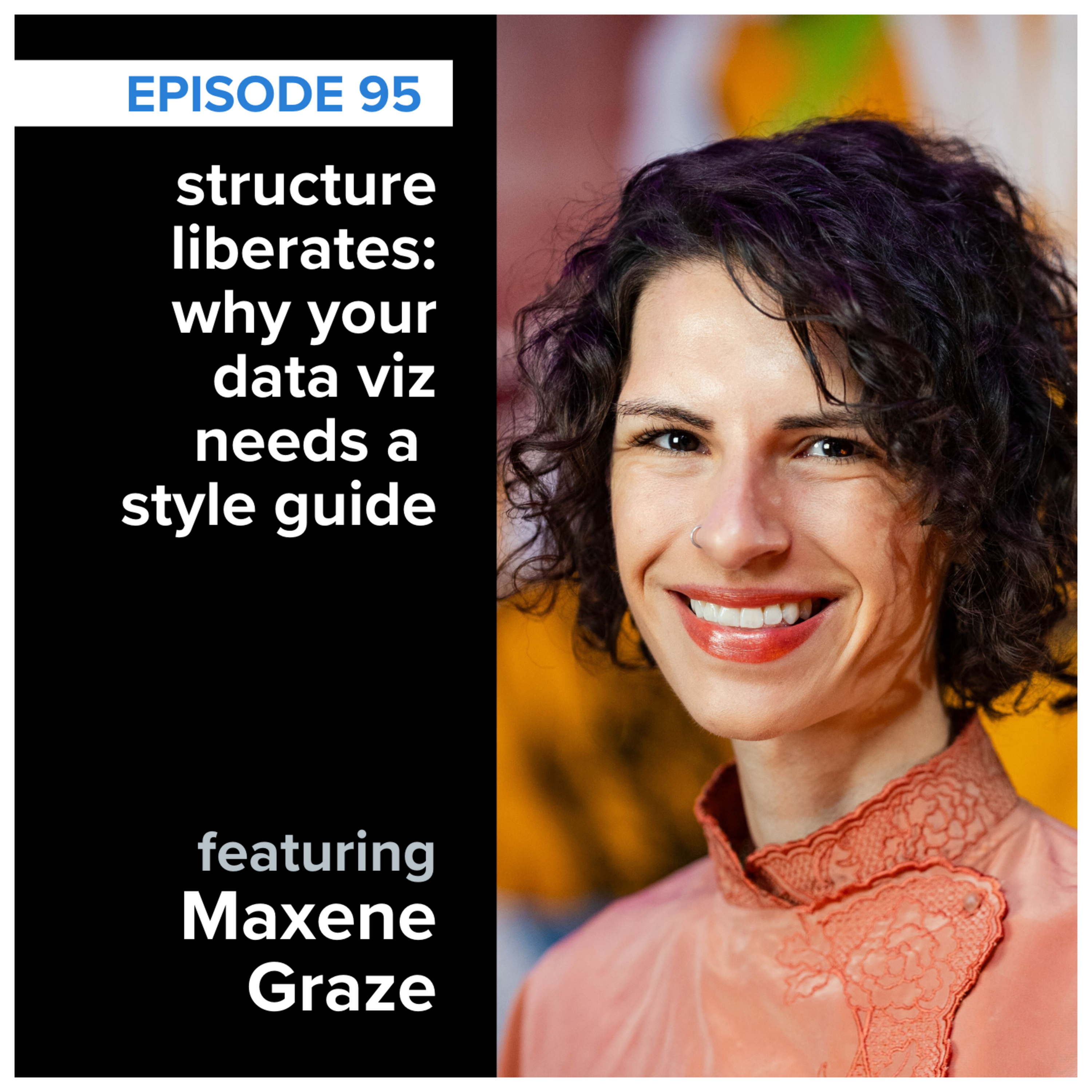
今天,我非常高兴向大家介绍马克斯琳·格雷兹,她是一位在设计高效且美观的指南方面极具专长的专家。
Well, today, gives me great pleasure to introduce Maxine Graze to the podcast who is an expert in designing both effective and aesthetically pleasing guides.
欢迎你,马克斯琳。
Welcome, Maxine.
你好。
Hello.
你好。
Hello.
谢谢你们邀请我参加今天的播客。
Thank you for having me on the podcast today.
很高兴你来参加。
Great to have you.
我们几周前,甚至可能更早一些时候,进行了一次非常棒的播客前交流,对吧?那时我们探讨了这次对话可能采取的各种方向。
And we had a really good prepodcast conversation, didn't we, a couple of weeks back, maybe even a little bit longer ago than that, where we explored the various directions this conversation could take.
我相信在今天的对话中,我们一定会深入探讨这个话题的一些精彩方面。
And I'm sure I know that we're gonna get into some fascinating aspects around this particular topic during the course of today.
不过在进入那之前,让我们先花点时间介绍一下你自己。
Before we get on to that, though, let's just take a moment to introduce yourself.
跟我们说说你是谁,以及你是如何走到今天的。
Give us a sense of who you are, your journey to this place so far today.
我的正式头衔是高级数据可视化工程师,目前在一家叫King的公司工作。
So my official title is senior data visualization engineer, and I'm working at a company called King.
平时我主要负责制作仪表板和制定数据可视化规范。
So by day, I generally build dashboards, do dataviz guidelines.
我会编程。
I program.
我需要扮演很多不同的角色来完成一些设计工作。
I have a lot of I wear many different hats to do some design.
而在工作之外,我会用更实际的方式与数据互动,比如做陶艺和发酵。
And then outside of work, I play with data in more tangible ways like pottery and fermentation.
我喜欢把发酵比例这样的东西转化为实物或声音。
And I like to turn things like fermentation ratios into physical objects or sound.
我知道这听起来可能只有一点关联,但实际上,这种系统与人类体验的结合为我提供了很多产品设计的灵感。
And I know it might only sound tangently related, but actually this mix of systems and human experience gives me a lot of product design.
因此,我可以从不同的角度来探索这一点,而这反过来又丰富了我的数据可视化过程。
And so I get to play with this from different ables, and it just feeds back into my dataviz process, I suppose.
我提到过,我会制作仪表板和数据可视化规范。
And so I mentioned that I do dashboards and dataviz guidelines.
实际上,我大约四年前开始接触数据可视化规范,这要归功于一个数据包装师读书会。
And so actually, I got into dataviz guidelines about four years ago, and it was thanks to a data wrapper book club group.
数据包装师,我想大多数人应该都听说过。
So data wrapper, I think most people are familiar.
这是一个常被记者用来通过用户界面制作数据可视化的平台。
It's a platform often used by journalists to make data visualizations using UI.
因此,他们经常举办读书会。
And so they often run these book clubs.
所以我们正在阅读约翰·施瓦比什的《更好的数据可视化》。
And so we're reading Better Data Visualizations by John Schwabish.
最后一章讲的是数据可视化风格指南。
And the final chapter was out datavizstyleguides.
我立刻被这个想法吸引住了,觉得非常有趣——关于流程、品牌以及为组织定制数据可视化的理念。
And I was immediately drawn to this, and I just found it fascinating, this idea of process and branding and customization of dataviz for organizations.
于是我表达了想组建一个工作组的兴趣。
And so I expressed interest in creating a working group.
我召集了一些人。
I got some people together.
因此,我每隔几周,有时一个月,就会和艾米·塞西尔、艾伦·威尔逊以及乔纳森·施瓦比什断断续续地开会,讨论数据可视化指南,同时也制作一些有用的免费资源。
And so I've been meeting kind of on and off with Amy Cecil, Allen Wilson, and Jonathan Schwabish, like, every other week or so, sometimes a month, to talk about dataviz guidelines and also to make some useful free materials for that.
从那以后,我一直为我所服务的组织制作数据可视化指南,或者也接一些自由职业的活儿。
So ever since then, I've been making data visualization guidelines for organizations I work with or doing some freelance as well.
太棒了。
Fantastic.
谢谢你的分享。
Thank you for that.
当我回顾你的个人简介时,马克斯琳,我确实能从中找到许多共鸣,尤其是你对数据可视化的热情以及你是如何进入这个领域的。
And I think there's certainly when I reflect upon your bio there, Maxine, there's a lot of aspects that I can relate to there in terms of your passion for data visualization and how you got into it.
对我来说,情况也差不多。
Similar sort of thing for me, really.
我也是通过某种形式参与社区,逐渐认识其中的人,这拓宽了我的视野。
Getting involved in a community in some shape or form for me and starting to get to know people within that, and that expands different horizons.
我还想说,你使用和看待信息可视化的方式,还有你提到的陶艺部分,其中有些内容我确实不太理解,你主要提到的是什么来着?
I also say there's a few things there clearly over my head in terms of the way you use and the way you look to visualize information, the pottery aspect and the the what was the main thing you mentioned there?
发酵比例。
The fermentation ratio.
对,就是这个。
That's it.
我真希望能在另一个对话中多了解一下这个话题。
Something That's that I'd love to hear a little bit more about perhaps in a different conversation.
这听起来确实非常有趣。
That sounds very interesting indeed.
不过有一点很清楚,那就是你对这件事有着极大的热情。
One thing, though, is clear is that you've clearly got a huge passion for this.
想要在工作之外投入大量精力,去创建这些信息和资源,这绝非易事,对吧?
It it takes no inconsiderable effort, does it, to wanna get involved outside of work and do all this, create this information, create these resources that you have, for people.
我特别喜欢听到关于让数据更易懂的话题,因为我们常常说,数字、数据、事实和幻灯片本身并不一定有趣。
And I just love hearing about making data accessible because we often say that numbers and data and facts and slides just aren't necessarily inherently interesting.
因此,有时人们会失败,因为他们只是向观众提供信息,却没有考虑这些信息如何与他们产生关联。
And so I think that's where sometimes people can fall down by providing just information to their audiences without then considering what how does it relate to them?
它如何与他们产生联系?
How does it connect with them?
如何与特定的观众建立情感连接?
How to create this emotional connection with that particular audience?
所以看到你试图提供背后的故事,真是太好了。
So it's great to see that you're looking to almost provide this story behind
当然。
Absolutely.
好的。
Okay.
那我们从头开始吧。
Well, let's start at the beginning.
如果我引用一下你的网站,你提到你和艾米、艾伦、约翰共同创建的网站,叫做 datavizstyleguide.com,顺便说一下。
And if I quote from your website, you mentioned the website that you've created or cocreated with with Amy, Alan, and John there, which is called datavizstyleguide.com, by the way.
我会在节目笔记中附上这个链接。
And I'll put the links to that in the show notes.
这是一个非常棒的资源。
It's a fantastic resource.
我相信我们会深入讨论其中的一些内容。
I'm sure we'll get on to some of the aspects within it.
但该网站的标题写道:数据可视化风格指南是用于规范图表、图形、表格和图表等信息呈现方式的标准。
But the heading of that particular website says data visualization style guides are standards for formatting and designing representations of information like charts, graphs, tables, and diagrams.
我认为这里对它的目标有一个相当清晰的描述。
I think a pretty clear description there of what it's attempting to do.
但如果有人从未创建过数据可视化风格指南,您能否解释一下,到底什么是风格指南,以及我们为什么首先要这么做呢?
But if someone has never created a data visualization style guide before, perhaps you could walk through, well, just what one is, and why should we be doing this in the first place?
是的。
Yeah.
我认为很多人对设计系统都很熟悉。
Well, I think a lot of people are familiar with the design systems.
比如,Adobe 就有一个设计系统。
I mean, like, Adobe has a design system.
IBM,这些我认为都相当知名。
IBM, those are pretty well known, I would say.
本质上,设计系统定义了一个品牌。
And, essentially, design system defines a brand.
所以当你看到一个品牌的网站时,你立刻就能认出它是 IBM 这样的品牌,因为有特定的字体。
So a brand's website, you immediately know that it's that brand like IBM because there's typography.
有一个特定的布局。
There's, like, a specific layout.
有一套特定的配色方案。
There's specific color palette.
因此,数据可视化指南的理念就是将这种品牌标识与数据可视化结合起来。
And so for data visualization guidelines, the idea is to kind of take that brand identity and make it work with data visualization.
确保它具有可访问性,并具备你之前提到的那些限制,比如报告模板化。
So make sure that it's accessible, that it has specific constraints like you were talking about before with, reporting templating, for example.
是的。
Yeah.
通过设立限制来建立一种共同的语言,这样无论是设计还是创建这些数据可视化或报告的人,都不必每次都从头开始。
Creating constraints so that you're you have a shared language, and whoever is designing or creating these data visualizations or even reports, like, don't have to reinvent the wheel each time.
这样可以减轻设计师的认知负担,让你能专注于数据和叙事。
So it takes kind of the cognitive load off of the designer so you can just focus on the numbers and the storytelling.
这同样非常重要,因为设计系统不仅能减少创作者的决策疲劳,还能在有明确指南的情况下让新人更快上手。
And it's also really important because, like, a design system, it reduces decision fatigue for creators and also makes onboarding a lot easier if you have some guidelines written out.
这是一个非常有趣的观点,我认为这回到了之前提到的开场故事,即这种结构能带来解放和自由。
It's a really interesting point, and I think this goes back to the opening story, if you like, around this structure liberates and having that freedom.
如果你从事这个领域,作为一名分析师,想要设计一些东西,一开始可能会觉得有点受限,对吧?
And and if you work in this space, if you're an analyst and you're looking to design things, I guess it can feel a little bit restrictive at first, can't it?
哦,我必须用这种方式来美化我的柱状图,必须用特定的字体、颜色和样式来标注坐标轴。
Oh, I've gotta style my my bar graph in this way, or I've gotta label my axis in this certain font and color and style.
但我觉得,当我们逐渐适应这一点,意识到这些决策已经被替我们做好了,现在我可以更专注于:我究竟想在柱状图中放入什么数据?想传达什么信息?如何真正用它推动改变?
But I think the more that we get around that and say, actually, those decisions have been taken away from me, but now I can concentrate more on what data do I actually wanna put into this bar graph, and what's the message with it, and how can we actually make change with it?
正如你所说,这反而给了你更多的自由去专注产出这些内容,而不是花时间去调整像素,或一点点地更改颜色。
Like you said there, it feels as though it gives you that extra element of freedom to then go on and help produce those things rather than spending time moving pixels or just changing increments of color here and there.
是的。
Yeah.
在设计时,你真的很容易陷入细节,比如间距,尤其是字体,更不用说颜色了。
You can really go into the weeds during design, like, with spacing and especially with typography, oh, and even more especially with colors.
我可是掉进过无数个这样的兔子洞。
And, I mean, I've fallen down so many rabbit holes.
有了这些既定的规范,我感觉如释重负。
And to just, like, have those guidelines done, I just feel like a breath of relief.
我想,好吧。
I'm like, okay.
这些决定已经定下来了。
Those decisions are made.
我不用再回头去考虑这些了。
I don't have to revisit that anymore.
我知道配色方案是无障碍的。
I know that the color palette is accessible.
我知道什么时候该使用它。
I know when to use it.
太好了。
Great.
我们现在来做点别的吧。
Let's do something else now.
我记得有一次,我制作了一套材料,再次交给我的经理征求意见。
I remember one particular instance of where I produced a pack and, again, gave it to my manager for feedback.
我当时其实并不想就其中的一些主题和颜色寻求反馈,尽管这些颜色大多都是我选的。
And I wasn't really looking for feedback on some of the themes and the colors, although I had chosen many of those different colors that they were in there.
那时候我们并没有一套正式的风格指南。
We didn't have a a style guide as such at that in those days.
我真正想要的是关于内容、文字方面的反馈,而不是任何设计方面的意见,但他们却只关注排版,以及这些选择在文化或可访问性上是否最合适。
And I really wanted feedback on the content, the words rather than any of the design aspects, but all that they wanted to comment on was the the cut and whether they were the the the most appropriate ones culturally or accessibility.
是的。
Yeah.
所有这些不同的方面。
All those various things.
如果当时能有一份风格指南,明确指出‘不,这些不合适’,那就会好很多。
And it would have been great reflecting on that then to have had a style guide that was set to almost say, no.
这些颜色超出了范围。
There's colors of out scope here.
这些已经确定了。
These are set.
实际上,我需要你帮助我处理其中的细节。
Really, what I want you to help me with is the the detail within it.
但那些事情,回头来看,总是更容易说的。
But those things, I guess, in hindsight, are always easier to say.
我觉得这些事情可以有多种形式,并且可能发展得相当广泛,比如你提到的可访问性问题。
And I feel like these things could take a number of forms, and they could grow to be pretty extensive in terms of some of the things you've mentioned, accessibility.
你提到了报告模板。
You mentioned maybe reporting templates.
你还顺便提到了可视化中可能有的某些格式选项。
Also touched there upon maybe some of the formatting options you might have within the visualization.
所以我想,这并不是那种你坐下来几小时就能搞定的事情,对吧?
So I guess it's not something necessarily you can just sit down and create in a few hours, is it?
设计、创建这样一个东西,甚至后续迭代,其过程或理想流程是怎样的呢?
What is the process or an ideal process, I guess, for designing one, creating one, and also, I guess, maybe iterating on one as well?
是的
Yeah.
迭代非常重要。
Iterating is very important.
实际上,我提到了设计系统,我喜欢从产品设计的角度来处理这个问题。
Well, I actually so I brought up design systems, and I like to approach it kind of from a product design angle.
嗯
Mhmm.
在产品设计中,你知道,你有设计系统,比如我提到的按钮、卡片、间距、标记和模式。
So product design, you know, you have you have the design system, like I mentioned, buttons, cards, spacing, tokens, patterns.
所以数据可视化指南对于数据来说也是类似的。
So a dataviz guide is kind of like the same for data.
因此,你会有标记,比如颜色、字体、间距,组件可以是图表类型、模式。
So you'll have, like, the tokens are color, typography, spacing, components could be like chart types, patterns.
我们要如何展示时间呢?
It's like, how do we show time?
我们如何表现不确定性?
How do we show uncertainty?
此外,优秀的产品设计会大量运用用户体验流程。
And then also good product design uses a lot of UX processes.
因此,这实际上和制作仪表盘非常相似,至少根据我的经验是这样。
And so it's actually a lot like making dashboards or at least in my experience making dashboards.
你从用户出发,思考:用户想看到什么?
You're starting with the user, and you're asking, like, what does the user wanna see?
也许可以做一些用户访谈。
Maybe doing some user interviews.
当我制作仪表盘时,我喜欢先做出一个原型。
And then I like, when I'm doing dashboards, I'll create something.
它可能并不完美,但我会拿给用户测试,他们会说:哦,对的。
Maybe it's not perfect, but then I'm gonna test it out with the user and they'll say, oh, yes.
我喜欢这个。
I like this.
哦,我还在找。
Oh, I'm still looking.
像这种信息很难找到。
Like, it was hard to find this information.
也许可以让它更清晰一些,或者展示这个指标。
Maybe make it more clear or maybe show this metric.
因此,制定数据可视化指南的结构与此非常相似,只不过我会增加一个第一步,那就是审计。
And so making dataviz guidelines is pretty similar structure to that, except that I would add a first step, which is auditing.
当然,这取决于你们组织所处的阶段。
And, of course, like, this depends where your organization is.
但例如,如果已经存在大量数据可视化图表——这通常是常见情况——你可以先使用头脑风暴工具,逐一查看所有数据可视化图表,并将它们整理到这个Miro文档中,以便做些笔记。
But for example, if there's, like, already a lot of data visualizations, which is is usually the case, you're gonna start maybe by using a brainstorming tool, going through all of the data visualizations, putting them in this Miro document so that you can write some notes and everything.
然后我会邀请一些相关方,询问他们遇到过哪些问题、痛点,以及他们喜欢这个图表的哪些地方。
And then I would bring some stakeholders in and ask them about issues that they've encountered, pain points, and maybe say, like, what'd you like about this one?
他们不喜欢这个数据可视化的哪些方面?
What'd you not like about this data visualization?
从那里,我们可以列出一些在制作数据可视化时需要考虑的关键问题,因为并没有一刀切的方案,它非常依赖于组织的具体需求。
And then from there, we can kind of create a list of what are some issues or what are really the first points that need to be taken into consideration when making the dataviz because there isn't a size fits all, and it is very, very dependent on your organization's needs.
所以在内部工作时,你通常会有更多时间,就像你所说的那样。
So when working internally, you're usually blessed with more time, kinda like what you're saying.
所以我倾向于逐步推进。
So I tend to do it incrementally.
我可能会先从颜色和字体入手,因为老实说,它们在视觉效果上影响最大。
And so I might start with colors and typography because, honestly, like, it makes the biggest difference aesthetically.
而颜色尤其容易引发大家最多的意见。
And it's the one, at least with colors that, like, people have the most opinions.
所以最好尽早解决这个问题,从一开始就确保所有内容都具备可访问性。
So it's good to get that hurdle out of the way and just, like, make everything accessible from the get go.
之后,我可能会专注于使用,比如仪表板。
And then after that, I might zero in on or use, for an example, like, dashboards.
如果你大量使用监控仪表板,那我就会先从仪表板的布局、颜色、间距、坐标轴等开始。
So if you use, like, a lot of monitoring dashboards, then I would just start with what is the layout for the board, what colors, what's the spacing, axes, etcetera.
我应该指出,我尽量保持对工具的中立性。
And I should note that I try to be as tool agnostic as possible.
我的意思是,当然,每个工具都有其限制。
I mean, of course, the issue you run into is every tool has its constraints.
因此,重要的是要在你使用的工具中进行原型设计。
And so it's important to, like, prototype in the tool that you use.
但说实话,组织在变化,工具也在变化,你可能不会一直使用最初的那个工具。
But, I mean, honestly, organizations are as changing, so are tools, and you might not be using the same tool that you started with.
所以,不要只在你的工具中制定指南,也要使用其他工具。
So it's good to not just make the guide in your tool, but also use other ones.
比如在King公司,我们使用React框架,但同时也使用Excel和PowerPoint。
So, like, at King, we use a React framework, but then we also use Excel and PowerPoint.
因此,你需要确保你制定的数据可视化指南具有灵活性,能够在这些工具中通用,最好能适用于所有工具。
So you need to make sure that the data visualizations, that guidelines that you make can be flexible and work in both tools or preferably all tools as much as possible.
是的。
Yeah.
工具是个很好的观点,我们经常被问到这个问题。
Tools is a great point and a question that that we commonly get around.
你们有没有为客户制作过我们可能分享过的这种改造方案?
Have you created this particular makeover that we've perhaps shared with a client?
我们总是像你一样,马克斯ine,给出类似的回答。
And we always say similar to yourself there, Maxine.
我们总是说,这是在XTool中创建的。
We always say, well, it's been created in XTool.
在这种情况下,通常是Excel或PowerPoint,但这并不是重点。
In this case, normally, Excel or PowerPoint, but that's not really the point of it.
我们必须使用某个工具,而我们选择Excel是因为它在大多数组织中非常普遍。
We have to use a tool, and we use Excel because it's pretty prevalent across most organizations.
但真正重要的是我们在这里想要展示的概念。
But it's really the concepts that we're trying to demonstrate here.
而在大多数工具中,这些概念也同样可以轻松实现。
And in most tools, those concepts are freely available to achieve as well.
因此,重点不在于推荐某个工具优于另一个,只要你能将这些概念保持在足够高的层面,就能根据你所使用的任何工具进行调整。
And so it isn't about recommending a certain tool over another as long as you keep those concepts at, I guess, high enough level that you can adapt them to whichever tool that you're using.
所以,是的,工具确实是个有趣的话题。
So, yeah, tools is a certainly an interesting one.
之后,你可以进一步细化,说明如何用这个工具来处理这个问题,这可能会非常有帮助,但最好不要一开始就从工具本身入手,因为那样你会过早陷入细节。
And then afterwards, you can zero in and say, this is how you approach that with this tool, And that can be really helpful, but, like, maybe not start with the tool itself because you're kind of getting into the nitty gritties there.
是的。
Yeah.
而且这是一个非常好的观点。
And and that's a really good point.
而且,正如你所说,如果你知道这家公司使用的是 Tableau 或 Power BI,你总可以深入下去,探讨更多具体细节。
And you could always, yeah, like you say, drill deeper and go into more specifics if you know that the company is a Tableau company or a Power BI company.
但同样,正如你所说,如果情况发生变化,工具被替换,你也不希望被局限在必须为某个特定工具重写一切的困境中,因为所有内容都过于针对单一工具而创建。
But, again, like you say, if things change and tools get moved over, you don't wanna limit yourself to being we don't have to rewrite everything because everything's being created so specifically for one particular tool.
所以,是的,工具确实是个非常有趣的话题。
So, yeah, tools is a very interesting one.
听到你们在进行这项工作前需要做这么多准备工作,我感到很惊讶。
It was surprising to hear the amount of prep work that you consider doing going through this.
我觉得人们很容易就会说,哦,我们只要弄些柱状图和折线图,把它们排版得好看一点,这就是我们想要的图表标题样式,这些是我们要使用的颜色。
I think it'd be very easy just to say, oh, let's just get some bar charts and line charts and put them into a nice format, and this is the way we wanna do the chart titles, and these are the colors we wanna set ourselves.
但对我来说,真正有趣的是你们需要进行的所有前期沟通。
But I think what's really interesting for me is all the pre conversations that you need to have.
你提到这里要建立一个小小的资料库,把各种不同的可视化类型都收集起来。
You mentioned here building a bit of a library, so you've got all the different visualization types gathered.
我想对一些公司来说,这种准备工作可能非常繁重,即要整理出过去使用过或曾经拥有的各种图表集合。
And I guess for some companies, that could be a huge amount of work, that that preparation to get that collection of different visuals you've used or maybe have in the past.
当然,接下来就是用户访谈。
And then, of course, you got the user interview.
所以你会查看这些不同的可视化图表,几乎是在评估哪些有效、哪些无效。
So you're looking at these different visualizations and almost having a an assessment of whether, you know, what works here, what doesn't work.
这种图表类型是不是在某种程度上让你产生了先入为主的印象?
Is this a chart type that maybe that you're preconditioned to in some way?
这是一种特定的风格吗?
Is this a particular style?
颜色对你有用吗?
Is color working for you?
所有这些你可能进行的不同对话。
And all those different conversations you might have.
而在你进入可能在那个特定时刻要构建的具体内容之前,这些都已发生。
And that's before you get on to maybe the specifics about what you might be building at that particular point in time.
你提到了仪表板。
You mentioned there dashboards.
当然,作为分析师或制作数据的人,我们所做的大量工作都应该处于这个阶段——理解我们的受众,并真正弄清楚他们想要什么。
Of course, so much of what we do as analysts or producing data should be in this phase, should be in the understanding our audience and really getting to grips with what they are looking for.
但很多时候,不是吗?我们以为自己知道他们想要什么,或者我们的受众也声称他们知道自己想要什么。
And oftentimes, isn't it, we think we might know what they're looking for or our audience says they know what they're looking for.
但直到我们深入探究之前,我们无法获得清晰的认识。
But until we really drill into that, we can't really get that clear sense.
因此,我们需要向他们了解他们真正需要什么,从而明确我们该如何创建数据和输出,以满足这些需求。
And so finding out from them exactly what they're looking for and, therefore, what we can do to help create the data and create the outputs that help meet that need as well.
所以在开始构建样式指南或决定这些不同方面之前,所有这些准备工作都是必不可少的。
So all of these preparation steps before we even get into to building what the style guide might look like or deciding on what these different aspects are.
而且,马克斯琳,我非常赞同你提到的与产品层面的关联。
And I really like the link there you mentioned, Maxine, with the product aspect as well.
由于设计与你用不同组件替代各种图表类型等方式之间存在重叠,我认为这为那些对产品设计或其他设计类型感兴趣、却难以理解其与数据可视化关联的人提供了一个很好的切入点。
And because there are those overlaps, aren't they, with design and the way you've more substituted the components for different chart types and various things there as well, I think, is a nice way for people that might be interested in product design or other types of design but can't quite see how they're related to the dataviz side of things.
关于反馈和这种协作式的迭代过程,我假设这并不仅仅是你去向利益相关者收集意见,然后制作出样式指南就完事了。
In terms of feedback and this sort of collaboration iterative process that you go through, I'm assuming here it's not just you go out to the to your stakeholders and gather their thoughts and then build the style guide and everything's done.
所以我猜你支持这种持续的循环迭代过程。
So I'm guessing you're an advocate of this constant circular iteration process.
对于如何成功实现这一点,你有什么想法或建议吗?
Any thoughts or tips on how that can be successfully achieved?
我认为数据可视化样式指南最大的问题之一,就是保持其活力并持续获得反馈。
I would say that one of the biggest issues with data visualization style guides is keeping it alive and getting feedback.
好的。
Okay.
特别是当它只是一个指南而没有整合到工具中时,因为你要求用户去特定的地方查找,而如果它已经整合到工具里,用户就不必担心选择颜色或手动设置所有这些规范了。
Especially if it's a guideline and it's not incorporated into a tool because then you're demanding the user to go to a specific place and let whereas, like, if it was already incorporated into a tool, then they wouldn't have to worry about, like, picking a color or, like, manually setting all of these specifications.
所以我认为,这确实是一个非常重要的议题值得讨论。
So I think, yeah, that is, like, a really, really important topic to talk about.
关于反馈,正如我所说,我在制作时会尽量收集大量反馈。
So with the feedback, I mean, as I said, when I'm making it, like, I try to get a lot of feedback.
这样做的好处是,每次都能提醒人们关注它,同时也能让他们参与到这个过程中来。
And the benefit of that is that each time you're reminding people about it, and then also you're incorporating them into the process.
因此,他们投入了时间。
And so they have invested time.
他们还投入了大量自己的专业技能。
They have invested a lot of their skill into it.
所以他们会希望看到它成功,或者至少愿意使用它,因为他们对它已经很熟悉了。
And so they're gonna want to see it be successful or, like, perhaps see it use it because they're also familiar with it.
所以我认为从一开始就融入这些做法,并结合调查和评论非常重要。
So I think that that's very important incorporating from the get go and then also using surveys and reviews.
我们在每个仪表板底部都设置了一个调查,以便人们可以匿名反馈任何问题。
And we have, like, a survey that's just at the bottom of each dashboard so that people can anonymously say if there's any issues with it.
此外,我们还提供了一个针对所有仪表板的总体调查链接。
And then we have, like, an overall survey link for the dashboards.
老实说,这个链接点击量并不高,但拥有它仍然很有帮助,尤其是当它被明确界定或你提醒人们注意时。
And, like, honestly, this doesn't get a lot of clicks, but it's helpful to have, especially be if it's defined or if you remind people about it.
但我认为更重要的是进行半年度或年度调查,以了解谁是我们的核心用户,并与他们安排访谈,进行面对面交流,直接提问并获得真实的反馈。
But I think that more importantly is doing, like, biannual or annual surveys so that you're looking at who are my biggest users and coordinating some interviews with them and getting actual FaceTime so you can ask them questions and get proper responses and bug them about it.
通过这样做,你实际上是在进行首次用户访谈的步骤,比如:这个图表用起来有多容易?
And so doing that, you're kind of going through the first user interview steps, like how easy is it to use this chart?
你觉得这个指标怎么样?
How do you find, like, this metric?
或者也可以去询问设计师,了解他们遵循指南的程度,以及他们认为指南是否对用户有帮助等等。
Or then also going to the designers and then, like, asking them about how much they follow the guide, if they think that it's helped the audience, etcetera.
另一个非常好的方法是时刻留意现实中的检查,比如打开一个PowerPoint或报告,看看能否发现相同的颜色、字体和图表模式,这样你就能知道人们是否遵循了规范。
And then another one that's really good is just to always be on the lookout for reality checks in the wild, like opening up a, like, a PowerPoint or reporting and seeing if you're can spot the same colors, typography, and chart patterns because then you'll know if people followed it or not.
然后你尝试将所有这些反馈整合起来,填补这些漏洞,说起来容易做起来难。
And so then you try to take all of this feedback and fill in those holes of it, which is easier said than done.
在最后那种情况下,你会怎么做呢?
And what do you do in that last instance there?
如果你站在某人身后,看着他们加载数据时,发现颜色和字体完全不一样,你会怎么做?
What do you do if someone you're over someone's shoulder watching as they load it up, and you see it's a completely different set of colors and typography?
或者你会怎么指出这个问题?
Or what do you call it out?
你会给他们一些建议吗?
Do you give them some advice?
你会问他们:为什么没有采用我们设定的样式指南?
Do you ask them, you know, why have you not adopted the style guide that we've set up?
你是如何处理这种情况的?
How do you play things through there?
是的
Yeah.
我的意思是,我可能会很温和地问他们,或者先打个招呼。
I mean, I would probably ask them very softly or maybe say, hey.
你有这份数据可视化风格指南吗?
Did you have this data visualization style guide?
因为有可能他们根本不知道有这个指南,尤其是如果他们使用的是不同的工具的话。
Because it's possible that they just don't know about it, especially if they're using a different tool.
这也是一个问题:风格指南应该放在哪里?
And that's also kind of an issue is, like, where do you put the style guide?
我们把它放在了仪表板首页,任何人都可以看到。
And we have it on our dashboard homepage so anybody can see it.
但同样,如果它没有整合到系统中,人们还是需要额外一步去查找和查看,这可能会比较困难。
But, again, if it's not incorporated into the system, there's still that extra step of going to find it and look at it, and that can be difficult.
所以,关键总是要思考:如何确保数据可视化指南成为制作任何数据可视化内容的第一步,尤其是在它没有被整合进工具的情况下。
And so it's always, like, trying to figure out how can you make sure that the data visualization guide is the first step of making any sort of data visualization, especially if it's not incorporated into the tool.
是的。
Yeah.
这其实是个非常好的观点。
That's a really good point, actually.
我想我本来也打算提到这一点:如果你把它作为一个独立文档,我见过很多例子,它可能是一个放在网站某个地方的PDF文件,或者如果是Tableau相关的内容,可能是一个单独的Tableau工作簿,里面包含了所有的样式指南原则。
And I think I was gonna I was gonna bring that one up in terms of if you've got it as a standalone document, I've seen many examples where it may be a a PDF that's somewhere on a website, or it might be let's say, if it's a Tableau thing, it might be a separate Tableau workbook that's got all the style guide principles in it.
但正如你所说,马西娜,如果它没有被嵌入到系统中——比如颜色没有包含在调色板里,字体没有出现在下拉列表中,甚至没有品牌模板——我知道很多工具都会提供这些功能,将所有这些方面整合起来。
But to your point there, Maxine, if it's not something that's embedded, so maybe the colors aren't within the palette or the fonts are accessible in the drop down list or even that there are brand packs, I know a number of tools create that apply all of those different aspects.
人们很容易忘记、不了解,或者只是随意做点别的东西。
It can be very easy to either forget or not know or just do something else.
所以,没错,你讲得对:创建一个独立的文档作为参考库很有用,但若能将其嵌入工具中,让你在创作时就能看到,那效果要强大得多,对吧?
So, yeah, you're right in terms of creating something that stands alone, is useful as that sort of library reference document, but to embed it in the tools so you see it as you're creating something, it is so much more powerful, isn't it?
是的。
Yeah.
而且,通常两者都会同时存在。
And, usually, you'll have both as well.
我刚刚在想,这或许可以成为一个有趣的开发者小技巧。
And I was just thinking, like, it could be a fun developer trick or something.
比如,在你提交数据可视化或仪表板之前,可以检查一下是否参考了这份清单,确保你遵循了所有指南之类的。
Like, before you're about to submit a data visualization or dashboard, it's like, did you refer to this checklist to make sure that you followed all of the guidelines or something like that?
然后可以附上一个链接。
And then there could be a link to it.
但之所以将指南融入工具中仍不能取代指南本身,是因为指南不应包含颜色、字体排版这些硬编码规则,而应是一个灵活的框架,因为它们只是指南。
But, like, one of the reasons why incorporating it into the tool still isn't going to replace the guideline is that guidelines should not include colors, typography, and these, like, hard coded rules, but it should also be a flexible framework because it's guidelines.
我们并不称它们为规则。
We're not calling them rules.
因此,设计师在某些情况下仍需要自己做决定。
And so there's gonna be places where the designer is gonna need to make their own decision.
其中一个最明显的例子就是选择图表类型。
And so one of the, like, most obvious ones is that choosing a chart.
因为当你在系统中时,它不会告诉你‘必须使用条形图’。
Because I mean, when you're in a system, it's not gonna tell you, like, always use a BART chart.
你的目的不仅仅是使用BART图表吧。
Like, you're not only, hopefully, only using BART charts.
我们之前谈到了图表库。
So we talked about chart libraries.
这确实很有用,但比这更有用的是,图表库应该从类似产品设计中的任务出发。
So that can be really useful, but even more useful than that is to have a chart library that is starting with a job kind of like in product design.
比如:比较随时间的变化、对类别进行排序、发现异常。
And so it's like compare performance over time or rank categories, spot anomalies.
你的组织经常会遇到很多类型的问题,或者说,你经常需要回答一些问题,因为很多时候制作报告的设计人员并不是数据可视化专家。
There's a lot of types of problems that your organization comes up with or, I guess, like, questions that you're often trying to answer because a lot of times the designers or, like, the people making the reports are not data visualization experts.
所以你还需要引导他们完成这个过程。
So you kind of need to guide them through that process as well.
因此,我认为这种以‘待完成任务’为核心的框架非常有用。
And so having this kind of framework with jobs to be done, I think, is really useful.
在这个框架内,你可以建立自己的图表库,比如:我们组织用来解释比较关系的图表有哪些。
And then within that, you can have your chart library and, like, these are the charts that our organization uses to explain a comparison, for example.
所以你主要关注的是模式,然后希望展示如何在工具本身中应用它。
So you're kind of focusing on the pattern and then afterwards, hopefully showing how you can use it in the tool itself.
是的。
Yeah.
那里有几个非常有趣的观点。
A couple of really interest interesting points there.
一方面是在艺术与科学之间的融合,我认为人们确实渴望一份清单,对吧?
One in terms of the blend between art and science, and I think people do crave a checklist, don't they?
我们经常听到这个问题。
We hear that as a question that comes up a lot of times.
主要的注意事项有哪些?
What are the main dos?
如果我有一个图表,我需要确保它包含哪些内容?
Or if I've got a chart, what are the things I need to make sure it's got in it?
或者在创建可视化时,有哪些事情是应该避免的?
Or what are the things to avoid doing when creating a visualization?
但正如你所说,这些人是这个领域的专业人士。
But to your point, these people are professionals in this space.
他们是分析师。
They are analysts.
他们是数据科学家,靠创建数据和可视化图表为生。
They're data scientists, and so they they create data and visualizations for a living.
因此,很多内容也取决于他们对什么重要、想展示什么、以及想分享的主要洞察的解读。
So a lot of this is also down to their interpretation of of what matters, what they're looking to show, the main insights they're looking to share.
所以,对人们限制太多并不会产生好的效果。
And so to restrict people too much is not gonna play out too well.
我们最终只会得到一连串的柱状图,没有任何真正的创意融入其中。
And all we're gonna get is just like you say, a series of bar charts without any real creative flair applied to anything.
所以我认为,你提到的这一点很重要。
So that's an important point there, I think, that you mentioned.
在图表选择方面,我非常喜欢这一点。
In terms of chart choices, again, I love that.
如今有这么多不同类型的图表,以及各种主题的变体。
And there is so many different charts out there nowadays and variations of a theme as well.
面对手头的数据,选择该用哪种图表可能会让人感到有些不知所措。
And it can be a little bit overwhelming in terms of what chart should I use with this data that I have.
因此,提供一份指南,列出一些选项——比如,如果你有这种类型的数据,可以考虑这些方式——我认为这非常有价值。
So providing a guide and providing a series of options, if you have this type of data, then these are the sorts of things you might consider, I think, is also a really good thing to include.
我们在工作坊中有一节课叫‘选择合适的图表类型’,关键词是‘合适’,而不是‘正确的图表类型’,因为实际上并不存在放之四海而皆准的单一答案。
We have a lesson in our workshop that's called choose an appropriate chart type, a keyword being appropriate and not necessarily choose the right chart type because, well, there isn't ever really that one size fits all.
通常情况下,可视化数据的方式都有多种可能。
There's more often than not a range of different ways you could visualize the data.
因此,在指南中保持这种灵活性至关重要。
So, again, providing that flexibility within the guidelines is crucial.
我们已经讨论过风格指南包含哪些内容。
We've touched upon what goes into a a style guide.
让我们再进一步展开谈谈这一点。
Let's expand on that a little bit further.
我们已经谈到了颜色。
We've talked about color.
我们已经谈到了字体。
We've talked about typography.
我们已经开始讨论一些关于图表类型的内容。
We've begun to talk a little bit about chart types.
但如果你是第一次创建,有哪些关键要素是你需要确保纳入的呢?
But if you're creating one for the first time, what are the key things to make sure you begin to look to include?
给我们介绍一下你认为最重要的风格指南要素。
Give us a run through your top style guide elements.
是的。
Yes.
这是一个很大的话题,我们仍在探索数据可视化风格指南中应该包含哪些核心部分。
This is a big topic, and we are still trying to figure out what are the kind of core sections to be in a data visualization style guide.
因此,我们启动了这个项目,正在梳理所有开源的、并收录在我们网站上的数据可视化风格指南,试图找出它们的共同点。
So we started this project where we are going through all of the data visualization style guides that are open source and that we've included on our website and trying to see, like, what do they all share.
在梳理过程中,我们遇到一些问题,特别是如何定义某些部分,因此我们对此并未完全达成一致。
Some issues when we're going through that, especially, like, how to define certain sections, and so we didn't a 100% agree on them.
这就是为什么我们暂时搁置了这个问题,打算以后再完成。
And this is why we kind of bookmarked this to finish later.
但我仍然认为,你肯定会包含我们所谓的‘基础’部分。
But I would still say that you're definitely gonna have what we call, like, foundations.
所以颜色和字体排版会是关键要素。
So color, typography, those would be the key ones.
但很难说,如果你只有颜色和字体排版,这就能构成一个数据可视化样式指南吗?
It's also hard to say, like, if you just have colors and typography, does that make a data visualization style guide?
是的。
Yeah.
对此我们仍不确定。
Still unsure about that.
但希望你还能包含一些无障碍设计的基本内容。
But, hopefully, you'll also have some accessibility basics.
我们认为这非常重要。
We think that's pretty important.
但同时,这些内容也可以包含在颜色和字体中。
But at the same time, like, that can also be included into colors and typographies.
所以有些人可能觉得没必要特别提出来。
So maybe some people think it's not necessary to say.
但在定义应包含哪些部分时,主要问题在于这确实取决于你的组织。
But, like, one of the main issues in, like, defining what sections should be included is that it's really dependent on your organization.
我的意思是,比如在我们的网站上,我们有一些政府的数据可视化风格指南,还有像你提到的《经济学人》这样的媒体,以及像Figma这样的私营机构。
So, I mean, like, on our website, we have some government data visualization style guides, and there's, like, journalists, like you mentioned, the economist, and there's more private ones like Figma.
因此,它们各自都有不同的需求、用途和布局。
And so all of them are gonna have different needs and uses and, like, different layouts.
因为如果你是记者,可能还需要考虑印刷版布局,必须思考颜色、印刷以及数字体验。
Because if you're a journalist, like, you might need to also have print layouts, and you'll have to think about, like, colors and printing and also the digital experience.
如果你做的是面向客户的可视化数据,比如一家金融科技公司,那么你就会涉及交互设计。
And if you have kind of, like, customer facing data visualizations, maybe you're, like, a fintech company, then you're gonna have interactions.
所以,你可能需要定义用户如何与数据交互,比如工具提示之类的。
So, like, maybe you're gonna have to define how the user interacts with the data or, like, tooltips, for example.
所以我认为,布局也取决于组织本身。
So I think layouts, it's gonna depend on the organization as well.
然后你甚至可能进一步探讨,我还没见过这种东西,我们一直在找,比如虚拟现实。
And then you could maybe even get into, like, I haven't seen this yet, and we've been looking for it, but, like, VR.
也许需要为你的虚拟现实数据可视化制定专门的样式指南。
Like, maybe there has to be, like, data visualization style guides for your VR data visualizations.
我确实看过一个虚拟现实的演示。
I did see a VR demo.
有家公司来展示了一些图表,你戴上VR眼镜后,可以像在矩阵中一样漂浮环绕这些图表,从不同角度观察数据。
We had to some company came in and had some charts, and you had put the goggles on, and you're allowed to float around these chart like matrix style, float around these charts to see things.
这是一个很有趣的构想。
It was an interesting concept.
不确定它是否已经真正普及起来,但确实很有潜力。
Not sure it's quite taken off yet, but it's just the certainly Yeah.
这真是个有趣的议题,让我们思考如何能真正与这些数据互动,深入其中,而不仅仅是像今天通常那样在二维屏幕上观看。
It's a it's a fun one to think about how we could be truly interactive interactive with with these these things things and and get get into into the data rather than just seeing it in that that two d that we do typically today.
是的。
Yeah.
我也在几年前看过,但当时并不完全信服。
I I saw it also a few years ago and wasn't entirely convinced about it.
但若我连为这种技术制定数据可视化指南都难以想象,因为用户可能会极大地改变他们的体验,而且你还得应对物理空间的问题。
But if I can't even imagine developing data visualization guidelines for that as, I mean, the user could, you know, change their experience so much, and then you're also, like, dealing with a physical area.
所以我不打算深入讨论这个,但也许你们的组织将来需要这么做。
So not gonna go into that, but, like, maybe your organization will need to.
然后,祝你解决这个问题好运。
And then, yeah, good luck solving that problem.
我们来看看。
Let's see.
然后,哦,抱歉。
And then oh, sorry.
展开剩余字幕(还有 172 条)
我还提到,图表库通常会被包含进来,但其实用处不大。
So I also mentioned, like, a chart library is often included, but not very helpful though.
然后我得说一件被低估了的事情,我甚至觉得在数据可视化领域都没怎么见过,那就是流程和治理。
And then I have to say one thing that is underrated and I don't even think I've seen in data visualization is, like, process and governance.
那么,新的模式或图表是如何添加进去的呢?
And so, like, how do new patterns or, like, charts get added?
或者你如何申请审核?
Or how do you request a review?
还有一个重要的问题,就是如何管理预期。
And also big one, like, how to handle expectations.
因为我们提到,这一切都是关于建立约束,但同时又要保持系统的灵活性。
Because we mentioned that all of this is about building constraints, but, like, keeping a flexible system.
所以你会面临各种预期,也许谈一谈哪些预期曾经出现过,或者该找谁沟通,会非常有帮助。
And so you're gonna have expectations And maybe talking a little about bit about ones that have popped up or, like, who to go to would be very helpful.
我很喜欢你最后提到的这一点。
I like that one at the end there.
这又稍微回到了那个迭代过程,即获取反馈并理解人们对已建立事物的感受。
And that and that circles back a little bit, it, to that that iterative process and getting feedback and understanding how people are feeling towards anything that has been set up.
这也很令人安心,因为我想许多听众可能会想:我该从哪里开始呢?
It's also quite reassuring because I'm I imagine many people listening might be thinking, oh, where do I start with this?
是不是有太多东西需要考虑了?
Is there so much to potentially consider?
但在我看来,如果我们能把握住良好配色和排版的基本原则——清晰、易读、可访问,这些都很重要,同时也能很好地与品牌联系起来。
But it seems to me that if we can tick off the fundamentals of good color choices and typography that's understandable, legible, accessible, all those sorts of things, but also links nicely into the to the brand perhaps.
或者,如果我们是个人使用,选择一些能代表我们个人风格的东西,确保在颜色和字体上都具备可访问性。
Or if we're doing it personally, something that we feel represents us as individuals, ensuring that things are accessible both across color and font.
然后,再考虑一下图表的选择,以及我们如何设计典型的柱状图、折线图,如何在这些图表中进行样式设计,这已经让我们进入了一个相当不错的状态,尽管公司之间可能存在差异。
And then maybe something around the chart choices and the way we might design a typical bar chart, line chart, the way we might style things within those, that feels as though we're getting into a pretty good place already, notwithstanding that there could be company differences.
正如你所说,根据人们所做可视化类型的差异,某些方面会进一步补充。
And like you say, there's certain aspects that will be added on depending on the types of visualizations that people do.
但我觉得,这是一件可以实现的事情,而不是因为内容太多、需要添加的元素太杂而让人觉得根本不可能完成。
But it feels as though it's something that can be achieved rather than this thing that just is too much and is not possible because there's a huge amount of content, huge amount of different things to add into it.
当我们考虑颜色和字体时,马克斯ine,你在选择颜色方面有什么首要建议吗?
When we think about things like color and typography, what are your top tips, Maxine, on choosing colors potentially?
当然,品牌颜色通常是固定的,但关于颜色和字体,你有哪些关键的注意事项或禁忌吗?
And, of course, again, there'll be brand colors that are set, but is there anything that you would say around color, around typography that are the key do's and don'ts if you like?
我会说,不要陷入细节的泥潭而花太多时间纠结于此,一定要先参考品牌指南。
Oh, I would say do not fall down a rabbit hole and spend too much time obsessing over it and definitely start with the brand guidelines.
我通常的做法是,先使用这些品牌颜色,然后稍作调整,让它们更易读。
So what I often do is I'll take those colors and then just, like, change them a little bit to make them accessible.
我会使用一些颜色对比度工具。
I'll use some color contrast tools.
是的。
Yeah.
网上有很多不错的工具。
There's quite a lot of good ones out there.
然后还要弄清楚你需要多少种颜色。
And then also figure out how many colors you need.
所以,不幸的是,我们曾经有一些仪表板,我觉得用了多达15种颜色。
So, unfortunately, like, we had some dashboards that I think had, like, 15 colors.
我当时就想,这整体上是种糟糕的做法。
And I was I mean, I was like, this this is bad practice overall.
所以,这种做法根本就不该存在。
So, like, this should even exist.
但通常我们会建议,把颜色数量控制在五到七种之间。
But we we generally say, like, limit it to between, like, five and seven.
我觉得这一点从来都没有被真正证明过。
And I think I don't think that was, like, ever proved.
我记得我和约翰·施瓦比什曾经研究过这个问题,但主要还是跟人一次能记住多少信息有关。
I remember John Schwabish and I were looking into this at one point, but it's mostly, like, about how much you can remember at one point.
而且我觉得,超过七种颜色后,要找到既美观又符合可访问性要求的颜色就真的很难了。
And I also think that, like, after seven, it's really hard to find aesthetically pleasing colors that are also accessible.
所以,我通常会花大量时间设计一套七种颜色的配色方案,然后还会准备一个可扩展的调色板,这些扩展颜色在我看来,跟其他配色方案搭配起来都不太美观。
So, generally, what I've done is I've created seven that I spent a lot of time with, and then I'll have a, like, extendable palette, and then those will be colors that, in my opinion, like, are not very aesthetically pleasing with the other color palettes.
所以,要么用这个,要么别用。
And so it'll be kinda like, use this or don't use this.
对。
Yeah.
请自行决定是否使用。
Use this at your own discretion.
但别在这些颜色上花太多时间。
But don't try to spend too long on them.
只要确保它们具有可访问性,然后不断迭代即可。
Just make sure that they're accessible, and then also just iterate on it.
对。
Yeah.
就这些。
That's all.
所以,马特,总结一下,我们要确保遵循品牌和市场部门设定的任何规范。
So, Matt, yeah, to summarize there, then we wanna make sure that we are sticking with anything that's been set by by brand, by marketing.
我们希望确保在调色板中使用的颜色数量偏少一些。
We wanna make sure that our colors are maybe on the smaller side within our palette.
我们不打算使用八、九甚至十种不同的颜色,也许五种或四种就足够作为良好的起点,同时确保这些颜色具有可访问性,并在文化上适当使用。
So we haven't got eight, nine, 10 different colors that we're looking to use, perhaps maybe five, four, would work as a good starting point, make sure those colors are accessible, use them appropriately, culturally, if we can as well.
所以,是的,再次看到和听到我们没有试图让这件事变得过于复杂,这很好。
So, yeah, again, it's nice to nice to see and hear that we're not trying to overcomplicate things with this.
它通过提供一个初始起点来帮助人们,同时也保留了其中的灵活性。
It is helping people by providing that initial starting point, but still giving people that flexibility as well within it.
至于具体细节,确实如此。
What about Exactly.
那字体呢,马西娜?
What about fonts, Maxine?
你对字体有什么想法吗?
Any thoughts on those?
是的。
Yeah.
字体方面,你或许可以用品牌字体作为标题,然后选择一种适合显示数字的字体。
Fonts, you also might be able to get away with using the brand font for titles and then maybe choosing a font that's good with numbers, for example.
我认为,字体通常比颜色更容易处理。
And fonts is generally a lot easier than colors, I would say.
因为颜色方面,你可能仍然需要遵循指南。
Because, like, with colors, like, you might still need to use the guidelines.
它可能并没有完全被编码到你的工具中。
Like, it might not necessarily be a 100% encoded into your tool.
就像你所说的,如果你想要使用一些文化特定或组织特定的指标。
Kind of like what you're saying, if there are culturally specific or, like, organizational specific metrics that you wanna use.
比如,对于同一个指标,你可以反复使用同一种颜色。
Like, maybe for the same metric, you use the same color over and over.
所以,我也想提一下,应该在指南中包含这一点,或者使用灰色调色板来处理其他情况,这一点常常被人忽略。
So that's also something I want to mention that should be included in the guideline or having a gray color palette, like, for other is also something that people forget about.
但如果你反复使用相同的指标,那么这些指标可能需要各自专属的颜色。
But, like, yeah, if you're using the same metrics over and over, then those might need to have their own colors.
而排版则要简单得多。
And whereas typography is, yeah, a lot more straightforward.
我的意思是,你仍然需要建立文字的层级结构。
I mean, you're still gonna have to have, like, a hierarchy of type.
但幸运的是,现在有很多现成的系统,你可以参考别人是怎么做的。
But luckily, there's, like, systems out there, and you can kind of just, like, see what they've done.
再次迭代,看看是否适合你的仪表板或报告。
Again, iterate and see if it makes sense for your dashboards or reporting.
是的。
Yeah.
从其他地方获取灵感总是一个绝佳的起点,无论是参考现有的各种设计规范。
Gaining inspiration from elsewhere is always a fantastic starting point, whether that's different style guides that are available.
顺便说一下,关于你之前多次提到的网站,我再次把链接放在节目笔记里,那里有很多资源,人们可以去查看,看看其他公司是如何创建自己的设计规范的。
And, again, by the way, on on the website that you've mentioned it a couple of times before, I I will, again, put the link in the show notes, there's a number of different resources that people can check out for inspiration and see how other companies have created their own style guide.
所以请务必去看看这些资源。
So do check those out.
至于图表方面,你提到了图表库,Maxine,你在开始设计图表时有什么个人偏好吗?
And then when it comes to charts, and you mentioned the chart library, have you got any personal preferences, Maxine, with how you might begin to style charts?
例如,在《用数据讲故事》这里,我们通常建议将图表标题放在左上角,因为如果没有其他视觉线索,我们通常会从左上角开始阅读,然后横向扫描并呈之字形向下浏览。
So for example, here at Storytelling with Data, we will typically advocate chart titles, for example, being in the top left because without any other visual cues, that's typically where we start to read things in that top left and then scan over and zigzag our way down.
那么,根据你在图表制作中的经验,有没有什么建议可以指导你如何对齐不同元素或放置那些效果良好的部分?
So is there any tips that you've seen from experience within chart creation itself that you would align different elements or place aspects that seem to work well?
哦,这是个好问题。
Oh, that's a good question.
是的。
Yeah.
我得说,我通常遵循《用数据讲故事》的指南。
I I have to say I generally follow storytelling with data's guidelines.
我认为它们非常清晰。
I think that they're, yeah, very clear.
所以我都会采用这些准则。
So I incorporate those.
但同样,这取决于你的组织。
But, again, like, it depends on your organization.
所以这方面没有一刀切的解决方案。
So there isn't a one size fits all in that.
比如,你可能需要来源和注释,但如果你是做新闻报道,我们就不需要。
Like, maybe you're you need sources and notes, but if you're a journalism but we don't need any.
在我们的仪表板上,我们需要一个图标,让用户可以直接获取Excel表格或查看数据表。
On our dashboards, we need to have a an icon so that the user can directly get the Excel sheet or, like, see the table.
所以这完全取决于具体情况。
So it just depends.
当你拥有所有这些组件时,就由你——设计师——来决定它们在图表中的位置,并告诉用户如何复现你的做法。
And when you have all the components, it's up to you, the designer, to figure out where they're gonna be located on your chart and then to tell the user how to duplicate what you have done.
而这正好又回到了之前讨论过的那些话题,不是吗?
And that and that's where it cycles back, doesn't it, to the to the conversations that have been had.
我的意思是,回到你一开始提到的图表库建设,也就是这个开发过程中的审计阶段。
I mean, building up that chart library aspect that you talked about right at the beginning there, that audit phase of development of this.
首先,你能了解到目前事情是在哪里进行的。
You get a sense of, first of all, where things are currently being done.
你能判断这些做法是否有效,而这自然会引出下一个问题:如果效果不好,我们是否要改变它?如果效果好,我们是否要保留它?
You get a sense of whether or not those are working, and that then would lead naturally onto, do we wanna change this if it's not working, or do we wanna keep it if it is working?
就像你说的,图表标题并不一定要放在左上角。
And so, like you say, chart titles don't need to be in the top left.
我们把它放在那里,是因为我们认为这是个合适的位置。
We put them there because we feel as though it's a good place to do.
但如果有人有特定需求,比如希望标题居中对齐,那么正如我们之前提到的,这种方式并没有绝对的对错之分。
But if people have a particular need to have them center aligned, for example, then, again, like we've already mentioned, there's no necessarily right or wrong way to do this thing.
关键是确保一致性。
It's just making sure it's consistent.
因此,当我们看到组织里的图表时,就知道它是按照既定规范创建的。
And so when we see a chart in our organization, we know it's been created and it conforms to those guidelines that have been set.
没错。
Exactly.
我们已经讨论了很多关于图表和可视化风格指南中应该做什么以及相关方面的问题。
We've talked about a lot of what to do and some of the aspects within the chart and visualization style guides more generally.
马克斯琳,你通常看到哪些典型错误呢?
What are the typical mistakes, Maxine, that you see come up?
我相信你一定见过许多不同的风格指南。
Well, you I'm sure you must have seen a number of different style guides that have been created.
人们在制定这些指南时,可能会在哪些地方出错呢?
Where do people maybe go a little bit wrong when building these out?
是的。
Yeah.
我的确自己犯过很多错误,这将会重申我之前提到的最佳实践。
I mean, I've definitely made a lot of mistakes myself, and this is gonna be an reiteration of what I've said, like, for best practices.
但我要说的是,最大的错误就是没有尽早让利益相关者参与进来。
But I have to say the biggest one is not involving stakeholders early on.
如果你不尽早让利益相关者参与,那么你只是创建了一份会被束之高阁、无人使用的指南。
If you don't involve stakeholders early on, then you're just creating a guideline that's gonna sit somewhere and never be used.
这种情况在过去曾悲剧性地发生在一些大型组织身上,因为人们根本没有参与决策过程,尽管他们才是真正的使用者。
And this has happened, like, tragically in the past with, like, big organizations just because, like, people are not I mean, they're not in on the decision making even though they're the users.
所以我认为,这些指南并没有在他们心中占据重要位置。
And so I think that it's not in there for the front of their mind.
如果他们没有提供反馈,那自然就更不会被重视。
And if they haven't given feedback, then it's not.
他们可能觉得这些指南不是为自己准备的,因此也就不太愿意使用。
It probably doesn't feel like it's for them, and so they're gonna be less inclined to use it.
所以,是的,尽早让利益相关者参与进来。
And so then so, yeah, include stakeholders early on.
另一个常见错误是制作一份长达一百页的PDF,里面全是文字,没有搜索功能,也没有示例。
Another one would be, like, creating a 100 page PDF with also that's, like, just text and no search or examples.
指南应该是视觉化的,并且简洁明了。
It should be visual and kind of to the point.
这也是为什么我喜欢使用检查清单,因为即使你读过指南,每次也不太可能花时间去翻阅它;但或许可以做一个交互式清单,专注于80%的关键点,而不是追求100%的完美,毕竟我们永远不可能做到完美。
That's also why I like to have checklists because, like, each time if even if you've read the guide, like, each time, you're probably not gonna want to spend time looking through it, but, like, maybe have a interactive checklist where you're just, like, focusing on 80 not a 100% because, like, we're never gonna be perfect here.
然后要提供一种方式,让用户能够轻松找到他们需要的信息以刷新记忆。
And then having some way that the user can, like, easily find something if they need to refresh their information.
让我们看看。
Let's see.
另一个问题是过于关注视觉美感,纠结于细微的颜色差异,而忽略了我刚才提到的重要用户体验问题或使用场景和目标受众。
Another one can maybe be overfocusing on aesthetics and over, like, tiny color differences and kind of what I just said, like leaving out big UX questions or, like, use cases and audience.
所以,是的,要持续保持更新并不断获取反馈。
So, yeah, keep it alive and keep getting feedback.
令人惊讶的是,我们在回答许多不同方面的问题时——无论是第一次制作图表,还是理解我们沟通的初衷——都会回到与利益相关者的对话中。
It's amazing, isn't it, how often our answers regarding a number of different aspects, whether it's just building a a chart for the first time, whether it's understanding why we're communicating in the first place, go back to those conversations with our stakeholders.
你为什么要寻找这个?
Why are you looking for this?
你希望达成什么目标?
What are you looking to achieve?
这有帮助吗?
Is this helping?
是的。
Yeah.
这能解决你某个具体的问题吗?
Is this going to solve a particular problem for you?
所有这些不同的方面。
All those different things.
如果我们能一开始就能回答这些问题,无论我们是在制作演示文稿,还是在创建数据可视化风格指南,理解并获得这些利益相关者的参与都至关重要。
If we can get the answers to those initially, whether that be if we're creating a presentation, whether it be if we're creating a datavizstyleguide, understanding and getting that engagement from those stakeholders is so important.
因为如果我们没有做到这一点,无论是构建了一个星级指南,还是创建了一个仪表板,还是我们想要提出某个特定建议,如果没有获得最初提出需求的人的支持和认同,它们很可能不会那么成功,对吧?
Because if we don't, whether it's a star guide that's been built, whether it's a dashboard that's been created, whether it's a particular recommendation we're looking to make, there's a good chance they won't be as successful, will they, without that buy in, without that support from from the people that have initially requested it, I guess, in the first place.
是的。
Yeah.
保持对话和流程的持续进行。
Keep that conversation and the process going.
那么,如果我们考虑那些目前没有风格指南的团队或个人,比如小型组织或新成立的组织,或者甚至只是想要为自己的个人品牌创建内容的个人,第一步该是什么?
So if we think about teams that maybe or individuals that don't have style guides currently, maybe small organizations or new organizations perhaps, or maybe just even individuals that are looking to create something for their own personal brand, what's what's the first step?
我们之前谈过与利益相关者的沟通,但假设我们现在把这些都整合好了。
What's one that we talked about conversations with stakeholders, but let's say we've got all of that together.
接下来我们该怎么做?
Where do we go?
我们需要原型设计吗?
Do we need to do we need to prototype things?
我们需要直接进入我们的工具。
We need to just get into our tool.
对于这个创建风格指南的初始步骤,你有什么建议吗?
Any recommendations you might make on that first initial step of how do I start to create this style guide?
是的。
Yeah.
也许暂时不要直接进入工具,但如果你已经决定需要一个数据可视化风格指南,并且也与利益相关者沟通过了,那么接下来,可以先找出两个能带来关键差异的方面。
Maybe not jump into the tool just yet, but if you've decided you need a data visualization style guide and talk to the stakeholders, then afterwards, just find, like, maybe two places that would make the difference.
比如颜色和字体,然后为它们选定一个使用场景。
So those could be, like, color and typography, and then pick a use case for it.
所以可能是报告,因为你经常使用很多报告。
So maybe reporting because you use a lot of reports.
然后专注于柱状图和报告,先做好这一部分,再逐步扩展。
And then just focus, like, on bar chart and reporting and make that and then kinda build it up from there.
我喜欢这个想法。
I love that.
因为,再次强调,这感觉是可实现的,对吧?
Because, again, it just feels as though it's achievable, isn't it?
我们并不是想一次性改变整个世界。
We're not trying to change the world in one go.
这是一点点的改变,但集中在某个特定领域,比如你所说的报告,我认为这是个很好的起点。
It's a little bit of a change, but within a certain area, like you say, reporting, I think that's a great place to start.
但即使在那个领域内,我们也不一定一次性改变所有图表类型。
But, also, even within that, we're not necessarily changing all the chart types in one go.
我们只是关注颜色或字体,而不是打算改变一切。
We're just having a look at color or font, and we're not looking to change everything.
这正是逐步推进的过程。
It is just that incremental steps.
当然,通过这些逐步的改进,我们能够获得高质量的反馈。
And, of course, with those incremental steps, we can get that quality feedback.
我们并没有在可能行不通的事情上投入太多时间。
We haven't committed or invested so much time with something that perhaps doesn't work.
即使我们已经进行了讨论、思考和规划,但在现实中,如果我们呈现了某些东西,它仍然不符合要求,我们就可以退一步进行修改,而不是花了大量时间去创造一个完全不符合范围的东西。
Even though we've had conversations, even though we've thought and planned things out, in the real world, if we presented something and it still doesn't quite fit the bill, well, we can take a step back and revise rather than having invested all that time to create something that just doesn't fit the scope.
是的。
Yep.
没错。
Exactly.
对。
Yeah.
然后让其他设计师使用你的规范,复现你所创建的内容。
And then get other people, other designers to use your guideline and recreate what you've created.
这是一个很大的问题。
That's a big one.
确保它能正常工作。
Make sure it works.
是的。
Yeah.
当然。
For sure.
太棒了。
Brilliant.
好了,马克斯琳,我们的播客即将结束。
Well, we're coming to the end, Maxine, of the podcast.
非常感谢你今天与我们分享的一切。
Thank you very much for everything that that you've shared with us today.
我希望听众们能更好地理解什么是数据可视化风格指南,更清楚如何创建一个,也可能减轻一些对如何开始这样一个庞大任务的紧张和顾虑。
I hope that people listening will have a better idea of what a data visualization style guide is, more clue on how to create one, and also maybe allay some of the the nervousness, the caution around, well, where do I start with potentially such a big thing?
而且,有一些小步骤可以帮助你逐步建立这套规范,而无需投入大量时间。
And there are some small steps that can be taken to to begin to build this up without investing huge amounts of time.
马克斯琳,从你创建这些风格指南的经验中,还有什么最后的想法或感悟想与今天的听众分享吗?
Any final thoughts and reflections from your experience, Maxine, creating these style guides that you wanna share with the audience today?
就是是的。
Just yeah.
我的意思是,总结一下,先确保你需要一个。
I mean, to summarize it, make sure you need one.
让它与工具无关,并且这是一个过程。
Make it tool agnostic, and it's a process.
尽早并持续地让相关人员参与进来。
Include people early on and all the time.
是的。
Yeah.
我觉得这是对这个问题很好的总结,而且确实要先确认你是否需要一个。
I think that's a great way to summarize and, yeah, make sure you need one.
这可能是最好的建议,因为如果在某个时刻并不需要的东西,花大量时间去创建它是没有意义的。
Probably the best advice there because there's no point spending a huge amount of time creating something that just doesn't quite need it at that particular moment.
当然。
Absolutely.
马克斯汀,再次衷心感谢你抽出时间参加我们今天的播客。
Maxine, again, a huge thank you for taking the time to join us here today on the podcast.
这是一次非常愉快的对话。
It's been a hugely enjoyable conversation.
我确实学到了很多,我想我会把这些建议应用到我未来的数据可视化工作中。
I've certainly learned a lot, and we'll, take some of the advice, I think, into my future visualization work.
谢谢你。
Thank you for that.
我再提一下那个网站:datavizstyleguide.com,如果你正在寻找灵感,或者想了解不同公司如何构建风格指南,这是一个绝佳的资源。
Again, I will just reference the website there, datavizstyleguide.com, a fantastic resource if you are looking for inspiration or looking to see how style guides across a myriad of different companies are put together.
感谢所有收听的听众,希望你们喜欢这期节目。
To everyone listening, I hope you enjoyed the show.
非常感谢您的收听,我们下次再见。
Thank you very much for listening, and until next time.
再见。
Goodbye.
谢谢。
Thank you.
拜拜。
Bye.
关于 Bayt 播客
Bayt 提供中文+原文双语音频和字幕,帮助你打破语言障碍,轻松听懂全球优质播客。