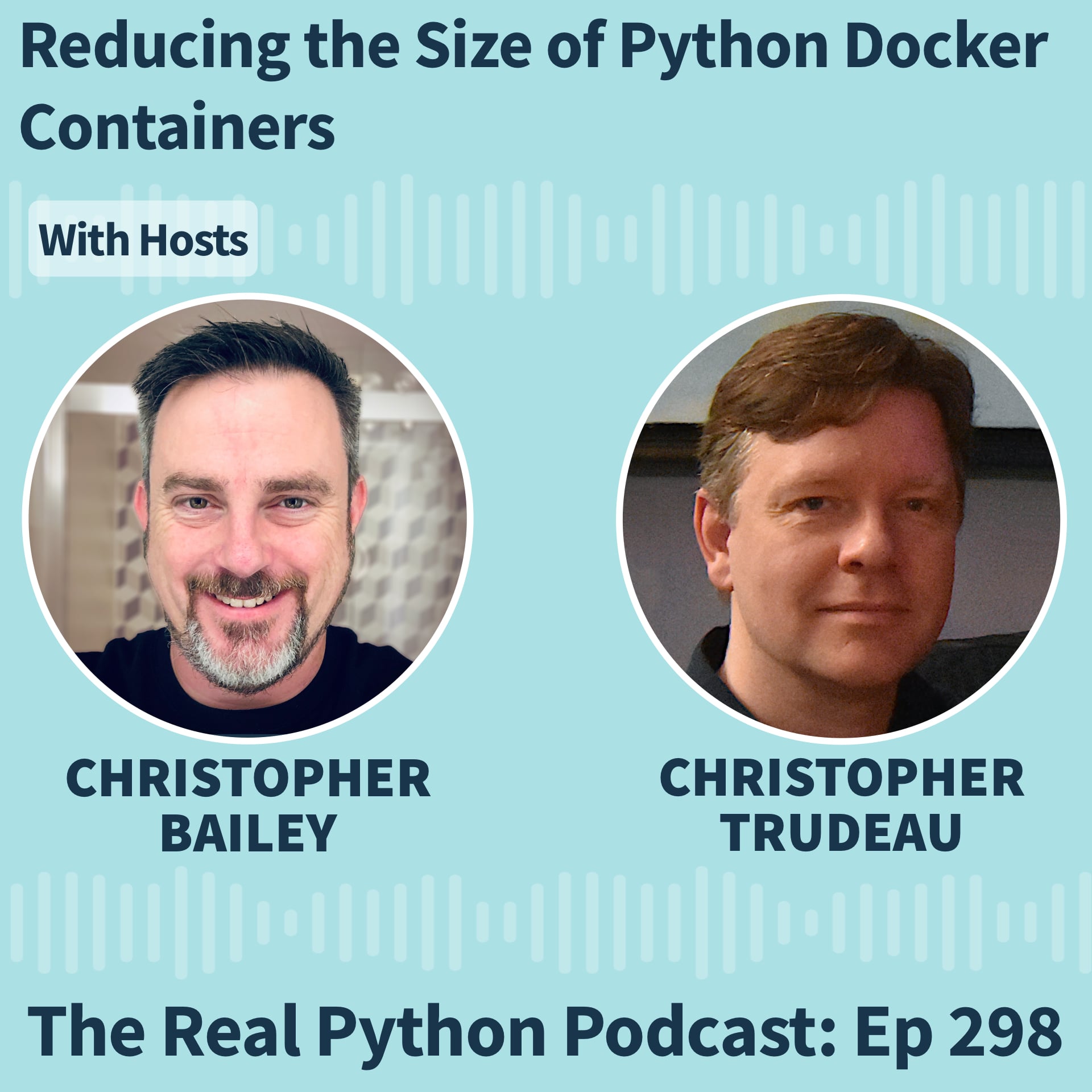
本集简介
双语字幕
仅展示文本字幕,不包含中文音频;想边听边看,请使用 Bayt 播客 App。
欢迎收听Real Python播客。
Welcome to the Real Python podcast.
这是第298期。
This is episode 298.
怎么才能轻松缩小Python Docker容器的体积?
How can you easily reduce the size of a Python Docker container?
写代码时,哪些异常是你应该捕获的?
What are the exceptions you should catch in your code?
这周Christopher Trudeau再次做客节目,带来了一批PyCoder's Weekly的文章和项目。
Christopher Trudeau is back on the show this week with another batch of PyCoder's Weekly articles and projects.
我们聊了Khuyen Tran在CodeCut上写的一篇教程,讲的是如何缩小Python Docker容器的大小。
We cover a tutorial by Khuyen Tran at CodeCut about shrinking the size of a Python Docker container.
这篇文章介绍了SlimToolKit,它能在运行时分析容器,找出哪些文件被用到了,然后只保留这些依赖,构建一个最小化的镜像。
The piece explores SlimToolKit, which analyzes a container at runtime, identifies what files are used, and then builds a minimal image with only those dependencies.
我们还深入探讨了Trey Hunner最近写的一篇关于Python异常的文章。
We dig into a recent piece by Trey Hunner about Python exceptions.
在制定错误处理策略时,哪些异常应该捕获,哪些应该放任不管?
When trying to determine a strategy to handle potential errors, which exceptions should you catch and which should you leave unhandled?
我们还分享了来自 Python 社区的几篇其他文章和项目,包括最新发布的工具、两个被推迟到 Python 3.16 的 PEP、一个开源 ASGI 框架中的严重漏洞、手动解决惰性导入的问题、一个用于匿名化敏感个人信息的项目,以及一个将 Django 设置加载到 TOML 文件的工具。
We also share several other articles and projects from the Python community, including recent releases, two PEPPs that have been deferred to Python three sixteen, a critical vulnerability in an open source ASGI framework, resolving a lazy import manually, a project to anonymize sensitive PII data, and a tool for loading Django settings into a TOML file.
本期节目由 Endor Labs 的 AURI 赞助。
Today's episode is brought to you by AURI by Endor Labs.
如果你在使用 AI 编程助手,它很可能已经把安全漏洞引入了你的代码。
If you're using an AI coding assistant, there's a good chance it just introduced a security vulnerability into your code.
AURI 能让你的 AI 助手获得必要的安全上下文,免费识别漏洞、标记泄露的密钥,并阻止恶意依赖。
AURI gives your AI agent the security context it needs to catch flaws, flag exposed secrets, and block malicious dependencies for free.
详情请见节目说明中的链接。
Check it out at the link in the show notes.
好了。
Alright.
我们开始吧。
Let's get started.
《Real Python》播客每周探讨Python在实际工作中的应用。
The Real Python podcast is a weekly conversation about using Python in the real world.
我是主持人克里斯托弗·贝利。
My name is Christopher Bailey, your host.
每周我们都会采访社区里的专家,聊聊realpython.com上那些文章、教程和热门话题。
Each week, we feature interviews with experts in the community and discussions about the topics, articles, and courses found at realpython.com.
听完播客后,欢迎来realpython.com,和一群专家一起学习实用的Python技能。
After the podcast, join us and learn real world Python skills with a community of experts at realpython.com.
嘿,克里斯托弗。
Hey, Christopher.
欢迎回来。
Welcome back.
你好。
Hey there.
好的。
Alright.
我们又有一堆新鲜资讯要分享。
We got another lineup of news.
我本人会讲一个小新闻,还有这周的常规话题和一些项目。
I'm gonna cover one little news item myself, our typical topics and some projects this week.
准备好了吗?咱们开始吧。
Are you ready to dig in?
走起。
Let's do it.
好。
Alright.
咱们开始。
Let's go.
那我们先来聊聊最新的版本动态。
So we'll start now with some release news.
首先是 Django 6.1 的测试版发布了。
First off, Django 6.1 alpha is out.
这是 Django 6.1 版本的功能冻结。
This is their feature freeze for the 6.1 release.
Django 通常在年底发布,这个版本大概率会在十二月上线。
And Django typically releases at the end of the year, this will probably come out in December.
这个版本包含几个有趣的数据库控制功能。
This version has a couple of interesting database control features.
首先是允许你指定模型中字段的加载方式,从而更精细地控制预取行为。
First, the ability to specify how fields in a model get fetched, giving you finer grain control over how prefetching works.
另一个是新增了对外键级联删除的控制方式,把原本在 ORM 里处理的逻辑移到数据库层面,只要数据库支持,就能更高效、更快。
And the other is a new way to control foreign key cascading deletes, moving the logic that is already there from the ORM into the database when the database can do it, which will make it a little more efficient, a little faster.
第二个我想提的发布是 Nuitka 4.1。
The second release I wanted to mention is Nuitka 4.1.
Nuitka 是一个 Python 编译器,能把你的代码编译成可以直接运行的二进制文件,而不是依赖解释器。
Nuitka is a Python compiler, which takes your code and generates a runnable binary instead of using the interpreter.
这个版本内容很丰富。
There's a lot in this release.
这是一个相当大的更新版本。
It's fairly big release.
就像 PyPy 那样,他们得花不少时间才能跟上。
Similar to like how PyPy works there, it takes them a while to catch up.
目前他们支持的是 Python 3.13。
So they're currently compatible with three thirteen.
是的。
Yeah.
这次更新还加入了对 Python 3.14 的实验性支持。
And this release includes experimental for three fourteen.
他们正在努力推进这件事。
So they're trying to get there.
你用过吗?
Have you used it?
我只是有点好奇。
I'm just wondering.
我没有用过。
I have not.
我还没必要去用它。
I've I haven't had the need to do it yet.
所以是这样。
So Yeah.
对。
Yeah.
没错。
Yeah.
还有几个即时编译器,实现起来要简单一些。
There there are a couple other just in time compilers that are a little easier to throw together.
所以我之前需要的时候,都是选那些方案,而不是这个。
And so but the few times that I've needed something, that's been the path I've gone down rather than this one.
是这样。
So Yeah.
这明显是偏向性能优化的。
It seems like a very geared toward the performance end.
所以我觉得它的适用范围可能比较窄。
And so I think it might be maybe narrower.
这正是我们的初衷。
That's the intent.
对。
Yeah.
没错,这确实是我们的初衷。
That that I think that's the intent.
咱们换个话题,说说发布的事。
So moving on from releases.
关于PEP,有两点想快速提一下。
Two quick notes in PEP land.
首先是PEP 813,标题叫‘美化输出协议’。
First off is PEP eight thirteen, which is titled the pretty print protocol.
你可能用过 Python 的 pprint 命令来美化输出字典之类的结构。
You may have used Python's p print command to pretty print a dictionary or something like that.
这个 PEP 通过定义一个 __pprint__ 方法,扩展了相关功能。
This PEP expands the capabilities defining a dunder p print method.
这样一来,你就能创建出兼容美化输出格式的对象了。
So that way, you'd be able to create pretty print compatible objects.
这个提案原本计划在 3.15 版本加入,但现在推迟到了 3.16。
This one was slotted for three fifteen, but it's been deferred to three sixteen.
另一个更新的 PEP 是 830,标题是为异常和调用栈添加时间戳。
The other PEP that was updated is eight thirty titled add timestamps to exceptions and tracebacks.
我们就在前几期刚提到过这个提案。
We mentioned this one just a couple episodes ago.
它也被推迟了。
It's also been deferred.
这其实就是 3.15 版本进入功能冻结后的结果。
This is the outcome of the feature freeze that happens with three fifteen releases.
总会有一些东西没达到标准。
There's gonna be stuff that just didn't clear the bar.
对。
Yeah.
beta版刚发布。
Beta just came out.
是吧?
Right?
没错。
So Yes.
我记得你之前说有条安全漏洞的消息想分享。
And I believe you had some vulnerability news you wanted to share.
对。
Yeah.
我偶然看到这条消息,正好是在PyCoder期刊发布后不久。
I saw this one in passing, and it it was just right after the PyCoder issue had come out.
所以我觉得,这个内容会很有用。
And so I think, well, this will be useful.
我们录节目这块儿确实有点慢,上线也拖得久。
I we're a little slow too the way that we record, and then the episode comes out.
但我还是觉得这事挺重要的。
But I thought it was important enough.
我们这儿时不时会聊不少AI相关的话题,至少我这边会涉及各种内容。
We're covering a lot of AI topics here off and on, at least I am on a variety of things.
这个话题你可能容易忽略,因为它其实是很多工具的基础。
And this was one I think maybe might slip your mind, because it's sort of a foundation for a lot of tools.
我先分享一篇丹·古登的文章,他来自《Ars Technica》。
I'm first gonna share an article by Dan Gooden, who's, from Ars Technica.
文章讲的是Starlet最近出现的一个严重漏洞。
It's detailing the recent critical vulnerability that's present in Starlet.
我们之前好像提过几次Starlet,我记得他最近刚提到,可能刚升级到1.0版本。
And I think we've mentioned Starlet a few times, especially, I think he mentioned very recently, maybe it had just gone to one point o.
它非常流行。
It's very popular.
每周下载量高达三亿两千五百万次。
It's used, said, like, 325,000,000 downloads per week.
这是一个实现ASGI(异步服务器网关接口)的框架。
And it's a framework that implements ASGI, ASGI, asynchronous server gateway interface.
它是FastAPI的基础,我们节目里经常提到,所以非常重要。
It's the basic fast API, which we've mentioned often on the show, and so that's very important.
还有很多其他的Python框架都是基于它构建的。
And there's many other Python frameworks that are kind of built on top of it.
现在这个漏洞被正式编号为CVE-2026-48710。
The primitive, they now track it as CVE twenty twenty six forty eight seven ten.
发现者给它起了个名字,叫‘Bad Host’。
It is branded bad host by the discoverers.
它影响了Python AI工具生态中的很大一部分,比如vLLM——漏洞就是在这里发现的,还有FastLLM、LightLLM、文本生成接口、大多数OpenAI代理中间件、MCP服务器、智能体测试平台和评估仪表盘。
It reaches a really large segment of Python AI tooling ecosystem VLLM, which is where they discover the bug, FastLLM, LightLLM, text generation interface, most OpenAI shim proxies, MCP servers, agent harnesses, eval dashboards.
你明白了吧。
You get the idea.
BadHost 的严重性评分为 10 分中的 7 分,文章里还提供了一个在线扫描工具,你可以用它来检查自己的服务器是否存在漏洞。
BadHost carries a severity rating of seven out of 10, and the piece includes a link to an online scanner that you can use to check if your given server might be vulnerable.
问题的核心在于,Starlet 会接受无效的 Host 头信息,导致使用 Starlet 请求 URL 对象的身份验证应用错误地批准了未经授权的访问请求。
The crux is that Starlet accepts invalid host header values that cause authenticating apps that use Starlet's request URL object to approve unauthorized access request.
我会提供一个链接,里面有已经发布的更新和修复方案。
I'm gonna provide a link to the update and the fix that has already been addressed.
但这可能会暴露你系统里的各种敏感数据。
But it will expose a lot of different types of data in your system potentially.
从身份验证信息、物联网和工业 SSH 设备,到电子邮件,只要你把 LLM 或 AI 工具连到这类系统上,就都有风险。
Everything from, you know, identity verification stuff, IoT industrial SSH devices, emails, depending if you're hooking up your LLM AI type tools to this type of thing.
是的。
Yeah.
你最好检查一下是否存在这个漏洞。
You may wanna look for this vulnerability.
所以1.0.1版本已经修复了这个问题,并且发布了。
So version one point o point one addresses the issue, and it's been released.
我会附上相关的链接。
And I'll include a link to that.
我想提一下,因为很多人直接安装整套工具栈,却不太清楚底下到底用了什么技术。
I just wanna mention it partly because a lot of people install these entire stacks of stuff and maybe don't know, like, what is underneath that and is building it.
记得检查一下,尽快更新。
So make sure you check it out and get updated.
好的。
Alright.
看来我们很快就要进入下一个话题了。
So I guess that gets us into topics pretty quick.
我第一篇要分享的内容来自特雷·哈纳,我们最近经常提到他。
My first piece is actually from Trey Hunner, who we featured often lately.
这篇文章发布在他的 Python Morsels 网站上。
It's on his Python morsels site.
标题是:你应该捕获哪些类型的异常?
It's titled, what types of exceptions should you catch?
他的观点是,如果你要捕获异常,最好清楚这些异常是从哪儿来的,以及为什么和什么时候需要捕获它们。
The premise is it's a good idea if you're going to catch exceptions that you know where they're coming from and maybe understand, like, why and when you would want to catch them.
他分享了一段代码,用来解析从CSV文件里读取的日期数据。
He shares a piece of code that's parsing some dates that are coming in from a CSV file.
代码里有个try-except块,包含了四种异常类型。
And it has a try except block with four exception types in it.
他这么写是为了展示各种情况会怎样,然后一步步带你分析背后的原因。
It's one of these things where he puts all of them in there to show off what it would do, and then take you through what's happening.
在分析每种异常触发的场景时,他先从NameError说起。
As he goes through the scenarios of when and why each of these would be raised, he starts with name error.
在这个例子中,这其实不是个好做法,因为NameError通常是由于代码写错了,比如变量名拼错了,属于开发阶段的bug。
In this particular case, it's not a good practice, partly because a name error would be something that would probably try to catch a bug that would be from the way you've written something, and you've maybe you've misspelled in your code a variable name.
这跟那种为了处理用户输入数据而设的try-except块是不一样的。
Unlike the type of thing where you'd have a try except block where you're trying to catch it from the data the end user is bringing in.
这更可能是掩盖了你自己写的代码错误。
It's, again, more likely that it would suppress that bug that you've written.
接下来,我觉得有必要对这些异常做个更详细的解释。
As we go, I thought it might be helpful to include sort of a definition for each of these that goes a little bit further.
Real Python 现在有个完整的术语表。
Real Python has this whole glossary element now.
我一边讲,一边把那些定义念出来。
I'll just read off those definitions as I go through them.
当你要使用一个还没定义的变量或函数名时,就会抛出名称错误。
A name error occurs when you try to use a variable or function name that isn't defined yet.
就像我说的,这种情况通常是拼错了变量名,或者打错了字。
Like I said, what would be the case there would be you might have tried to use the name again and maybe misspelled it or had a typo or something like that.
接下来他在这段代码里检查的是值错误。
So the next one he has in that block checking is a value error.
这个就合理多了。
This makes a lot more sense.
在这种情况下,如果 CSV 数据的某一行包含无效数据,就会抛出异常。
In this particular case, an exception would be raised if the CSV data had invalid data in one of its rows.
这里他给出的日期是 2026-00-01,明显是个错误日期,他就是想用这个例子说明问题。
In this case, he has an invalid date, and he's showing off in this particular row that there's a date that's twenty twenty six dash zero zero dash zero one.
可能是输入时手误,多写或少写了一位,导致出了错。
So maybe it got entered in as like a off by one error or something like that.
根本不存在月份是 00 的情况。
But there are no no no months with two zeros.
根据我们这个小词典的定义,当函数或操作接收到的参数类型正确,但值本身不合法时,就会触发值错误。
Defining from our little glossary, value error would get raised when a function or operation receives an argument of the correct type, but its actual value isn't acceptable for the operation at hand.
在这种情况下,值错误比类型错误更贴切。
That one makes more sense in this case than type error.
在这个例子中,有些行除了日期之外,还有几个字段是空的。
So this example, he has some rows where along with having the dates that are in them, there's a few values that are just missing.
就是那一行里,某些列完全没填内容,留空了。
It's just a blank entry in those particular columns for that row.
在这种情况下,捕获到的会是类型错误。
And in that particular case, a type error would be what gets caught.
这个对象根本对不上它原本要找的东西。
This particular object isn't gonna match, you know, what it was looking for.
根本就没有对应的类型。
There's no type there at all.
当某个操作或函数作用于一个完全不匹配的类型时,就会触发类型错误。
So a type error occurs when an operation or function is applied to an object of a totally inappropriate type.
那键错误又是怎么回事呢?
So what about a key error?
在这个例子中,如果标题出错,比如拼写错误,CSV 的列标题用了大写字母,而程序却期望所有列名都是小写的。
In this example, if there is a problem with the header, such as a typo, the CSV has a column header in this particular case with a capital letter when the program is expecting the names of these columns to be all in lowercase.
这样数据文件的每一行都会报出键错误,有点让人困惑。
It would then show a key error for each of the rows in the data file, which is a little confusing.
其实数据行本身并没有问题。
There aren't problems with the rows.
实际上,整个列的标签都错了,因为用的键不对。
It's actually the entire column is mislabeled in in the sense that it has the wrong key.
你一看可能会觉得有点困惑。
So that might be a little confusing as you look at it.
我喜欢这种例子。
I like these kind of examples.
它们是我最钟爱的类型之一——让我给你看看什么东西会出错。
They're some of my favorites of like, let me show you something failing.
让我给你展示所有可能出问题的地方。
Let me show you like all the different things that can go wrong.
我觉得特雷在这里做得很好。
And I think Trey does a good job of that here.
当你尝试访问字典中不存在的键时,就会出现键错误。
So a key error occurs when you try to access a missing key in a dictionary.
通常这种情况发生在你想读取或删除一个不存在的键对应的值时。
This usually happens if you're trying to retrieve or delete a value using key that doesn't exist.
这问题其实不在每一行的数据本身。
Again, this isn't a problem from the data in each row.
真正的问题出在表头。
It's actually a problem with the header.
他认为,与其在顶部捕获这个键错误,不如提前改写代码,避免错误发生。
So he argues that it's probably makes more sense to not catch the key error there at the top, but to rewrite the code to catch it preemptively.
而不是放在遍历每一行数据的循环里处理。
So not as part of this loop that's looking at each of the rows of the data.
他提供了一段代码,专门检查表头和各个字段的细节,找出哪些字段会导致错误。
He provides some code where it's actually checking the header and the details of each of the headers and finds out which one would be then in an error.
他还最后谈到了什么时候该捕获所有可能的异常,就像他在这个例子中做的那样。
He shares a final paragraph about when should you catch all possible types of exceptions, like he was trying in this case.
我觉得这种做法并不常见。
That's not a common practice, I think.
通常你应该明确限定在特定时间、特定地点,只捕获你真正关心的那些异常类型。
You would normally wanna narrow it down to the types of things that you're looking for, when and where.
但他这里还有一个不错的例子,是关于遍历一堆文件路径的代码。
But he has another good example here, a code example where it's looping over a bunch of file paths.
在这种情况下,文件在遍历过程中可能会出现各种各样的问题。
And in that case, there could be a variety of things that could be wrong with the files as it's going through.
他不希望程序一遇到某个错误就直接停下来。
And he doesn't want it to sort of stop and halt as it finds one particular error.
最好是让它继续运行,检查其他文件是不是也有类似的问题。
It would be nice to have it go through and see if there are any other kind of problems with the other files as it's looking through.
他举的例子是,有一个文件因为权限不足读不了,另一个文件则存在编码错误,这些都是需要分别捕获的不同情况。
The example he shows is that one of the files couldn't be read because there's a permission error, And then there's another one that has an encoding error, and those would be different things that you'd be capturing there.
这真是个关于异常处理的精彩讲解,再次说明了异常该在什么时候、什么地方捕获。
So it's a nice tour of exceptions, and again, kinda where and when to place them.
谢谢,特雷。
So thanks, Trey.
如果你想更深入了解内置异常,RealPython 有个不错的课程,我可能会把这门课作为本周的推荐视频课程。
And if you're looking to learn a little bit more about built in exceptions, RealPython has a nice course for it, and I'll probably tie it as the video course for this week.
他没提到我一个特别反感的问题,就是那个 pass 语句。
He didn't touch on one of my peeves, which is accept pass.
哦,是吗。
Okay.
我觉得这应该在编译阶段就报错。
I think that should be a compile error.
真的吗?
Oh, really?
至少你得加个注释,说明你在这儿干嘛,因为你本质上是在说:我想忽略这个错误,但你必须清楚地告诉别人为什么这么做。
There is no reason that you need at bare minimum, you need a comment that says what you're doing there because essentially, you're saying, I would like to ignore an error, and you really should be explaining to somebody why.
对。
Yeah.
这儿必须得有点东西才行。
There there needs to be something there.
在正式代码里,通常都会记录点什么;哪怕只是你自己写的小脚本,也最好加点说明,不然过段时间你再回头看,可能会想:哦,算了,就忽略吧。
And in production code, it's usually logging something that in even in just little partial scripts for yourself, you better put something because you come back to it and you were like, oh, well, we'll just ignore it.
这没什么大不了的。
It's fine.
几乎从来都不是没问题的。
It's almost never fine.
当初允许这样写,肯定是有原因的。
There was a reason it accepted in the first place.
所以
So
对。
Yeah.
都是不良习惯。
Bad practices.
下面有请我们的赞助商,Endor Labs 的 AURI。
A quick word from our sponsor, AURI by Endor Labs.
AI 编程助手的问题在于。
Here's the problem with AI coding agents.
它们很擅长复现模式,但在理解上下文方面就差多了。
They're great at reproducing patterns, but they struggle with context.
研究表明,它们写出的代码真正又安全的,只有大约百分之二十。
Studies show they only write code that's both correct and secure about 20% of the time.
AURI 解决了这个问题。
AURI fixes that.
它通过 MCP 直接接入你的 AI 代码编辑器,让助手在写代码时能实时获得安全情报。
It plugs straight into your AI code editor through MCP so your agent gets real security intelligence while it writes.
它能在你现有的工作流程里,自动发现漏洞、识别泄露的密钥,阻止恶意依赖。
It catches vulnerabilities, spots exposed secrets, and blocks malicious dependencies all in your existing workflow.
开发者工具是免费的,六十秒内就能 setup 好。
The developer tools are free, and you can get running in under sixty seconds.
去节目简介里的链接试试吧。
Head to the link in the show notes to try it.
那你的第一个项目,结果怎么样?
So what do got for your first one here?
PyCon US 2026 刚刚结束不久。
Well, PyCon US twenty twenty six wrapped up just a little bit ago.
每年这个时候,对基于链接的通讯编辑来说就像圣诞节一样,因为大会结束后会冒出大量内容,比如这篇由伯纳德·加博尔写的《PyCon US 2026 包装峰会回顾》。
And this time of year becomes Christmas for linked based newsletter editors because there's lots of content that comes out out of the conference, including this one called PyCon US twenty twenty six Packaging Summit Recap by Bernard Gabor.
除了大会本身,PyCon 还是核心开发者们聚在一起讨论 Python 及其生态未来动向的地方。
Along with the conference itself, PyCon is where a lot of the core developers get together to talk about upcoming things in Python and the ecosystem.
包装峰会上,几位演讲者谈到了 Python 包管理领域的新进展,包括过去一年半里提出的各种新提案。
The Packaging Summit had several speakers all talking about new things in Python packaging, including a variety of pets that have been proposed over the last year and a half.
Python 包管理提案,你连着念五遍试试。
Python packaging pets, say that five times fast.
是的。
Yeah.
巴内特提到的第一场演讲是艾玛·史密斯做的,她是核心开发者之一。
The first talk Barnett covers is by Emma Smith, who is a core developer.
她参与了将 Zstandard 压缩库引入 Python 的工作,还撰写了 PEP 777,提出了一种新的 wheel 格式,用上了更快的 Zstandard 压缩。
She was one of the people involved in adding the Zstandard compression library to Python and wrote PEP seven seventy seven that outlines a new format for wheels, which includes using the speedier Zstandard.
第二场演讲由迈克·菲尔德勒主讲,他是Python软件基金会的安全与安全工程师。
The second talk was by Mike Fiedler, who is the safety and security engineer at the PSF.
他谈到了PyPI的增长情况,过去两年里,每月新增的项目数量增长了三倍,但支撑它的基础设施和相关人员数量却没有同步增加。
He spoke about the growth of PyPI and how the number of projects added per month has grown by three times in the last two years, except the amount of infrastructure and the number of people handling it has not grown by that.
通常来说,增长是好事,但这也反映出恶意包上传等问题的增加。
Normally, growth is a good thing, but it's also symptomatic of things like malicious packages being uploaded.
其中一部分增长其实来自有人试图钻系统漏洞。
Some of that growth is actually from people trying to game the system.
所以迈克介绍了目前为控制这一现象所采取的多种措施。
So Mike talked about a variety of things being done to help control this.
比如,现在每个账户每天能上传的新项目数量有了更严格的限制。
For example, there are now tighter rate limits on the number of new projects that can be uploaded per account per day.
以前上限是四十多个,现在降到了四个左右,感觉挺合理的。
This used to be 40 some, and now it's down to like four, which seems reasonable.
我觉得没人会快到这个程度。
I don't think anybody's moving that fast.
另外,对可信发布机制的改进,也帮助更好地控制了系统中谁在做什么。
Also, the improvements to the trusted publishing mechanism has helped control who is doing what in the system as well.
如果你在做一个规模较大、贡献者更多的项目,使用可信发布功能意味着可以交换密钥,让所有人都更安全。
So if you're doing a larger project with more contributors, taking advantage of trusted publishing means keys are being exchanged and makes everything safer for everybody.
迈克之前在第177期节目里来过,也就是一段时间前了。
Mike was on the show in episode one seventy seven, so a little while ago.
不过能再和他聊聊挺好的。
But it was nice to talk to him.
那时候他刚加入PyPI,担任安全与安全工程师。
It was at the time when he just came on as PyPI's safety and security engineer.
如果你想更多了解迈克以及他为PyPI所做的工作,
So if you wanna learn a little more about Mike and what he's doing for for PyPI there.
是的。
Yeah.
他们确实在做一些很有意义的工作。
They're doing some there's some good work.
当然了,这保护了我们所有人,真是太好了。
And, of course, this protects all of us, so that's a fantastic thing.
对。
Yeah.
没错。
Yeah.
还聊到了包在 PyPI 上该保留多久的问题,目前 PyPI 的大小已经达到了 36 太字节。
There was also a conversation about how long things should stay at PyPI, which is currently 36 terabytes in size.
这不只是资源管理的问题,毕竟硬盘现在不贵,更重要的是攻击者会利用那些已经被归档的条目链接。
This isn't just about resource management because, you know, disks are cheap, but also about how attackers use URLs for entries that have been moved to cold storage.
所以有人提议对这类内容做一些清理,尽量减少攻击面。
So there are some proposals about maybe doing some garbage collection on this kind of thing in order to try and produce fewer attack vectors.
托管软件包也变得越来越复杂了。
Hosting packages has also become more complicated.
这有点夸张,但理论上,一个 Rust 的二进制文件可能会安装一个 Python 包,而这个包又自带一个 Go 的二进制文件,还会调用 Zig 编译器。
This is a slightly exaggerated case, but you could in theory have a Rust binary installing a Python package that ships a Go binary that invokes the Zig compiler.
可能还不包括这些,但你明白我的意思,这确实是有可能的。
Probably not one of those yet, but you get the idea and it is possible.
目前还在讨论PyPI是否应该变成一个CDN。
There are ongoing conversations about whether PyPI should be a CDN or not.
如果不是,那这些二进制文件该移到哪里?怎么才能让它们变成纯粹的存储和引用?
And if not, how do we move those binaries to somewhere that can be basically binary storage and and reference to them?
关于这类问题,现在还在持续讨论中。
So there's ongoing conversations happening about this kind of stuff.
我想要重点提到的就是这两场演讲。
Those were the two talks that I wanted to highlight.
还有伊拉姆·汗关于conda发行版的分享,以及几场简短演讲,其中一场讲的是打包委员会,另一场讲的是移动设备打包和环境管理,还有很多其他内容。
There was also one from Iram Khan about conda distributions and several lightning talks, one of which was on the packaging council, another one on mobile packaging, environment management, and loads more.
如果你想了解打包领域的最新动态,这个总结是个非常好的信息来源。
So if you wanna learn the latest and greatest about packaging, this summary is a great source of information.
我想提一下,硬盘其实挺便宜的。
I wanna note that discs were cheap.
没错。
True.
确实。
True.
最近几个月它们贵了不少,但算下来每吉字节才几美分,还是挺划算的。
They're they're far more expensive in the last few months, but they're still cheaper when you think about a cents per gigabyte
对。
Yeah.
是的。
Yeah.
比起我们之前付的钱。
Of what we paid.
没错。
Yes.
对。
Yeah.
是的。
Yeah.
我们那时候啊。
Back back in our day.
我们年轻时,数据还得直接刻在石轮上呢。
Back in our days when we when we were chiseling it onto stone wheels directly.
对。
Yes.
是的。
Yeah.
用恐龙牙齿做工具,成本自然高。
Dinosaur tooth made it expensive.
你最早那块硬盘有多大?
What was the what was your original hard drive size?
你买的第一块硬盘容量是多少?
The first one you ever had bought?
不是10兆就是25兆。
It was either a 10 meg or a 25.
我记不清是哪个了。
I can't remember which.
是的。
Yeah.
是兆字节,各位。
That's megabytes, guys.
兆字节。
Megabytes.
是的。
Yeah.
我觉得我的是40兆。
I think mine was 40.
是的。
Yeah.
想想真是有点不可思议。
That's so crazy to think about.
对。
Yeah.
当年我用的那台 Atari ST 就是这样。
For my Atari ST back in the day.
好吧。
Alright.
说到存储大小,我这里有一篇来自 Khuyen Tran 在 CodeCut 上的文章。
Well, speaking of storage size, I have a piece from Khuyen Tran at CodeCut.
标题是:用 SlimToolKit 一键缩小你的 Python 容器。
It's titled shrink your Python container in one command with SlimToolKit.
如果你在部署 Python 应用,用的是 Docker 镜像,这些镜像通常都带了比运行时实际需要多得多的组件。
So if you're deploying a Python application and you're using Docker images, those images tend to contain more than probably your tool needs at runtime.
这篇文章会通过一个简单的示例应用,带你一步步搭建 Docker 容器,然后教你如何精简它,从而节省分发体积和磁盘空间。
And so this article is gonna take you through a small example application, setting it up in the Docker container, and then figuring out how you could probably slim it down so that you could save on distribution and potentially disk use and so forth.
它使用一个命令行工具。
It uses a command line application.
这个工具叫 SlimToolKit,我之前提到过。
It's called SlimToolKit that I mentioned before.
它会把容器镜像里没用的文件清理掉。
And it strips unused files out of the container image.
整个过程分两步完成。
It uses two steps to do that.
第一步是静态分析,不运行镜像,直接扫描里面所有内容,做个全面盘点。
There's a static analysis initially that goes through the image's contents without running it, basically kind of taking an inventory of, well, what is all there.
第二步是动态分析,实际运行镜像,观察哪些文件在运行时被应用真正用到了。
And then a dynamic analysis is the second step that would actually then runs the image and then tries to see which are all of the files that are actually used by the app.
先列出镜像里所有东西,再筛选出真正用得上的那些。
So again, list everything that's in the image, and then figure out what's actually used.
她用的例子是一个聊天机器人,基于 Chainlit 搭建的。
The example application she uses is a chatbot, which uses Chainlit, l I t.
这是一个开源框架,用于构建大语言模型的聊天界面。
And it's an open source framework for building LLM chat UIs.
它提供了网页界面,同时也负责消息处理。
It has a web interface and also does the message handling.
她在这个示例中用的另一个工具是 OpenAI 的 SDK,调用的是 GPT-4o-mini。
And then the other tool that she's using in this example application is the OpenAI SDK, and it's calling out to GPT four o mini.
她会带你过一遍这个简化版的代码示例。
So she takes you through this code example that is pretty simplified.
主要是做些初始化设置,再发几条消息,让你看看大致是怎么运作的。
It's mainly just sort of setting it up and then setting up a couple messages to kind of show you what's involved there.
这次为了演示工具的功能,所有东西都在本地运行。
In this particular case, it's all running local just to kinda show off the tool.
但等应用跑起来之后,你需要把依赖项固定到 requirements.txt 文件里。
But once you have the application up and running, you pin the dependencies to a requirements text file.
这次用到的依赖就是 Chainlit 和 OpenAI。
In this case, it's Chainlit in OpenAI.
然后你创建一个 Dockerfile。
And then you create a Dockerfile.
这个文件用来构建你的镜像。
That's going to build your image.
那你在里面怎么指定的呢?
So do you specify in that?
你用的是 Python:3.11-slim 作为基础镜像,接着安装那些锁定的依赖,把 app.py 复制进去,然后启动应用时在 8000 端口运行 Chainlit。
Well, you're pulling down Python colon three eleven slim as a base Docker image, and then installing the pinned dependencies, copying the app dot py into it, the application, and then starting Chainlit on port 8,000 when the app runs.
这其实只是在说 Dockerfile 里都包含了哪些内容。
So that's, again, just sort of describing what's all in the Docker file.
接着你构建镜像,最后大小大概 300 兆左右。
And then you build the image, and it ended up being around 300 megabytes.
接下来她想弄清楚,用 SlimToolKit 能把镜像压缩到多小?
So the next was to find out, well, how slim can you make it with SlimToolKit?
她演示了一些 CLI 命令,以及它们是怎么运作的。
Takes you through some of the CLI commands and how they work.
这个工具会检查这个大型镜像,在沙箱中启动它,然后发送 git 命令来探测并记录容器访问过的所有文件。
The tool inspects this large image, starts it up in a sandbox, and then sends a git command to probe and record the files in the that the container touches.
接着它会自动构建一个只包含这些文件的新精简镜像。
And then it auto builds the new slimmer image containing only those files.
但这么做可能会出问题。
But there might be problems with that.
我挺喜欢这种教程的。
Again, I like these kind of tutorials.
你可能没意识到,光靠一个 git 命令根本跑不完整个应用的所有功能。
You may not realize all the things that are happening functionality wise that a single get command isn't going to run everything in that.
在这种情况下,它只加载了用户界面,但并没有真正启动聊天消息的收发功能。
It only loads the UI shell in this case, and doesn't actually start the chat messaging back and forth.
所以它确实把镜像变小了。
So it did make a smaller image.
大小大概是原来的三分之一,但运行失败了,因为 Chainlit 的一些关键组件被漏掉了。
It was about a third of the original size, but it failed to run, which because it's missing some of the other key components from Chainlit.
所以她又跑了一遍,加了几个更具体的命令,包括真正触发前后交互的调用,然后她意识到,得把 Chainlit 及其整个包路径都包含进去。
So she does a second pass with a few more commands, including a call to actually do some back and forth, and then adds in her case, oh, I should include the entire path for Chainlit and its package.
这样一来,经过这些调整后,精简版镜像的大小降到了原版的一半左右。
So now the Slim image, once all that's done, is down to about a half of the size of the original.
大概是 160 兆比 300 兆的样子。
So about one I think it was like one sixty versus 300 megabytes.
这种大小,老硬盘根本装不下。
Wouldn't fit on our old hard drives.
教程的最后一部分,讲的是到底删掉了哪些东西。
The last portion of the tutorial digs into what was removed.
有个叫 slim X-ray 的命令行工具可以帮你分析。
There's a command line that you can do that's a slim X-ray.
运行之后,它会把所有被剔除的文件都列出来,还标出它们原本来自哪里。
And when it runs it, it will show you all the different stuff and kind of where it comes from.
里面有很多是操作系统层面的文件。
So there's a lot of OS stuff.
这个精简版的 Python 镜像里跑的是一个 Linux 发行版。
It's running a Linux distro in this Slim version of the, you know, Python image that they have there.
里面包含了 Perl、apt,一些 Python 构建工具比如 setup tools,还有 pip,再加上其他零零散散的几个组件。
So there's like Pearl and apt, some Python build tools, like setup tools, comes sort of with Python and Insure PEP, and then a few other little parts here and there.
我得提醒一下。
I caution this.
对。
Yes.
部署流程能省时间、省带宽,还能大幅减少存储占用。
Deployment pipelines saving time and bandwidth and overall storage size.
很好。
Great.
但这样一来,万一需要排查问题,你会缺很多有用的工具。
But you're going to be missing a lot of things that would be useful if you have to troubleshoot anything.
说不定到时候你会发现,得更新一下我用的这个镜像。
Potentially, oh, I I need to update the image I'm using.
哦,那你可能得把整个东西重做一遍,而不是在线更新,因为现在那些工具都没了。
Oh, well, you might have to totally recreate everything as opposed to updating it on the fly because now you don't have that stuff there.
所以只是提醒一下。
So just a caution.
在做这件事的时候,别急着把救生艇、食物补给和所有工具箱都扔了,这得看你具体怎么部署。
You may not wanna throw out the lifeboats, food supplies, and all the toolkits when you're doing this, depending on how you're trying to deploy something.
如果只是为了追求更小的体积,那你最好还是稍微谨慎一点。
If it's it's just all about a smaller size, you may just wanna, you know, be cautioned a little bit there.
不过我觉得这个想法挺有意思的,我正考虑用这种方式部署一些东西,可能还会用上 Docker。
But I I think it's interesting idea, and I'm looking at doing this type of thing of deploying some stuff and potentially using Docker.
而且,有些明明叫 'Slim' 的镜像,自带的东西其实也不见得干净,看你具体要做什么。
And, yeah, some of the things that come automatically even from images that are themselves called Slim can be a little bit bloated depending on what you're trying to do.
所以知道有这种工具可用,确实挺好的。
So it's nice to know that there's a tool out there for that.
再次感谢你,昆恩。
So thanks again, Quinn.
展开剩余字幕(还有 181 条)
我们就像是这样,相对精简。
That's like us, relatively slim.
没错。
Exactly.
你能给我跑一遍吗?
Can you run that on me?
等等。
Wait.
你打算拿什么来测试?
What are you gonna throw at?
现在来介绍一下另一门RealPython视频课程,这门课深入探讨了我们本周正在讲的一个主题。
It's time to shine a spotlight on another RealPython video course, and it digs into one of the topics we're covering this week.
Python程序一旦遇到错误就会立即终止。
A Python program terminates as soon as it encounters an error.
在Python中,错误可能是语法错误,也可能是异常。
In Python, an error can be a syntax error or an exception.
这个课程叫《Python异常的抛出与处理》,内容基于塞德·范德克卢德撰写的一篇教程。
This course is titled raising and handling Python exceptions, and it's based on a written tutorial by Saeed Van de Klunder.
你的视频讲师是我的前一位嘉宾,也是RealPython核心团队成员马丁·布罗伊斯。
Your video instructor is my previous guest and core RealPython team member, Martin Broyce.
他会带你区分异常和语法错误,教你如何用assert关键字检查某个条件是否成立。
And he takes you through how to differentiate exceptions from syntax errors, How to use the assert keyword to check if a certain condition is met.
还会教你如何创建自定义异常,继承内置的异常类。
How to write custom exceptions that subclass the built in exception class.
如何用try-except块捕获异常。
How to catch exceptions with a try except block.
以及如何使用else和finally这两个额外的关键字。
And how to use the additional keywords else and finally.
你还会通过代码示例练习捕获内置异常。
And you'll practice catching built in exceptions through the code examples.
RealPython的视频课程都拆分成易于消化的小节,必要时还会提供所演示技术的代码示例。
Real Python video courses are broken into easily consumable sections, and where needed, include code examples for the techniques shown.
所有课程都配有文字稿,包括字幕。
All lessons have a transcript, including closed captions.
去看看这个视频课程吧。
Check out the video course.
你可以在节目笔记里找到链接,或者直接在 realpython.com 上用搜索功能查找。
You can find a link in the show notes, or you can find it using the search tool on realpython.com.
接下来你打算讲什么?
What do you got next?
接下来我要介绍两篇相关的文章。
What I've got next is actually two related articles.
这两篇都是 Rodrigo Hiaro Sciaro 写的‘我学到的东西’,你知道他是个好人,因为他能忍受我老是念错他的名字。
Both are things I've learned posts by Rodrigo Hiaro Sciaro, who you know is a nice guy because he tolerates my constant butchering of his name.
Python 3.15 引入了惰性导入,让你在导入模块时,不会立即触发它的任何副作用,只有真正用到时才会加载。
Python three fifteen is introducing lazy importing, a way of allowing you to import a module without actually causing any of its side effects to happen until you need the module to run.
这对那些会加载大量其他模块、但未必用到所有功能的模块特别有帮助,比如命令行工具——它们有多个子命令,每个子命令可能加载不同的模块,而你如果只用其中一个,就没必要把所有模块都加载进来,类似这样的场景。
This should help improve performance for modules that load lots of other modules but don't necessarily use all of their components, particularly things like command line tools where you've got sub commands and those sub commands might load modules and if you're only using one of them, you don't need to load all of them, that kind of situation.
罗德里戈的第一篇文章通过创建一个简单模块来演示这个机制:模块定义了一个函数,并在加载时打印信息作为副作用。
Rodrigo's first article shows you how this works by creating a little module that defines a function, then prints to the screen as a side effect to being loaded.
当你使用新的惰性导入机制时,会发现模块确实被加载了,但打印操作直到你实际调用模块中的函数才会发生。
When you use the new lazy import mechanism, you see that the module got loaded, but the print doesn't happen until you actually call the function in the module.
或者,如果你只是查看模块,比如打印模块本身,这也会触发完整加载——这很合理,因为任何对模块的使用都会促使它完全加载。
Or if you inspect the module, say by printing it out, that also triggers its full loading, which makes sense as any use of the module is going to trigger completion.
不过,那篇TIL文章真正想说的是,你可以在不触发加载的情况下,依然察觉到它是惰性导入的。
What the TIL article is actually about is the fact that you can see that it's lazy without triggering it though.
你可以直接检查全局字典中的引用,就能看到它确实是惰性导入的,而且不需要像打印那样去触发加载过程。
You can directly inspect the reference in the global's dictionary and that will show you that it was lazy imported And you can see that without actually, you know, doing something like printing it, which would trigger the loading.
这就让你能在加载发生之前,提前看到它的状态。
So it kind of gives you this way of looking at it before it happens.
不过我今天真正想聊的是他最新的一篇TIL文章,讲的是resolve方法。
The article I actually came here to talk about though is his newer TIL, which covers the resolve method.
如果你查看一个惰性加载的模块,会发现它多了一个叫resolve的新方法。
If you look at one of these lazily loaded modules, you'll see that it has a new method called resolve.
调用这个方法时,它会返回完全加载好的模块。
When you call that method, that returns the fully loaded module.
所以如果你在调试时,可以同时保留对懒加载模块和已解析模块的引用。
So if you're tinkering around, you can actually keep a reference to the lazy module and the resolved module at the same time.
resolve 是 Python 用来完全加载模块的底层机制。
Resolve is the underlying mechanism that Python uses to fully load the module.
当你使用懒加载模块里的内容时,Python 会自动帮你调用 resolve,然后把你原来的懒加载引用替换成完全加载好的模块,不过你还是能接触到内部细节。
So when you use something in a lazy loaded module, Python is calling resolve for you, then replacing your original reference to the lazy module with the fully loaded one, but you can get at the internals.
所以能看到这里头到底发生了什么,挺有意思的。
So it's kinda neat to see what's happening under the covers here.
像往常一样,Rodrigo 总是能拿出些好东西。
And, you know, as usual, Rodrigo always has some good stuff.
是的。
Yeah.
我们从精简又回到了懒加载的状态。
We went from slimming down to becoming lazy again.
这有点奇怪。
It's weird.
对。
Yes.
好的。
Alright.
好的。
Alright.
这就说到项目了。
That takes us into projects.
我觉得这个工具会很有用,特别是当你处理大量数据的时候。
I think people will find this tool useful, especially if if you're working with large amounts of data.
现在大家都很在意不要泄露原本不该共享的信息。
In today's age, people are very concerned about not sharing information that was not intended.
也就是个人身份信息,PII。
The PII or personally identifiable information.
这词儿也太长了吧。
That's a mouthful.
所以他们才用 PII 这个简称。
Hence, why they use PII.
我的项目叫 Presidio。
My project is titled Presidio.
这是一个数据保护和去标识化的 SDK。
It's data protection and de identification SDK.
这是微软出的,读文档居然还挺有意思,这可不多见。
This is from Microsoft, and it was fun reading the documentation, which is rare.
就拿开头部分来说吧。
Just even the beginnings.
我简单过一下,让你对它有个基本了解。
I'll go through a little bit just so you're familiar with some of it.
Presidio 能帮助确保敏感数据得到妥善管理和合规处理。
Presidio helps to ensure sensitive data is properly managed and governed.
它能快速识别并匿名化文本和图像中的敏感信息。
It provides fast identification and anonymization modules for private entities in text and images.
完全可自定义、可插拔,能根据你的需求调整,并部署到各种环境中。
It is fully customizable and pluggable, can be adapted to your needs, and be deployed into various environments.
这份文档里有很多警告,开头都是三连感叹号,特别抓眼球。
There are a lot of warnings in this doc with triple exclamation points at the beginning of them, like, grab your attention.
它有点像在说:我们做了这个工具,但不保证你的数据绝对安全——这个我理解。
It's kind of this, like, we made this thing, but we are not making promises about your data, which I I get.
注意,三连感叹号:Presidio 是一个库或 SDK,而不是一项服务。
So note, triple exclamation point, presidio is a library or SDK rather than a service.
它的设计初衷是让用户或组织根据自身需求进行定制。
It is meant to be customized to the user's or organization's specific needs.
紧接在三连感叹号之后的警告是:Presidio 能帮助识别非结构化文本中的敏感个人信息。
Then the warning after that triple exclamation point, warning, presidio can help identify sensitive PII data in unstructured text.
但由于依赖自动化检测,无法保证它能发现所有敏感信息。
However, because it is using automated detection mechanisms, there's no guarantee that Presidio will find all sensitive information.
因此,还需要配合其他系统和防护措施。
So consequently, additional systems and protections should be employed.
它其实是一整套工具。
So it's a suite.
它由很多小模块组成,你可以像搭积木一样把它们组合起来使用。
It's actually a whole bunch of little packages that you can use in sort of building blocks that you can kinda tie together.
第一个是 Presidio Analyzer。
The first is presidio analyzer.
这个模块用于在自然语言中识别个人身份信息。
It's a package for detecting PII entities in natural language.
然后是 Presidio Anonymizer,用来对文本中的个人身份信息进行处理,比如删除、遮蔽、哈希或加密。
Then there's presidio anonymizer, which is for manipulating those PII entities in text, meaning like remove, redact, hash, or encrypt.
还有 Presidio Image Redactor,通过 OCR 技术识别图像中的个人身份信息。
There is the presidio image redactor, which is for detecting PII entities in image using OCR.
Presidio Structured 则是用于检测结构化或半结构化数据中的个人身份信息的模块。
Presidio structured is a package for detecting PII entities in structured or semi structured data.
这就像是你平时处理的数据框之类的东西,不是单个文本,而是更复杂的数据结构。
So that's like, you know, data frames or some other things that you would be working with where, you know, it's not just individual text.
那他们为什么要开发这个呢?
So why did they create it?
他们的目标是让企业更容易保护隐私,通过普及去标识化技术,提升决策透明度,同时支持扩展性,灵活适配具体业务需求。
Their goals were to allow organizations to preserve privacy in simpler way by democratizing de identification technologies and introducing transparency in your decisions, embracing extensibility, and customizing to a specific business need.
Presidio 的开发者和维护者其实来自微软的行业解决方案工程团队。
The authors and retainers of presidio actually come from their industry solutions engineering team.
他们每天要帮客户解决各种各样的问题。
They work with customers on a a variety of different problems.
他们发现,如何妥善处理隐私和敏感数据,一直是他们面临的重大挑战。
And they found that this was a key issue they had with proper handling of private and sensitive data, and a challenge they had.
所以,再强调一遍,非常重要。
So again, triple exclamation point.
Microsoft Presidio 并不是微软的官方产品。
Microsoft Presidio is not an official Microsoft product.
它是用 PIP 安装的,不过他们也提供了用 Docker 安装的说明,回头再讲这个。
It's installed using PIP, though they have instructions if you wanna use Docker, going back to that.
它支持 Python 3.10 到 3.13。
It supports Python three ten to three thirteen.
你需要安装 presidio-analyzer 和/或 presidio-anonymizer 这两个包。
You install the presidio dash analyzer and or the presidio dash anonymizer packages.
但你还得配一个 NLP 引擎。
But you also need to include an NLP engine.
很多人用的时候可能会忽略这一点。
That is something that might go past a lot of people going through this.
你得用 spaCy、transformers 或 stanza 这类 NLP 引擎作为底层支持。
You should be using something like spaCy transformers or stanza, some type of NLP engine underneath it.
文档做得非常好,虽然像我说的,里面有不少警告提示。
The documentation is really good, even though it has lots of warnings like I was saying.
我觉得他们在这上面下足了功夫。
I think they did a nice thorough job here.
如果你正在找一款工具,或者你所在的机构需要处理个人身份信息,并且得清理这些数据用于报告之类的场景,
And if you're looking for a tool or you're working in an organization that deals with PII and potentially needs to kinda go through and clean up some of that information for reporting or whatever it is.
这款工具看起来非常适用。
It looks like a really useful tool for that.
所以我希望让更多人知道它。
So I wanted to make people aware of it.
我刚做完关于 Python 内置函数的视频,其中有一节讲的是 exec 和 eval。
I just finished doing the video for the built in functions in Python, and one of the sections is on exec and eval.
那部分内容三分之二是警告,提醒你别这么用,只有三分之一是实际的教学内容。
And I think it's three quarters warnings don't do this and one quarter actual lesson.
所以,
So,
我能理解他们的顾虑。
so I I feel their pain.
你用的是三个感叹号吗?
Are you using the three exclamation points?
注意一下。
Note.
我用了生物危害标志、骷髅交叉骨和闪电符号。
I I have biohazard signs and skull and crossbones and lightning bolts.
你不仅用了文字,还加了视觉元素。
You got extra visual mediums than just text.
没错。
That's right.
正是如此。
Exactly.
太好了。
So Nice.
那你这个项目是做什么的?
So what's your project here?
我用的是一个叫 dj-toml-settings 的工具,是 Adam Hill 做的。
I've got something called dj-toml-settings, which is by Adam Hill.
如果你不太了解Django的工作方式,当你启动一个项目时,Django会自动读取一个叫settings.py的文件,这个文件在任何Django项目里都是必需的。
For those not familiar with how Django works, when you launch a project, Django automatically reads a file called settings dot py, which is needs to be there in any Django project.
它会导入这个文件里的所有变量,并用它们来配置系统。
And it imports all of the variables inside of that file and uses them for configuration.
比如,有一个设置项会指定你要连接哪些数据库。
For example, there's a setting that defines what databases you're connecting to.
是的,多个。
Yes, plural.
Django是支持多数据库连接的。
That Django does allow multiple connections.
还有怎么连接,比如用户名、密码、端口这些细节。
And how you connect to them, like, you know, usernames, passwords, ports, all that kind of good stuff.
所以这就带来一个结果:你实际上是在加载一个模块,也就是你的settings.py文件。
So a consequence of this is that you're loading a module, which means your settings.
这个文件不仅能定义变量,还能做更多事情。
Py file can actually do more than just define variables.
我有时候会利用这一点,通过读取环境变量或从文本文件加载密钥来动态调整配置。
I actually sometimes take advantage of this to change the configuration based on reading environment variables or loading secrets from text files.
这样做的缺点是,你的配置变成了可执行的代码。
The downside of this is that your configuration is executable.
不过这比 setup.py 的问题要轻多了,因为所有内容都限定在你掌控的项目内部。
This isn't as problematic as something like setup.
但在多租户部署这类场景下,更好的架构做法是把配置和可执行代码分开。
Py since it's all contained within the project which you control, but there are arguments for things like multi tenant deployments where it's better for architecture to separate the configuration from the executable code.
所以 djtoml 的作用就是让你能从 TOML 文件加载 Django 的配置项。
So what djtoml does is it allows you to load Django configuration settings from a TOML file.
它支持使用你的 pyproject.toml 文件,
So it supports using both your pyproject.
以及一个默认名为 django.toml 的文件,
Toml and a specific file called django.
当然,如果你有特别需求,也可以自定义其他文件。
Toml by default, and then of course you can add your own if you really want.
TOML 格式和 settings.py 里的配置项非常匹配。
And the TOML format maps very nicely to the kinds of things that you would find in settings.
它支持普通的变量、标志、列表和字典,各种常用功能都涵盖进去了。
Py, allowing for regular variables as flags, lists, and dictionaries, and all that kind of good stuff.
settings.py 作为 Python 文件的一大优势在于。
One of the beauties of settings.
你可以在里面引用其他变量,毕竟代码就是代码。
Py being a Python file is that you can reference other variables in it because, you know, code is code.
比如,通常会定义一次项目路径,之后需要找相对于项目根目录的文件时,就可以直接引用这个基础路径。
So for example, it's very common to have a single definition of the project location, which you can then reference later as like the base directory when you need to know the location of files that are relative to the base directory.
dj-toml 也支持类似的功能。
So dj TOML settings allows for something similar.
你可以用美元花括号语法引用其他值,系统会自动替换成对应的变量内容。
You can use dollar brace formatted strings to reference other values, and it will fill in those variables as you go along.
这样你就重新获得了用原生 Python 文件时的那些便利。
So you're you're getting some of that power that you get from having plain old Python.
还有一个特殊部分,可以根据环境变量来加载配置。
There's also a special section which allows you to load based on environment variables.
你可以通过设置环境变量来区分开发环境和生产环境,系统会根据这个值自动加载不同的配置,这个功能非常强大。
This triggers so that you can have say, define an environment variable for whether you're in dev or production, and different kinds of settings will get loaded depending on what that is, which is a really powerful tool.
文档非常详尽,还包含了如何配合 NanoDjango 使用的示例。
So documentation is pretty comprehensive, and it includes examples of working with NanoDjango as well.
如果你还没接触过,NanoDjango 是一个允许你把整个 Django 项目写进单个文件里的工具,不用按常规那样搞一堆文件夹。
If you haven't come across it, NanoDjango is a project that allows you to build a Django project in a single file instead of using the usual hierarchy of directories in a project.
这个项目挺巧妙的,把之前各种类似尝试的思路都整合到了一起。
So this is a pretty neat project and combines some ideas from other attempts at this problem into one place.
确实有不少用心的设计。
So there's some good work here.
如果你想提升 Django 配置的水平,这个工具很值得一看。
And if you're looking to up your settings game in Django, this is worth checking out.
关于配置文件,我再澄清一点:Django 本身的核心功能都会保留,而这个工具是在此基础上,让你能更方便地添加自定义配置。
So just to clarify something on the settings file, I'm being that I'm diving to Django often It's gonna keep all the fundamental elements that are in that, and then this allows the sort of things that you would normally be going in and customizing on top of that.
是的
Yeah.
你并不是把所有东西都移到这个文件里。
You're not moving everything over into this file.
不是。
No.
不是。
No.
对。
Yeah.
你要配置 settings.py。
You configure settings dot py.
你往 settings 里添加内容。
You you add stuff to settings.
反正都要改 settings.py。
Py anyways.
Django 会在里面找一些特定的东西。
Django looks for certain things in there.
所以举个例子,是的。
So for example Yeah.
比如数据库配置,它期望那里有,要是没有的话,事情就会出错。
The database configuration, it expects it to be there and things are going to go awry if you don't have it.
不过你也可以为了自己的目的定义一些自定义的标志。
But you can also define your own flags for your own purposes.
所以 dj-TOML 设置让你能做的,就是在原有基础上再这样做。
So what dj TOML settings just allows you to do is is to do that in addition.
所以我可能不会把所有东西都从 settings.py 搬过去,但我可能会用它来区分开发环境和生产环境的配置,因为这样
So I probably wouldn't move everything over into from settings dot py, but I would might maybe use it where I've got some stuff for dev and some stuff for production because then
对。
I Yeah.
这完全说得通。
That totally makes sense.
这样我就能把这些内容分开管理了。
Then I can separate those things out.
切换起来方便多了。
Makes it much easier to switch Yeah.
不用再维护两个设置文件了。
Instead of like having two settings files.
对。
Yeah.
我平时会用一个中间层,建一个叫 secrets 的文件夹,然后把它加到 .gitignore 里,不让它被提交到代码库。
So like I I've got a shim that I use where I've got like, I will I will put a directory named secrets, and then I put it in my git ignore not to include that directory.
所有的密钥和敏感信息都放在这个文件夹里。
And then any keys and things like that go into that.
然后在 settings.py 里写两行代码,
And then I've got some two lines of code inside of settings.
用来读取这些内容。
Py, which will read that out.
当我为多个开发者构建项目时,甚至会让程序读取那个目录,根据你的用户名加载一个名为 ctrudeau.py 的配置文件。
And when I've built projects for multiple developers, I've even had the thing where it'll like read from that directory and it'll look for your username and load a file that is basically, you know, ctrudeau.
这样每个开发者都可以为自己的机器设置不同的配置。
Py for my personal settings, and that allows each developer to do different things for their machines.
所以你可以用一个独立的 TOML 文件来实现这一点,让你的 settings.py 文件保持简洁,说到底就是这个意思。
So this would allow you to do that in some sort of TOML file that you could keep separately, and and that would keep your settings dot py file cleaner, essentially, is what it comes down to.
不错。
Nice.
好的。
Alright.
谢谢你这周分享了这么多新闻、文章和项目,Chris。
Well, thanks for bringing all these news items, articles, and projects this week, Chris.
和你聊天真好。
It's good to talk to you.
能来这儿总是很愉快。
Always good to be here.
再次感谢Endor Labs旗下的AURI赞助本期节目。
Thanks again to AURI by Endor Labs for sponsoring this episode.
如果你的AI编程助手写代码的速度比你审查还快,AURI能默认提供安全上下文,让你安心发布。
If your AI coding agent is writing code faster than you can review it, AURI gives it the security context to ship safely by default.
开发者免费使用,六十秒就能完成设置。
Free for developers, sixty seconds to set up.
详情请见节目笔记中的链接。
Links in the show notes.
特别感谢Christopher Trudeau本周再次做客节目,也感谢各位的收听。
I wanna say thanks to Christopher Trudeau for coming on the show again this week, and I wanna thank you for listening.
如果你喜欢这期节目,最好的支持方式就是分享给其他可能感兴趣的Python用户。
If you like the episode, a great way to help us grow our audience is to share it with other Python users who you think might enjoy it.
你也可以在你使用的播客平台上给我们打分或写评价。
You can also leave a rating or review on your podcast platform of choice.
如果你或你的公司有兴趣赞助本节目,更多信息请访问realpython.com/advertise。
If you or your company are interested in sponsoring the podcast, you can find all the information at realpython.com/advertise.
你可以在播客客户端里找到本期节目的简介,里面包含了我们提到的所有话题的链接,也可以访问 realpython.com/podcast 查看。
You can find show notes with links to the topics we spoke about inside your podcast player or at realpython.com/podcast.
顺便说一下,如果你有任何问题或想听的话题,也欢迎在那儿留言告诉我们。
And while you're there, you can leave us a question or a topic idea.
我是你们的主持人克里斯托弗·贝利,期待
I've been your host, Christopher Bailey, and I look forward to
和你
talking
下次再聊。
to you soon.
关于 Bayt 播客
Bayt 提供中文+原文双语音频和字幕,帮助你打破语言障碍,轻松听懂全球优质播客。